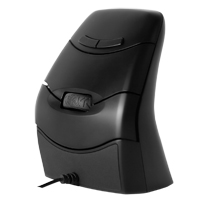
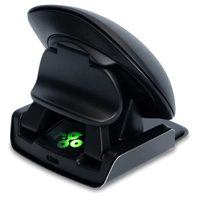
The Evoluent VerticalMouse D showcases over 20 years of continuous improvement in ergonomic vertical mouse design. The VerticalMouse D is the sixth generation of the Evoluent VerticalMouse and reflects a rich history of ergonomic innovation. The Vert ...
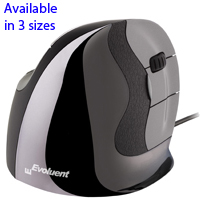
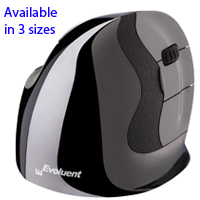
The Evoluent VerticalMouse D showcases over 20 years of continuous improvement in ergonomic vertical mouse design. The VerticalMouse D is the sixth generation of the Evoluent VerticalMouse and reflects a rich history of ergonomic innovation. The VerticalMouse D retains all of the benefits associated with earlier Evoluent VerticalMouse models while including design changes that offer both improved control as well as comfort when compared with earlier generations.
The most noticeable design improvement on the Evoluent VerticalMouse D is the patented vertically grooved buttons. This "first of its kind" innovation provides a natural resting place for the fingertips that is not only more comfortable but also effectively makes the mouse an "extension" of the hand. With the fingertips lightly resting in the grooved buttons the mouse is naturally held in position, virtually eliminating any need or desire to "grip" the mouse. The end result is not only an enhanced degree of cursor precision but a more relaxed hand and forearm.
Those who have used earlier versions of the Evoluent VerticalMouse will also discover subtle changes in the body contours that encourage the hand to more naturally "curve" around the mouse as well as a slightly wider lower finger flange to better prevent surface contact.
The pointer speed control on the VerticalMouse D is still placed just behind the buttons but is more easily accessed than on earlier models of the Evoluent VerticalMouse. The fingers are able to easily identify and activate the gently-curved raised button without any risk of accidentally clicking. The four speeds (Extra Low, Low, Medium, & High) activate sequentially with each click of the speed control so individuals can quickly adapt the mouse to the need of the moment. The illuminated setting indicator is located at the front of the thumb rest.
The MouseManager Software from Evoluent offers reconfiguration options to meet individual requirements or preferences. Any of the 6 buttons can be assigned custom commands. The driver also includes additional enhancements such as instant access to screen brightness adjustment via the scroll wheel. And frustrated EXCEL users who have been looking for a "Horizontal Scroll" function can now use the MouseManager software to enhance their productivity with instant and effortless switching between Vertical and Horizontal scrolling in Excel.
The VerticalMouse D is available in Small, Medium (similar in size to the "Standard" sized VerticalMouse 4) and Large models for the right hand. The Large size is a new addition to the Evoluent family and is sized to meet the needs of those with larger than average hands. All sizes are available in both Wired or Wireless models.
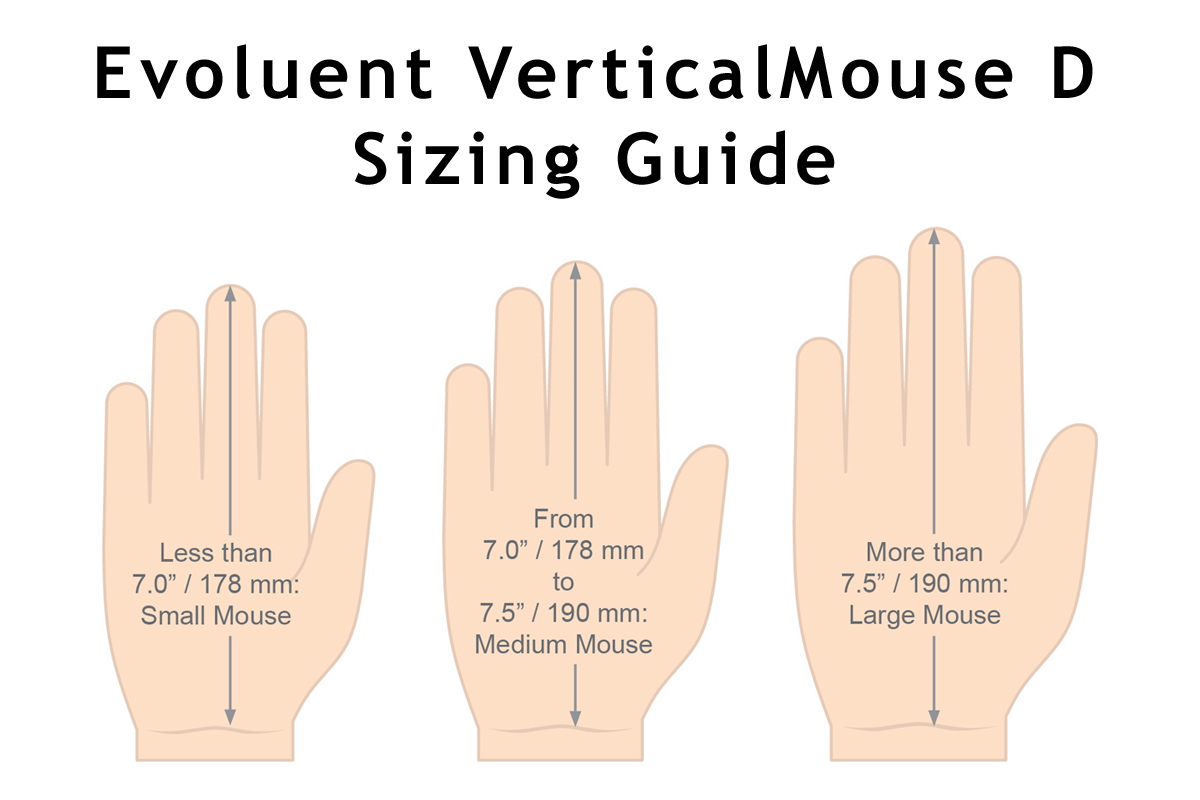
Choose the Correct Size: Selecting a mouse that best matches hand size is important when addressing ergonomic issues. This Sizing Guide can be used to determine whether a Small, Medium or Large size Evoluent VerticalMouse D is the appropriate size.
La souris Evoluent VerticalMouse D met en valeur plus de 20 ans d’amélioration de la conception ergonomique des souris verticales. La VerticalMouse D est la sixième génération de la souris Evoluent VerticalMouse et reflète une riche histoire d'innovation ergonomique. La VerticalMouse D conserve tous les avantages associés aux modèles Evoluent VerticalMouse précédentes, tout en incluant des modifications de conception qui offrent un contrôle amélioré et un confort amélioré par rapport aux générations précédentes.
L’amélioration de la conception la plus notable de la souris Evoluent VerticalMouse D est dans les nouveaux boutons brevetés à rainures verticales. Cette nouvelle innovation, "première en son genre", offre aux doigts un endroit de repos naturel non seulement plus confortable, mais faisant également de la souris une "extension" de la main. Avec le bout des doigts légèrement appuyé sur les boutons rainurés, la souris est naturellement maintenue en position, ce qui élimine pratiquement tout besoin ou désir de "saisir" la souris. Le résultat final est non seulement un degré accru de précision du curseur, mais également une main et un avant-bras plus confortable.
Les gens qui ont déjà utilisé les versions précédentes d'Evoluent VerticalMouse découvriront également les changements délicats dans les contours du corps qui favorise la main à se "courber" plus naturellement autour de la souris, ainsi qu'une bride légèrement plus large pour le doigt inférieur afin d'éviter tout contact avec la surface.
Le contrôle de la vitesse du pointeur sur la VerticalMouse D est toujours placé juste derrière les boutons, mais est plus facilement accessible que sur les modèles précédents de la souris Evoluent VerticalMouse. Les doigts peuvent facilement identifier et activer le bouton de vitesse, qui est légèrement incurvé, sans risque de clic accidentel. Les quatre vitesses (Extra Basse, Basse, Moyenne et Haute) sont activées de manière séquentielle à chaque clic du contrôle de vitesse pour s’adapter rapidement la souris aux besoins du moment. L'indicateur de paramètre éclairé est situé à l'avant du repose-pouce.
Le logiciel MouseManager d’Evoluent permet aux individus de personnaliser leur souris en fonction de leurs besoins. N'importe des 6 boutons peuvent avoir des commandes personnalisées. Le pilote comprend également des améliorations supplémentaires telles que l'accès instantané à l'ajustement de la luminosité de l'écran via la roulette de défilement. Et les gens qui se fatiguent à ne pas être capable de faire défiler les pages horizontalement peuvent maintenant utiliser le logiciel MouseManager pour améliorer leur productivité en basculant instantanément et sans effort de l'un à l'autre entre Vertical et Horizontal scrolling dans ExcelM.
La VerticalMouse D est maintenant disponible en taille Small, Medium (semblable en taille que sur la taille "Standard" du VerticalMouse 4), et Large, toutes pour la main droite. La taille Large est la nouvelle membre de la famille Evoluent et est fait pour répondre aux besoins pour ceux qui ont des mains plus grande. Toutes les tailles sont disponible Avec Fil ou Sans Fil.
Choisir la Bonne Taille:
Pour bien répondre aux besoins ergonomiques, le choix de taille de la souris est important, pour bien correspondre à la taille de la main. Voici un Sizing Guide pour aider à déterminer si la taille Small, Medium, ou Large de la souris Evoluent VerticalMouse D est une bonne taille.
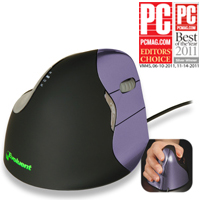
The VerticalMouse 4 from Evoluent features a unique patented contoured design that transforms the traditional palm down mousing position into a vertical handshake position. This "vertical" position is designed to reduce stress in the forearm and elbo ...
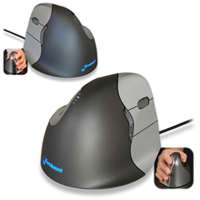
The VerticalMouse 4 from Evoluent features a unique patented contoured design that transforms the traditional palm down mousing position into a vertical handshake position. This "vertical" position is designed to reduce stress in the forearm and elbow and offers increased comfort for many individuals. The flange along the bottom of the mouse prevents the fifth finger from dragging on the desk and a uniquely sculpted thumb rest provides not only a relaxed resting place for the thumb but also a means for enhanced control of the mouse.
Performance based features include an easy-to-access pointer speed button on the side of the mouse. This offers settings of Extra Low, Low, Medium and High, allowing the appropriate acceleration and degree of precision to be selected for each task.
The MouseManager Software from Evoluent provides options for customization of the VerticalMouse to meet anyone's specific requirements. Any of the 6 buttons can be assigned custom commands. The driver also includes additional enhancements such as instant access to screen brightness adjustment via the scroll wheel, auto-click, and drag lock.
EXCEL USERS: Tired of not being able to scroll horizontally? The MouseManager Software offers a "Horizontal Scroll" function that facilitates effortless switching between Vertical and Horizontal scrolling in EXCEL.
The standard size wired VerticalMouse 4 is available in both right- and left-hand models, and comes in a dark grey housing with silver buttons. This mouse is also available in Standard and Small Wireless models.
Choose the Correct Size: Selecting a mouse that best matches hand size is important when addressing ergonomic issues. This printable Sizing Guide can be used to determine whether a SMALL or STANDARD size Evoluent VerticalMouse 4 is the appropriate size.
For hands that are identified as being more suited to a Small model there are both Wired and Wireless Evoluent VerticalMouse 4 Small models available. The Small provides all of the ergonomics benefits provided by the Standard Evoluent VerticalMouse 4 but is better suited to those with smaller hands.
Those with large hands and/or long fingers may wish to consider the Large size of the VerticalMouse D. This latest addition to the Evoluent family is available in Small, Medium and Large sizes for right-handed individuals, in both Wired and Wireless. View the entire range of Evoluent models.
La souris Evoluent VerticalMouse 4 est contourer d'une façon unique, car sa conception brevetée transforme la position traditionnel d'une souris avec la paume vers le bas (plat) à une position détendue verticale comme une poignée de main. Cette position "verticale" est conçu pour réduire des douleurs dans l'avant-bras et coude aussi qu'offrire du confort augmenté pour beaucoup d'utilisateurs. Le bride le long du bas de la souris empêche le petit doigt de l'utilisateur de glisser (frotter) sur le bureau. Le repose pouce uniquement sculpter offre un endroit confortable pour le pouce, et pour améliorer le contrôle.
Les caractéristiques de performance incluent un bouton plus accèssible qui contôle la vitesse du pointeur sur le côter de la souris pour permettre l'utilisateur de choisir entre très basse, basse, moyen, et haute, qui donne la capacité de choisir le degré du précision nécessaire pour faire chaque tâche.
Le logiciel MouseManager d'Evoluent offre des options pour personalizer la souris VerticalMouse pour répondre aux besoins spécifiques de chacun. Des commandes personnalisées peuvent être attribuées à chacun des 6 boutons. Le pilote comprend également des améliorations supplémentaires telles que l'accès instantané à l'ajustement de la luminosité de l'écran via la roulette de défilement, l'auto-click, et drag lock.
Pour les gens qui utilise EXCEL: Fatiguer à ne pas être capable de faire défiler les pages horizontalement? Le logiciel MouseManager offre une fonction de "Défilement Horizontal" qui permet de passer sans effort de l'un à l'autre entre Vertical and Horizontal scrolling in EXCEL .
La souris standard avec fil du VerticalMouse 4 est disponible en modèle droite et gauche, et a une couleur gris foncer du base avec les boutons en couleur argenter. Cette souris est aussi disponible en modèle Standard et Small Wireless (Droitier seulement) aussi que Bluetooth (pour Mac, taille Standard Droitier seulement).
Choisir la Bonne Taille:
Pour bien répondre aux besoins ergonomiques, le choix de taille de la souris est important, pour bien correspondre à la taille de la main. Voici un Sizing Guide qui peut être imprimer, pour aider à déterminer si la taille SMALL ou STANDARD de la souris Evoluent VerticalMouse 4 est une bonne taille.
Le Small est disponible en modèle Avec Fil et Sans Fil . La Small offre tout les avantages ergonomiques que la Standard Evoluent VerticalMouse 4 mais est plus adaptée pour les petits mains.
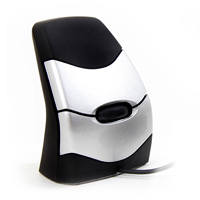
The third generation DXT Mouse 3 from City Ergonomics is designed for those with average to larger size hands who may have found the DXT 2 to be a less than ideal size. It features improved contours and a new rubber thumb rest for even greater finge ...
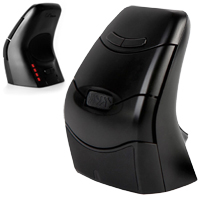
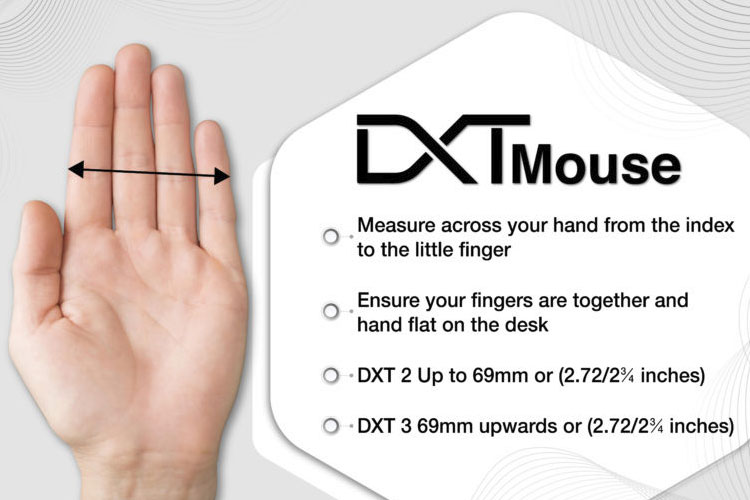
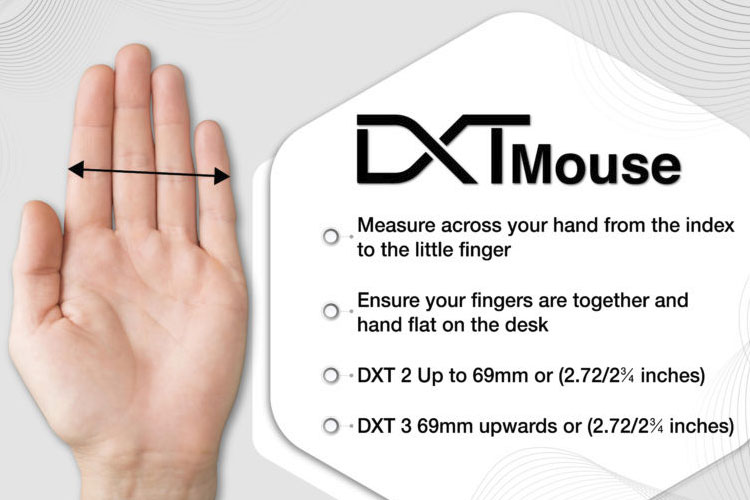
The third generation DXT Mouse 3 from City Ergonomics is designed for those with average to larger size hands who may have found the DXT 2 to be a less than ideal size. It features improved contours and a new rubber thumb rest for even greater fingertip control than earlier models. This finger-controlled vertical mouse positions the hand and wrist in a relaxed natural vertical orientation. Control of the mouse is primarily achieved by employing the small muscles and joints of the fingers, with minimal involvement of the larger muscle groups of the shoulder and arm. The much greater precision attainable through the fingers makes the DXT Mouse 3 suitable for those requiring fine, precise cursor control. The DXT Mouse 3 features light click buttons to minimize the effort required for clicking and the unique ambidextrous design readily facilitates workload balancing between the left and right hands. The DXT Mouse 3 also includes convenient Back/Forward buttons and is overall larger and taller than the earlier DXT and DXT 2 models. As such it is also better suited to those with average to larger size hands. Those with smaller hands may wish to consider the wired or wireless versions of the DXT Ergonomic Mouse 2. The DXT Sizing Chart should be used to determine which DXT Mouse would be most suitable.
The DXT Mouse 3 moves with minimal resistance, requiring nominal effort to accomplish effective cursor control. The mouse is equipped with a weighted zinc base to ensure vertical stability and to optimize control by providing enhanced tactile feedback. With four DPI settings available at the touch of a button, the DXT Mouse 3 can meet the requirements for any type of work, regardless of the sensitivity and accuracy required.
The DXT Mouse 3 is also available in a traditional Wired version.
La troisième génération de souris DXT Mouse 3 de City Ergonomics est conçue pour les personnes ayant des mains de taille moyenne à grande, qui ont pu trouver que la DXT 2 n'avait pas la taille idéale. Elle présente des contours améliorés et un nouveau repose-pouce en caoutchouc pour un contrôle encore plus précis du bout des doigts que les modèles précédents. Cette souris verticale contrôlée par les doigts positionne la main et le poignet dans une orientation verticale naturelle et détendue. Le contrôle de la souris s'effectue principalement en utilisant les petits muscles et les articulations des doigts, avec une implication minimale des groupes musculaires plus importants de l'épaule et du bras. La souris DXT Mouse 3 convient aux personnes qui ont besoin d'un contrôle fin et précis du curseur, grâce à la plus grande précision qu'il est possible d'obtenir avec les doigts. Une des caractéristique du DXT Mouse 3 est que les boutons à clics sont légers ce qui minimisent l'effort requis pour cliquer. Sa conception ambidextre unique facilite l'équilibrage de la charge de travail entre la main gauche et la main droite. La souris DXT 3 comprend également des boutons Arrière/Avant pratiques et est globalement plus grande et plus haute que les modèles DXT et DXT 2 ancien. Elle est donc mieux adaptée aux personnes ayant des mains de taille moyenne à grande. Les personnes ayant des mains plus petites peuvent envisager les versions avec ou sans fil de la souris DXT Ergonomic Mouse 2. Le Tableau des Tailles DXT doit être utilisé pour déterminer quelle souris DXT convient le mieux.
La souris DXT Mouse 3 se déplace avec une résistance minimale, nécessitant un effort simple pour contrôler efficacement le curseur. La souris est équipée d'une base en zinc alourdi pour assurer la stabilité verticale et optimiser le contrôle en fournissant un retour tactile amélioré. Avec quatre paramètres de DPI disponibles par un simple pression d'un bouton, la DXT Mouse 3 peut répondre aux exigences de tout type de travail, quelles que soient la sensibilité et la précision requises.
La DXT Mouse 3 est également disponible en version traditionnel.
Models For ultra-low resistance mousing, add a Microthin Wow!Pad to your desktop and save 70% or more on selected models.
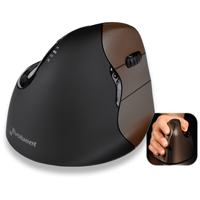
The VerticalMouse 4 Wireless from Evoluent features a unique patented contoured design that transforms the traditional palm down mousing position into a vertical handshake position. This "vertical" position is designed to reduce stress in the forearm ...
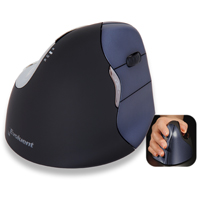
The VerticalMouse 4 Wireless from Evoluent features a unique patented contoured design that transforms the traditional palm down mousing position into a vertical handshake position. This "vertical" position is designed to reduce stress in the forearm and elbow and offers increased comfort for many individuals. The flange along the bottom of the mouse prevents the fifth finger from dragging on the desk and a uniquely sculpted thumb rest provides not only a relaxed resting place for the thumb but also a means for enhanced control of the mouse.
Performance based features include an easy-to-access pointer speed button on the side of the mouse. This offers settings of Extra Low, Low, Medium and High, allowing the appropriate acceleration and degree of precision to be selected for each task.
The MouseManager Software from Evoluent provides options for customization of the VerticalMouse to meet anyone's specific requirements. Any of the 6 buttons can be assigned custom commands. The driver also includes additional enhancements such as instant access to screen brightness adjustment via the scroll wheel, auto-click, and drag lock.
EXCEL USERS: Tired of not being able to scroll horizontally? The MouseManager Software offers a "Horizontal Scroll" function that facilitates effortless switching between Vertical and Horizontal scrolling in EXCEL.
The VerticalMouse 4 Wireless is available in for the right hand only, and comes in both Standard and Small sizes models. The Standard size features a black housing with dark metallic blue buttons while the Small version comes with a brown housing and bronze-coloured buttons.
Choose the Correct Size: Selecting a mouse that best matches hand size is important when addressing ergonomic issues. This printable Sizing Guide can be used to determine whether a SMALL or STANDARD size Evoluent VerticalMouse 4 is the appropriate size.
For hands that are identified as being more suited to a Small model there are both Wired and Wireless Evoluent VerticalMouse 4 Small models available. The Small provides all of the ergonomics benefits provided by the Standard Evoluent VerticalMouse 4 but is better suited to those with smaller hands.
Those with large hands and/or long fingers may want to consider the Large size of the VerticalMouse D. This latest addition to the Evoluent family is available in Small, Medium and Large sizes for right-handed individuals, in both Wired and Wireless.
La souris Evoluent VerticalMouse 4 Wireless est contourer d'une façon unique, car sa conception brevetée transforme la position traditionnel d'une souris avec la paume vers le bas (plat) à une position détendue verticale comme une poignée de main. Cette position "verticale" est conçu pour réduire des douleurs dans l'avant-bras et coude aussi qu'offrire du confort augmenté pour beaucoup d'utilisateurs. Le bride le long du bas de la souris empêche le petit doigt de l'utilisateur de glisser (frotter) sur le bureau. Le repose pouce uniquement sculpter offre un endroit confortable pour le pouce, et pour améliorer le contrôle.
Les caractéristiques de performance incluent un bouton plus accèssible qui contôle la vitesse du pointeur sur le côter de la souris pour permettre l'utilisateur de choisir entre très basse, basse, moyen, et haute, qui donne la capacité de choisir le degré du précision nécessaire pour faire chaque tâche.
Le logiciel MouseManager d'Evoluent offre des options pour personalizer la souris VerticalMouse pour répondre aux besoins spécifiques de chacun. Des commandes personnalisées peuvent être attribuées à chacun des 6 boutons. Le pilote comprend également des améliorations supplémentaires telles que l'accès instantané à l'ajustement de la luminosité de l'écran via la roulette de défilement, l'auto-click, et drag lock.
Pour les gens qui utilise EXCEL: Fatiguer à ne pas être capable de faire défiler les pages horizontalement? Le logiciel MouseManager offre une fonction de "Défilement Horizontal" qui permet de passer sans effort de l'un à l'autre entre Vertical and Horizontal scrolling in EXCEL .
La souris VerticalMouse 4 Wireless est disponible seulement pour main Droite en taille Standard et Small. Le modèle Standard a une couleur métallique blue foncer sur les boutons, tandis que le modèle Small a des boutons brun-bronze.
Choisir la Bonne Taille:
Pour bien répondre aux besoins ergonomiques, le choix de taille de la souris est important, pour bien correspondre à la taille de la main. Voici un Sizing Guide qui peut être imprimer, pour aider à déterminer si la taille SMALL ou STANDARD de la souris Evoluent VerticalMouse 4 est une bonne taille.
Le Small est disponible en modèle Avec Fil et Sans Fil . La Small offre tout les avantages ergonomiques que la Standard Evoluent VerticalMouse 4 mais est plus adaptée pour les petits mains.
Pour les gens qui ont des plus grandes mains et/ou de longues doigts seront peut-être intéressé aux souris Evoluent VerticalMouse C ou le Evoluent VerticalMouse C Sans Fil , ou qui vont peut-être vouloir considérer le modèle Large de la souris VerticalMouse D. Cette nouvelle membre de la famille Evoluent est disponible en tailles Small, Medium et Large pour les personnes droitier, en modèles Avec Fil et Sans Fil .
Veuillez noter: La souris VerticalMouse 4 est aussi disponible en modèle Standard Avec Fil (pour main Droite ou Gauche) et en modèle Small Avec Fil (Droitier seulement), aussi que Bluetooth (pour Mac, taille Standard et droitier seulement).
Models For ultra-low resistance mousing, add a Microthin Wow!Pad to your desktop and save 70% or more on selected models.
Model #
Description
Price
In Stock?
Buy Now
VM4RW
Right-Handed, Wireless, Black Housing with Chrome Accents, Dark Metallic Blue Buttons, (2.4 GHz RF Wireless [USB-A])
$157.50
Yes
VM4SW
Right-Handed, Small, Wireless, Brown Housing with Chrome Accents, Dark Metallic Bronze Buttons, (2.4 GHz RF Wireless [USB-A])
$157.50
Yes
Accessories
Model #
Description
Price
In Stock?
Buy Now
VM4RRV2
Evoluent Replacement USB Receiver for Evoluent VerticalMouse 4 Wireless for Serial Numbers XX1507XXXX and higher NO 30 DAY CSG.
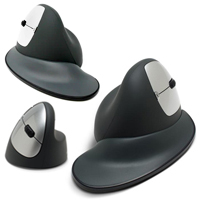
The Goldtouch Semi-Vertical Mouse from Key Ovation rotates the hand outward to a 66° tilt. This outward rotation reduces strain on the soft tissues of the forearm when compared with the familiar pronated "palm down" position. In addition, since i ...
The Goldtouch Semi-Vertical Mouse from Key Ovation rotates the hand outward to a 66° tilt. This outward rotation reduces strain on the soft tissues of the forearm when compared with the familiar pronated "palm down" position. In addition, since individuals no longer have the option of "planting" the heel of their hand, the potential for wrist extension is also greatly reduced. With both right and left-handed models available, either mousing hand is able to benefit from this design.
The body of the Goldtouch Semi-Vertical Mouse is intended to provide a comfortable supportive structure for the hand, encouraging the adoption of a position where the fingers relax to curl and rest naturally over the buttons. The mouse comes with an optional Ergo-Grip flange that attaches magnetically and provides support for the entire hand. With the Ergo-Grip flange in place mouse movement using the entire arm is encouraged, rather than relying solely on wrist and finger movements. The Semi-Vertical Mouse readily offers support to hands up to 7.5" in length, and with the Ergo-Grip flange attached, will support even longer hands up to 8". Note: Those with smaller hands could find that the Semi-Vertical Mouse is a bit large and may wish to consider the Goldtouch Ergonomic Mouse.
The Goldtouch Semi-Vertical Mouse is available in models for both the right and left hands. The right-handed model is available in both Wired or Wireless models, while the left-handed model is only available in a wireless version. Both wired and wireless models offer easily-adjusted multiple DPI settings for fine-tuning cursor sensitivity. To further customize performance 4 removable 5 gram weights are housed in the mouse. Standard Left, Right, and Middle click (on scroll wheel) functions are available as well as Page Forward and Page Back thumb buttons. The rubberized textured scroll wheel features detents for clear tactile feedback.
La Goldtouch Semi-Vertical Mouse de Key Ovation pivote la main vers l’extérieur jusqu'à 66° inclinaison. La rotation vers l'extérieur réduit la tension sur les tissus de l'avant-bras par rapport à la position pronation "paume vers le bas" bien connue. Puisque les personnes n'ont plus l'option de "planter" le talon de leur main, le potentiel d'extension du poignet est donc considérablement réduit. Avec des modèles pour droitiers et gauchers disponibles, les deux mains peuvent profiter de cette conception.
Le corps de la Goldtouch Semi-Vertical Mouse est destiné à fournir une structure de support confortable pour la main, encourageant une adoption d'une position détendu pour les doigts et enrouler naturellement sur les boutons. La souris vient avec une bride Ergo-Grip optionnelle qui se fixe magnétiquement à la souris, offrant ainsi un support pour toute la main. Avec la bride Ergo-Grip en place, le mouvement de la souris avec tout le bras est encourager, au lieu de faire le mouvement avec le poignet et doigts. La Semi-Vertical Mouse offre le support aux mains qui sont jusqu'à 7.5po en longeur, et avec la bride Ergo-Grip en place, soutiendra même les mains plus grande de jusqu'à 8po.
Veuillez noter: Les personnes qui ont des petits mains vont peut-être trouver que la Semi-Vertical Mouse est un peut trop grande et vont peut-être vouloir considèrer la Goldtouch Ergonomic Mouse .
La Goldtouch Semi-Vertical Mouse est disponible en modèles pour les mains droitiers et gauchers. Le modèle pour la main droite est disponible avec fil et sans fil, tandis que le modèle pour la main gauche est seulement disponible sans fil. Les deux modèles avec fil et sans fil offre de multiples paramètres DPI facilement ajustables pour un réglage précis de la sensibilité du curseur. Pour personnaliser encore plus les performances, il y a 4 poids (de 5 grammes chaque) qui peuvent être enlever si désirer. Des fonctions standard de clic gauche, droit, aussi que clic milieu (sur la molette de défilement) sont disponibles, ainsi que des boutons de pouce du Page Suivante et Page Précédente. La molette de défilement texturée caoutchoutée présente des crans pour la sensation tactile.
Models For ultra-low resistance mousing, add a Microthin Wow!Pad to your desktop and save 70% or more on selected models.
Model #
Description
Price
In Stock?
Buy Now
KOV-GSV-RM
Goldtouch Semi-Vertical Mouse, Right Hand, Corded, Silver/Grey, (USB-A)
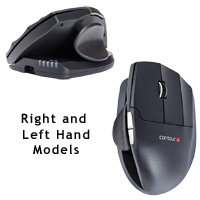
The Unimouse Wireless from Contour Design has a unique adjustable design which allows for a variety of hand positions for different tasks or to address any discomfort from static positioning. It incorporates a 35° - 70° friction-based tilt mechanism ...
The Unimouse Wireless from Contour Design has a unique adjustable design which allows for a variety of hand positions for different tasks or to address any discomfort from static positioning. It incorporates a 35° - 70° friction-based tilt mechanism and a fully articulating thumb support. This combination of adjustments mean the Unimouse Wireless can be adapted to provide optimal fit for a broad range of hand proportions. The Unimouse Wireless is available in models for both the right and left hands.
For most individuals the 35° - 70° range of adjustment provides a vertical orientation sufficient to provide an optimized, comfortable and relaxed hand position. The friction-based adjustment also provides for incremental adjustments of the angle throughout the day in response to the particular work being performed or when responding to negative feedback their body may be providing. The adjustable design of this mouse is complemented by the articulating thumb support that can be adjusted through a full 3-D range. By taking advantage of the pivot, slide, and pull-out options on the thumb support anyone can adapt the mouse for their own hand length and width, fine-tuning the dimensions to fit their exact needs. As with the tilt capability - if discomfort is detected, minor adjustments to find an optimal position are virtually effortless. Because none of the adjustments on the Unimouse Wireless are actually "locked in" those who wish to avoid static posture of the hand have the option of encouraging postural change by changing the Unimouse body angle and thumb support position at any time.
The Unimouse Wireless is equipped with a high resolution sensor offering ten pointer speed settings ranging from 800-4000 DPI. Adjustment is via a single button located on the top of the base, just behind the bi-coloured speed indicator LEDs. Individual performance preferences are easily accommodated as are the varying cursor control requirements that can arise when performing varying types of computer work. The three low-force buttons have a 20 million click rating and feature crisp activation with an audible click. These provide access to Left, Middle and Right Clicks. An on-board shortcut offers the option of switching the Middle Click button to perform a Double Click with Auto Scroll/Scroll Lock remaining accessible via the scroll wheel click. The scroll wheel is equipped with a rubber tire for grip and has distinct but soft detents.
Those who like to customize their mouse will appreciate the wide range of programmable options that are available. There are six programmable buttons, all of which can be reassigned to perform any standard mouse action The full 3-D Articulating Thumb Support on the Unimouse features a ball joint that lets the support be adjusted to offer the ideal placement. In addition to the ball joint, the thumb support also has a back/forward range of adjustment that can be employed to adjust the thumb support to fit longer and shorter hands and thumbs. The third movement is the in/out motion that can be employed to effectively adjust the width of the as well as a wide range of specialized actions. For those with a good memory the available PC and Mac compatible drivers also offer the option of setting "program specific" command layouts. In the program specific mode only 5 buttons remain accessible for programming.
The Unimouse Wireless can operate as both a cordless and corded mouse. Wireless use is supported through either Bluetooth or the included 2.4Ghz receiver, and when the charging/data cord is attached it operates as a standard wired device, with data being transferred only via the cord. It is also equipped for use with either USB-A or USB-C connections. The 470mAh Lithium-ion rechargeable battery charges in 2 hours and can provide up to 1 month of use on a single charge. Of course, individual usage may affect this. There is also a Wired Unimouse for those who prefer the reliability of wired connections.
L'Unimouse Wireless de Contour Design a une conception d'ajustements unique qui permet des position différents pour la main pour des différents tâches ou pour adresser les douleurs qui sont causer par les positions statique. Elle contient un mécanisme d'inclinaison à friction de 35° - 70° et un support de pouce entièrement articulé. Cette combinaison d'ajustements indique que l'Unimouse Wireless peut être adaptée pour offrir un confort optimal à une grande gamme de tailles des mains. L'Unimouse Wireless est disponible pour mains droite et gauche.
Avec la gamme d'ajustement de 35 ° - 70 °, cela offre la plupart des personnes une orientation verticale qui est optimal pour avoir une position de main confortable. L'ajustement à friction permet également d'ajuster progressivement l'angle tout au long de la journée, dépendant du travail particulier ou pour soulager des douleurs. L'inclinaison verticale est complimenter par le support de pouce articulé qui peut être ajusté à travers une gamme complète en 3D. L'utilisation des options de pivotement, de glissement et de retirer sur l'appui-pouce permet aux gens d'adapter la souris à la longueur et à la largeur de la main, en ajustant les dimensions en fonction de leurs besoins précis. Comme avec l'option d'inclinaison - s'il y a de l'inconfort, des ajustements petits tout en cherchant une position optimale. Comme aucun des ajustements sur l'Unimouse Wireless n'est réellement "verrouillé", ceux qui souhaitent éviter une posture fix de la main a la possibilité d'encourager le changement de position en changeant l'angle du corps de la souris Unimouse aussi que la position de l'appui-pouce à n'import moment.
L'Unimouse Wireless est équipé d'un capteur de 10 niveaux qui est de 800 à 4000 DPI. L'ajustement de la sensibilité s'effectue par un seul bouton situé sur le dessus de la base, juste derrière les indicateurs à 2 couleurs. Les préférences d'ajustements sont facile a faire au besoin pour les mouvements de contrôle de base ou de précision, selon les différentes tâches de travail à l'ordinateur. Les trois boutons ont une activation minimal et peuvent faire 20 millions de clics avec une activation nette et avec clics audible. Ceux-ci donnent accès aux clics gauche, milieu et clic droit. Un raccourci dans la souris permet l'option de basculer le bouton du clic milieu pour effectuer un double clic et l'Auto Scroll/Scroll Lock reste accessible avec le clic de la roulette. La roulette de défilement est équipée d'un pneu en caoutchouc pour l'adhérence et possède des bosses distincts mais doux.
Les gens qui aiment personnaliser leur souris apprécieront la vaste gamme d'options disponibles pour la programmation. Il y a six boutons programmables qui peuvent être désigner pour faire n'importe quelle action de souris standard. Le repose pouse sur la Unimouse est une Articulating Thumb Support en 3D qui la permet d'ajuster le support par un ball joint afin d'obtenir un position idéal. En plus de cette mouvement par ball joint, le repose pouce peut aussi être ajuster en avant/arrière permettant de l'adapter aux mains de différente tailles. Le troisième mouvement est un déplacement vers l'intérieur/l'extérieur qui permet d'ajuster efficacement la largeur ainsi qu'une gamme d'actions de spécialité. Pour les gens qui ont une bonne mémoire, les pilotes compatibles pour PC et Mac sont disponibles et offrent également la possibilité de faire des configurations de commande «spécifiques au programme». En mode spécifique au programme, seulement 5 boutons restent accessibles pour la programmation.
L'Unimouse Wireless peut fonctionner en mode sans fil aussi qu'en mode avec fil. L'utilisation sans fil est supporter soit par Bluetooth, ou soit par une clé 2.4 GHz inclus ; et lorsque le câble de recharge est branché, elle fonctionne comme une souris avec fil standard, les données étant transférées seulement par le câble. Elle est également compatible avec les connexions USB-A et USB-C. La batterie rechargeable au lithium-ion de 470 mAh se recharge en 2 heures et offre jusqu'à 1 mois d'usage sur une seule charge. Évidemment, l'usage individuel peut avoir un impact sur cela. Il y a aussi la souris avec fil Wired Unimouse pour ceux qui préfèrent la fiabilité des connexions avec fil.
Models For ultra-low resistance mousing, add a Microthin Wow!Pad to your desktop and save 70% or more on selected models.
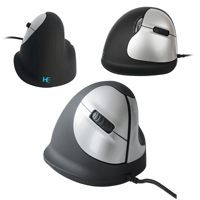
The R-Go HE Ergonomic Mouse from R-Go Tools rotates the hand upward and outward. This angled posture reduces strain on the tissues of the forearm when compared with the traditional pronated "palm down" position. In addition, because the hand is now e ...
The R-Go HE Ergonomic Mouse from R-Go Tools rotates the hand upward and outward. This angled posture reduces strain on the tissues of the forearm when compared with the traditional pronated "palm down" position. In addition, because the hand is now elevated up and away from the surface, it is no longer possible to "plant" the heel of the hand in the manner that the traditional mouse position encourages. Thus, the potential for the development of RSI from repetitive or sustained wrist extension is virtually eliminated.
The R-Go HE Ergonomic Mouse offers support for the hand and fingers, encouraging individuals to let their hand relax against the natural contours. Because hand sizes vary, the HE Ergonomic Mouse is available in two sizes. Both sizes incorporate a flange so that the little finger is not left dragging along the desk surface. The Medium is sized to accommodate hand sizes ranging from 6.5" to 7.3" in length, is available in both Left and Right hand versions, and is equipped with a 4-level sensor that reads from 800-3200 DPI. The Large is also available for both Left and Right hand users and is better suited for larger hands from 6.9" in length and up. The Right is equipped with a 4-level sensor that can read from 500-2500 DPI, while the Left can read from 500-3500 DPI.
The R-Go HE Ergonomic Mouse is also available in a Wireless model as well as the BREAK model which provides visual cues to remind users to take regular breaks in order to reduce the risk of developing RSI. Note: When selecting the appropriate size of R-Go Mouse the hand should be measured from the tip of the middle finger to the first crease in the wrist.
Models For ultra-low resistance mousing, add a Microthin Wow!Pad to your desktop and save 70% or more on selected models.
Model #
Description
Price
In Stock?
Buy Now
RGOHE
Right Handed, Medium, Wired, 800/1600/2400/3200 DPI, (USB-A)
The Evoluent VerticalMouse D showcases over 20 years of continuous improvement in ergonomic vertical mouse design. The VerticalMouse D is the sixth generation of the Evoluent VerticalMouse and reflects a rich history of ergonomic innovation. The Vert ...
The Evoluent VerticalMouse D showcases over 20 years of continuous improvement in ergonomic vertical mouse design. The VerticalMouse D is the sixth generation of the Evoluent VerticalMouse and reflects a rich history of ergonomic innovation. The VerticalMouse D retains all of the benefits associated with earlier Evoluent VerticalMouse models while including design changes that offer both improved control as well as comfort when compared with earlier generations.
The most noticeable design improvement on the Evoluent VerticalMouse D is the patented vertically grooved buttons. This "first of its kind" innovation provides a natural resting place for the fingertips that is not only more comfortable but also effectively makes the mouse an "extension" of the hand. With the fingertips lightly resting in the grooved buttons the mouse is naturally held in position, virtually eliminating any need or desire to "grip" the mouse. The end result is not only an enhanced degree of cursor precision but a more relaxed hand and forearm.
Those who have used earlier versions of the Evoluent VerticalMouse will also discover subtle changes in the body contours that encourage the hand to more naturally "curve" around the mouse as well as a slightly wider lower finger flange to better prevent surface contact.
The pointer speed control on the VerticalMouse D is still placed just behind the buttons but is more easily accessed than on earlier models of the Evoluent VerticalMouse. The fingers are able to easily identify and activate the gently-curved raised button without any risk of accidentally clicking. The four speeds (Extra Low, Low, Medium, & High) activate sequentially with each click of the speed control so it is possible to quickly adapt the mouse to the need of the moment. The illuminated setting indicator is located at the front of the thumb rest.
The MouseManager Software from Evoluent offers reconfiguration options to meet individual requirements or preferences. Any of the 6 buttons can be assigned custom commands. The driver also includes additional enhancements such as instant access to screen brightness adjustment via the scroll wheel. And frustrated EXCEL users who have been looking for a "Horizontal Scroll" function can now use the MouseManager software to enhance their productivity with instant and effortless switching between Vertical and Horizontal scrolling in Excel.
The VerticalMouse D is now available in Small, Medium (similar in size to the "Standard" sized VerticalMouse 4) and Large models for the right hand. The Large size is a new addition to the Evoluent family and is sized to meet the needs of those with larger than average hands. All sizes are available in both Wireless or Wired models.
Choose the Correct Size: Selecting a mouse that best matches hand size is important when addressing ergonomic issues. This Sizing Guide can be used to determine whether a Small, Medium or Large size Evoluent VerticalMouse D is the appropriate size.
La souris Evoluent VerticalMouse D met en valeur plus de 20 ans d’amélioration de la conception ergonomique des souris verticales. La VerticalMouse D est la sixième génération de la souris Evoluent VerticalMouse et reflète une riche histoire d'innovation ergonomique. La VerticalMouse D conserve tous les avantages associés aux modèles Evoluent VerticalMouse précédentes, tout en incluant des modifications de conception qui offrent un contrôle amélioré et un confort amélioré par rapport aux générations précédentes.
L’amélioration de la conception la plus notable de la souris Evoluent VerticalMouse D est dans les nouveaux boutons brevetés à rainures verticales. Cette nouvelle innovation, "première en son genre", offre aux doigts un endroit de repos naturel non seulement plus confortable, mais faisant également de la souris une "extension" de la main. Avec le bout des doigts légèrement appuyé sur les boutons rainurés, la souris est naturellement maintenue en position, ce qui élimine pratiquement tout besoin ou désir de "saisir" la souris. Le résultat final est non seulement un degré accru de précision du curseur, mais également une main et un avant-bras plus confortable.
Les gens qui ont déjà utilisé les versions précédentes d'Evoluent VerticalMouse découvriront également les changements délicats dans les contours du corps qui favorise la main à se "courber" plus naturellement autour de la souris, ainsi qu'une bride légèrement plus large pour le doigt inférieur afin d'éviter tout contact avec la surface.
Le contrôle de la vitesse du pointeur sur la VerticalMouse D est toujours placé juste derrière les boutons, mais est plus facilement accessible que sur les modèles précédents de la souris Evoluent VerticalMouse. Les doigts peuvent facilement identifier et activer le bouton de vitesse, qui est légèrement incurvé, sans risque de clic accidentel. Les quatre vitesses (Extra Basse, Basse, Moyenne et Haute) sont activées de manière séquentielle à chaque clic du contrôle de vitesse pour s’adapter rapidement la souris aux besoins du moment. L'indicateur de paramètre éclairé est situé à l'avant du repose-pouce.
Le logiciel MouseManager d’Evoluent permet aux individus de personnaliser leur souris en fonction de leurs besoins. N'importe des 6 boutons peuvent avoir des commandes personnalisées. Le pilote comprend également des améliorations supplémentaires telles que l'accès instantané à l'ajustement de la luminosité de l'écran via la roulette de défilement. Et les gens qui se fatiguent à ne pas être capable de faire défiler les pages horizontalement peuvent maintenant utiliser le logiciel MouseManager pour améliorer leur productivité en basculant instantanément et sans effort de l'un à l'autre entre Vertical et Horizontal scrolling dans Excel.
La VerticalMouse D est maintenant disponible en taille Small, Medium (semblable en taille que sur la taille "Standard" du VerticalMouse 4), et Large, toutes pour la main droite. La taille Large est la nouvelle membre de la famille Evoluent et est fait pour répondre aux besoins pour ceux qui ont des mains plus grande. Toutes les tailles sont disponible avec fil ou Sans Fil.
Choisir la Bonne Taille:
Pour bien répondre aux besoins ergonomiques, le choix de taille de la souris est important, pour bien correspondre à la taille de la main. Voici un Sizing Guide pour aider à déterminer si la taille Small, Medium, ou Large de la souris Evoluent VerticalMouse D est une bonne taille.
The third generation DXT Mouse 3 from City Ergonomics is designed for those with average to larger size hands who may have found the DXT 2 to be a less than ideal size. It features improved contours and a new rubber thumb rest for even greater finge ...
The third generation DXT Mouse 3 from City Ergonomics is designed for those with average to larger size hands who may have found the DXT 2 to be a less than ideal size. It features improved contours and a new rubber thumb rest for even greater fingertip control than earlier models. This finger-controlled vertical mouse positions the hand and wrist in a relaxed natural vertical orientation. Control of the mouse is primarily achieved by employing the small muscles and joints of the fingers, with minimal involvement of the larger muscle groups of the shoulder and arm. The much greater precision attainable through the fingers makes the DXT Mouse 3 suitable for those requiring fine, precise cursor control. The DXT Mouse 3 features light click buttons to minimize the effort required for clicking and the unique ambidextrous design readily facilitates workload balancing between the left and right hands. The DXT Mouse 3 also includes convenient Back/Forward buttons and is overall larger and taller than the earlier DXT and DXT 2 models. As such it is also better suited to those with average to larger size hands. Those with smaller hands may wish to consider the wired or wireless versions of the DXT Ergonomic Mouse 2. The DXT Sizing Chart should be used to determine which DXT Mouse would be most suitable.
The DXT Mouse 3 moves with minimal resistance, requiring nominal effort to accomplish effective cursor control. The mouse is equipped with a weighted zinc base to ensure vertical stability and to optimize control by providing enhanced tactile feedback. With four DPI settings available at the touch of a button, the DXT Mouse 3 can meet the requirements for any type of work, regardless of the sensitivity and accuracy required.
The DXT Mouse 3 is also available in a convenient rechargeable Wireless version.
La troisième génération de souris DXT Mouse 3 de City Ergonomics est conçue pour les personnes ayant des mains de taille moyenne à grande, qui ont pu trouver que la DXT 2 n'avait pas la taille idéale. Elle présente des contours améliorés et un nouveau repose-pouce en caoutchouc pour un contrôle encore plus précis du bout des doigts que les modèles précédents. Cette souris verticale contrôlée par les doigts positionne la main et le poignet dans une orientation verticale naturelle et détendue. Le contrôle de la souris s'effectue principalement en utilisant les petits muscles et les articulations des doigts, avec une implication minimale des groupes musculaires plus importants de l'épaule et du bras. La souris DXT Mouse 3 convient aux personnes qui ont besoin d'un contrôle fin et précis du curseur, grâce à la plus grande précision qu'il est possible d'obtenir avec les doigts. Une des caractéristique du DXT Mouse 3 est que les boutons à clics sont légers ce qui minimisent l'effort requis pour cliquer. Sa conception ambidextre unique facilite l'équilibrage de la charge de travail entre la main gauche et la main droite. La souris DXT 3 comprend également des boutons Arrière/Avant pratiques et est globalement plus grande et plus haute que les modèles DXT et DXT 2 ancien. Elle est donc mieux adaptée aux personnes ayant des mains de taille moyenne à grande. Les personnes ayant des mains plus petites peuvent envisager les versions avec ou sans fil de la souris DXT Ergonomic Mouse 2. Le Tableau des Tailles DXT doit être utilisé pour déterminer quelle souris DXT convient le mieux.
La souris DXT Mouse 3 se déplace avec une résistance minimale, nécessitant un effort simple pour contrôler efficacement le curseur. La souris est équipée d'une base en zinc alourdi pour assurer la stabilité verticale et optimiser le contrôle en fournissant un retour tactile amélioré. Avec quatre paramètres de DPI disponibles par un simple pression d'un bouton, la DXT Mouse 3 peut répondre aux exigences de tout type de travail, quelles que soient la sensibilité et la précision requises.
La DXT Mouse 3 est également disponible en version Sans Fil rechargeable.
Models For ultra-low resistance mousing, add a Microthin Wow!Pad to your desktop and save 70% or more on selected models.
The Unimouse from Contour Design has a unique adjustable design which allows for a variety of hand positions for different tasks or to address any discomfort arising from static positioning. It incorporates a 35° - 70° friction-based tilt mechanism a ...
The Unimouse from Contour Design has a unique adjustable design which allows for a variety of hand positions for different tasks or to address any discomfort arising from static positioning. It incorporates a 35° - 70° friction-based tilt mechanism and a fully articulating thumb support. This combination of adjustments mean the Unimouse can be adapted to provide optimal fit for a broad range of hand proportions. The Unimouse is available in models for both the right and left hands.
For most individuals the 35° - 70° range of adjustment provides a vertical orientation sufficient to provide an optimized, comfortable and relaxed hand position. The friction-based adjustment also provides for incremental adjustments of the angle throughout the day in response to the particular work being performed or when responding to negative feedback their body may be providing. The adjustable design of this mouse is complemented by the articulating thumb support that can be adjusted through a full 3-D range. By taking advantage of the pivot, slide, and pull-out options on the thumb support anyone can adapt the mouse for their own hand length and width, fine-tuning the dimensions to fit their exact needs. As with the tilt capability - if discomfort is detected, minor adjustments to find an optimal position are virtually effortless. Because none of the adjustments on the Unimouse are actually "locked in" those who wish to avoid static posture of the hand have the option of encouraging postural change by changing the Unimouse body angle and thumb support position at any time.
The Unimouse is equipped with a high resolution sensor offering ten pointer speed settings ranging from 800-4000 DPI. Adjustment is via a single button located on the top of the base, just behind the bi-coloured speed indicator LEDs. Individual performance preferences are easily accommodated as are the varying cursor control requirements that can arise when performing varying types of computer work. The three low-force buttons have a 20 million click rating and feature crisp activation with an audible click. These provide access to Left, Middle and Right Clicks. An on-board shortcut offers the option of switching the Middle Click button to perform a Double Click with Auto Scroll/Scroll Lock remaining accessible via the scroll wheel click. The scroll wheel is equipped with a rubber tire for grip and has distinct but soft detents.
Those who like to customize their mouse will appreciate the wide range of programmable options that are available. There are six programmable buttons, all of which can be reassigned to perform any standard mouse action as well as a wide range of specialized actions. For those with a good memory the available PC and Mac compatible drivers also offer the option of setting "program specific" command layouts. In the program specific mode only 5 buttons remain accessible for programming.
If the freedom of a wireless device is desired the rechargeable Unimouse Wireless is available.
L'Unimouse de Contour Design a une conception d'ajustements unique qui permet des position différents pour la main pour des différents tâches ou pour adresser les douleurs qui sont causer par les positions statique. Elle contient un mécanisme d'inclinaison à friction de 35° - 70° et un support de pouce entièrement articulé. Cette combinaison d'ajustements indique que l'Unimouse peut être adaptée pour offrir un confort optimal à une grande gamme de tailles des mains. Le Unimouse est disponible pour mains droite et gauche.
Avec la gamme d'ajustement de 35 ° - 70 °, cela offre la plupart des personnes une orientation verticale qui est optimal pour avoir une position de main confortable. L'ajustement à friction permet également d'ajuster progressivement l'angle tout au long de la journée, dépendant du travail particulier ou pour soulager des douleurs. L'inclinaison verticale est complimenter par le support de pouce articulé qui peut être ajusté à travers une gamme complète en 3D. L'utilisation des options de pivotement, de glissement et de retirer sur l'appui-pouce permet aux gens d'adapter la souris à la longueur et à la largeur de la main, en ajustant les dimensions en fonction de leurs besoins précis. Comme avec l'option d'inclinaison - s'il y a de l'inconfort, des ajustements petits tout en cherchant une position optimale. Comme aucun des ajustements sur l'Unimouse n'est réellement "verrouillé", ceux qui souhaitent éviter une posture fix de la main a la possibilité d'encourager le changement de position en changeant l'angle du corps de la souris Unimouse aussi que la position de l'appui-pouce à n'import moment.
L'Unimouse est équipé d'un capteur de 10 niveaux qui est de 800 à 4000 DPI. L'ajustement de la sensibilité s'effectue par un seul bouton situé sur le dessus de la base, juste derrière les indicateurs à 2 couleurs. Les préférences d'ajustements sont facile a faire au besoin pour les mouvements de contrôle de base ou de précision, selon les différentes tâches de travail à l'ordinateur. Les trois boutons ont une activation minimal et peuvent faire 20 millions de clics avec une activation nette et avec clics audible. Ceux-ci donnent accès aux clics gauche, milieu et clic droit. Un raccourci dans la souris permet l'option de basculer le bouton du clic milieu pour effectuer un double clic et l'Auto Scroll/Scroll Lock reste accessible avec le clic de la roulette. La roulette de défilement est équipée d'un pneu en caoutchouc pour l'adhérence et possède des bosses distincts mais doux.
Les gens qui aiment personnaliser leur souris apprécieront la vaste gamme d'options disponibles pour la programmation. Il y a six boutons programmables qui peuvent être désigner pour faire n'importe quelle action de souris standard ainsi qu'une gamme d'actions de spécialité. Pour les gens qui ont une bonne mémoire, les pilotes compatibles pour PC et Mac sont disponibles et offrent également la possibilité de faire des configurations de commande «spécifiques au programme». En mode spécifique au programme, seulement 5 boutons restent accessibles pour la programmation.
Si la liberté d'une souris sans fil est désirer, la souris Unimouse Wireless qui est rechargeable est disponible.
Models For ultra-low resistance mousing, add a Microthin Wow!Pad to your desktop and save 70% or more on selected models.
The R-Go HE Ergonomic Wireless (Bluetooth on RGOHEWL model) Mouse from R-Go Tools rotates the hand upward and outward. This angled posture reduces strain on the tissues of the forearm when compared with the traditional pronated "palm down" position. ...
The R-Go HE Ergonomic Wireless (Bluetooth on RGOHEWL model) Mouse from R-Go Tools rotates the hand upward and outward. This angled posture reduces strain on the tissues of the forearm when compared with the traditional pronated "palm down" position. In addition, because the hand is now elevated up and away from the surface, it is no longer possible to "plant" the heel of the hand in the manner that the traditional mouse position encourages. This virtually eliminates the potential for the development of RSI from repetitive or sustained wrist extension.
The R-Go HE Ergonomic Wireless (Bluetooth on RGOHEWL model) Mouse offers support for the hand and fingers, encouraging individuals to let their hand relax against the natural contours. Because hand sizes vary, the HE Ergonomic Wireless (Bluetooth on RGOHEWL model) Mouse is available in two sizes. Both sizes incorporate a flange so that the little finger is not left dragging along the desk surface. The Medium is sized to accommodate hand sizes up 7.3" in length, is available in both Left and Right hand versions, and is equipped with a 3-level sensor that reads from 800-1600 DPI. The Large is better suited for larger hands ranging from 6.9" - 7.7" in length. Large models are equipped with a 4-level sensor that can read from 500-2500 DPI for the Right hand model or 800-2400 DPI for the Left.
For portable convenience the R-Go HE Ergonomic Wireless (Bluetooth on RGOHEWL model) Mouse is rechargeable and has a battery-saving On/Off switch. Select models (see model descriptions) also features a "Break" indicator which can be activated to serve as a visual reminder to take regular breaks to reduce the risk of developing RSI. The Large models also include a storage slot for the wireless receiver.
The R-Go HE Ergonomic Mouse is also available in a standard Wired Model as well as the BREAK wired model which is also equipped with the "Break" indicator. Note: When selecting the appropriate size of R-Go Mouse the hand should be measured from the tip of the middle finger to the first crease in the wrist.
La R-Go HE Ergonomic Wireless (Bluetooth sur le modèle RGOHEWL) Mouse de R-Go Tools fait pivoter la main vers le haut et l'extérieur. Cette position inclinée réduit la tension sur les tissus de l'avant-bras par rapport à la position traditionnelle de pronation "paume vers le bas". En plus, comme la main est maintenant surélevée et éloignée de la surface, il n'est plus possible de "planter" le talon de la main comme le fait la position traditionnelle de la souris. Cela élimine pratiquement tout risque de développer des RSI associer avec l'extension du poignet répétée ou prolongé.
La R-Go HE Ergonomic Wireless (Bluetooth sur le modèle RGOHEWL) Mouse offre un soutien à la main et aux doigts, encourageant les individus à laisser leur main se détendre contre les contours naturels. Comme la taille des mains varie, la HE Ergonomic Wireless (Bluetooth sur le modèle RGOHEWL) Mouse est disponible en deux tailles. Les deux tailles intègrent un rebord afin que le petit doigt ne traîne pas sur la surface du bureau. La souris Medium est conçue pour les mains d'une longueur maximale de 7.3po. Elle est disponible pour les droitiers et les gauchers et est équipée d'un capteur à trois niveaux qui lit entre 800 et 1600 DPI. Le modèle Large convient mieux aux mains plus grandes, d'une longueur entre 6.9po et 7.7po. Les modèles Large sont équipés d'un capteur à 4 niveaux qui peut lire de 500 à 2500 DPI pour le modèle pour droitier ou de 800 à 2400 DPI pour le modèle pour gaucher.
Pratique et portable, la R-Go HE Ergonomic Wireless (Bluetooth sur le modèle RGOHEWL) Mouse est rechargeable avec un On-Off switch qui permet d'économiser la batterie. Certains modèles (voir la description des modèles) ont une caractéristique d'un indicateur de "Break" qui peut être activé pour rappeler visuellement qu'il faut faire des pauses régulières afin de réduire le risque de développer des RSI. Les modèles Large ont également un emplacement pour la clé sans fil.
La R-Go HE Ergonomic Mouse est également disponible en modèle Avec Fil standard et en modèle BREAK avec fil, qui est également équipé d'un indicateur de "Break".
Veuillez noter: Pour choisir la taille appropriée de la R-Go Mouse, la main doit être mesurée de l'extrémité du majeur (middle finger) au premier pli du poignet.
Models For ultra-low resistance mousing, add a Microthin Wow!Pad to your desktop and save 70% or more on selected models.
The DXT Ergonomic Mouse 2 from City Ergonomics is a fingertip vertical mouse designed to enable the hand and wrist to adopt a relaxed vertical posture. Control of the mouse is achieved by using the small muscles and joints of the fingers as opposed t ...
The DXT Ergonomic Mouse 2 from City Ergonomics is a fingertip vertical mouse designed to enable the hand and wrist to adopt a relaxed vertical posture. Control of the mouse is achieved by using the small muscles and joints of the fingers as opposed to the larger muscle groups of the shoulder and arm. Since the fingertips provide much greater precision than the arm, this makes the DXT mouse suitable for those seeking precision and fine control. The DXT Ergonomic Mouse 2 features light click buttons to minimize the effort required for clicking. The unique ambidextrous design enables one to easily balance the workload between the left and right hands. The convenience of wireless encourages casual switching between right and left hand use.
The DXT Ergonomic Mouse 2 moves with minimal resistance, requiring nominal effort to accomplish effective cursor control. The weighted zinc base provides vertical stability and enhanced tactile feedback. There are four DPI (dots per inch) settings, further enhancing the sensitivity and increasing accuracy when performing fine cursor movements. This also facilitates greater control over the speed of the cursor when performing tasks requiring varying degrees of control. For extended battery life the DXT Wireless goes into "Sleep" mode after approximately 5 minutes of inactivity. The DXT Mouse 2 is also available as a Wired model.
Those with larger hands may wish to consider the DXT Mouse 3 models (wired or wireless). The DXT Sizing Chart can be used to determine whether a DXT 2 or DXT 3 mouse is more suitable.
La DXT Ergonomic Mouse 2 par City Ergonomics est une souris vertical fingertip qui est conçu pour permettre la main et le poignet de s'adopter à une position vertical relaxer. Contrôle du souris est atteint en utilisant les petits muscles et joints des doigts plutôt que du groupe des plus gros muscles de l' épaule et le bras. Puisque les bouts des doigts permet beaucoup plus de la sensibilité, contrôle, et information tactile que le bras, cela fait la souris DXT appropriée pour utilisateurs qui veulent le mouvement précise et plus fine. Les boutons sur la DXT Ergonomic Mouse 2 sont léger pour diminuer la force nécessaire pour faire un clic. Le design unique est aussi ambidextre, qui permet l`utilisateur de facilement balancé le travail entre la main gauche et droite. La commodité d'une souris sans fil permet le mouvement entre la main droite et gauche sans l'inconvéniance de réacheminer la corde.
La DXT Ergonomic Mouse 2 bouge avec de la résistance minimal, ce qui exige l`effort nominal pour obtenir le mouvement du curseur efficacement. La base est alourdie de zinc qui améliore la stabilité du position vertical. Cela améliore aussi l'information tactile. Il y a quatre paramètres de PPP (Points Par Pouces- aussi connu par DPI), qui en tourne renforce la sensibiliter et augement la précision durant la performance du mouvement précis. Cela permet l`utilisateur d`avoir encore plus de controle de la vitesse du curseur durant les tâches qui exigent avoir différentes degrés de controle. Pour prolonger la vie de la pile de la souris DXT Sans Fil, la souris va en mode veille après environ 5 minutes sans activiter. La souris DXT Ergonomic Mouse 2 est aussi disponible en modèle Wired
Models For ultra-low resistance mousing, add a Microthin Wow!Pad to your desktop and save 70% or more on selected models.
The rechargeable R-Go Twister Mouse features an ergonomic ambidextrous design that can reduce the risk of mousing-related RSI. This is accomplished through both the 60° angle and the "twist" feature which lets the contoured upper body of the mous ...
The rechargeable R-Go Twister Mouse features an ergonomic ambidextrous design that can reduce the risk of mousing-related RSI. This is accomplished through both the 60° angle and the "twist" feature which lets the contoured upper body of the mouse "twist" 180° for either right or left-handed use. The 60° angle of the Twister Mouse greatly reduces pronation, supporting the hand and forearm in a more natural and relaxed position. Switching between left and right hands reduces the strain that is generally put on a single hand by spreading the work to both hands and allowing the hand and fingers to rest between sessions. There is also an illuminated Break reminder that can be activated and customized with the R-Go Break software to encourage regular breaks or switching between hands. Best suited for small or medium-sized hands (165-185 mm*), the Twister Mouse includes small cushioned pads to modify the height of the resting flange for the smaller or narrower hands.
The Twister Mouse has two buttons and a clickable scroll wheel for access to all standard functions and is equipped with an adjustable sensor offering five settings ranging from 400-2400 DPI. The dual-purpose charging/data cord lets it operate as a standard Wired Mouse in addition to the integrated Bluetooth. The 500 mAh rechargeable battery recharges in just two hours and can provide up to 150 hours of working time between charges. The Twister folds for transport and the included storage pouch offers protection during transport between home and office.
* Sizing: The hand should be measured from the tip of the middle finger to the first crease in the wrist.
La souris rechargeable R-Go Twister Mouse présente une conception ergonomique ambidextre qui peut réduire le risque de RSI lié à l'utilisation d'une souris. Cela est possible grâce à l'angle de 60° et à la fonction "twist" qui permet au partie contourer du haut de la souris de "tourner" à 180° pour une utilisation par la main droite ou gauche. L'angle de 60° de la Twister Mouse réduit considérablement la pronation, soutenant la main et l'avant-bras dans une position plus naturelle et plus détendue. Le fait de changer entre la main gauche et la main droite réduit la tension qui est généralement sur une seule main en équilibrant le travail sur les deux mains et en permettant à la main et aux doigts de se reposer entre les sessions. Il y a également un Break reminder éclairé qui peut être activé et personnalisé avec le logiciel R-Go Break pour encourager les pauses régulières ou de changer d'une main à l'autre. Mieux adaptée aux mains de petite ou moyenne taille (165-185 mm*), la Twister Mouse vient avec des petits coussinets permettant de modifier la hauteur de la flange de repos pour les mains plus petites ou plus étroites.
La Twister Mouse a deux boutons et une molette de défilement cliquable pour accéder à toutes les fonctions standard. Elle est équipée d'un capteur ajustable offrant cinq ajustements allant de 400 à 2400 DPI. La corde de charge/données à double usage la permet de fonctionner comme une souris avec fil standard en plus du Bluetooth intégré. La batterie rechargeable de 500 mAh se recharge en seulement deux heures et peut fournir jusqu'à 150 heures de fonctionnement entre les charges. La Twister se plie pour le transport, et la pochette de rangement incluse offre une protection pendant le transport entre la maison et le bureau. * Taille: La main doit être mesurée du bout du doigt du majeur (middle finger) au premier pli du poignet.
Models For ultra-low resistance mousing, add a Microthin Wow!Pad to your desktop and save 70% or more on selected models.
The VerticalMouse 4 Small from Evoluent features a unique patented contoured design that transforms the traditional palm down mousing position into a vertical handshake position. This "vertical" position is designed to reduce stress in the forearm an ...
The VerticalMouse 4 Small from Evoluent features a unique patented contoured design that transforms the traditional palm down mousing position into a vertical handshake position. This "vertical" position is designed to reduce stress in the forearm and elbow and offers increased comfort for many individuals. The flange along the bottom of the mouse prevents the fifth finger from dragging on the desk and a uniquely sculpted thumb rest provides not only a relaxed resting place for the thumb but also a means for enhanced control of the mouse.
Performance based features include an easy-to-access pointer speed button on the side of the mouse. This offers settings of Extra Low, Low, Medium and High, allowing the appropriate acceleration and degree of precision to be selected for each task.
The MouseManager Software from Evoluent provides options for customization of the VerticalMouse to meet anyone's specific requirements. Any of the 6 buttons can be assigned custom commands. The driver also includes additional enhancements such as instant access to screen brightness adjustment via the scroll wheel, auto-click, and drag lock.
EXCEL USERS: Tired of not being able to scroll horizontally? The MouseManager Software offers a "Horizontal Scroll" function that facilitates effortless switching between Vertical and Horizontal scrolling in EXCEL.
The Evoluent VerticalMouse 4 Small comes in a black housing with purple buttons and is available for right-handed use only. This mouse is also available in a Wireless model.
Choose the Correct Size: Selecting a mouse that best matches hand size is important when addressing ergonomic issues. This printable Sizing Guide can be used to determine whether a SMALL or STANDARD size Evoluent VerticalMouse 4 is the appropriate size.
If it is determined that handsize exceeds the measurements for the Small the Evoluent VerticalMouse4 is also available as a Standard size in Wireless and Wired.
Those with large hands and/or long fingers may want to consider the Large size of the VerticalMouse D. This latest addition to the Evoluent family is available in Small, Medium and Large sizes for right-handed individuals, in both Wired and Wireless. View the entire range of Evoluent models.
La souris Evoluent VerticalMouse 4 Small est contourer d'une façon unique, car sa conception brevetée transforme la position traditionnel d'une souris avec la paume vers le bas (plat) à une position détendue verticale comme une poignée de main. Cette position "verticale" est conçu pour réduire des douleurs dans l'avant-bras et coude aussi qu'offrire du confort augmenté pour beaucoup d'utilisateurs. Le bride le long du bas de la souris empêche le petit doigt de l'utilisateur de glisser (frotter) sur le bureau. Le repose pouce uniquement sculpter offre un endroit confortable pour le pouce, et pour améliorer le contrôle.
Les caractéristiques de performance incluent un bouton plus accèssible qui contôle la vitesse du pointeur sur le côter de la souris pour permettre l'utilisateur de choisir entre très basse, basse, moyen, et haute, qui donne la capacité de choisir le degré du précision nécessaire pour faire chaque tâche.
Le logiciel MouseManager d'Evoluent offre des options pour personalizer la souris VerticalMouse pour répondre aux besoins spécifiques de chacun. Des commandes personnalisées peuvent être attribuées à chacun des 6 boutons. Le pilote comprend également des améliorations supplémentaires telles que l'accès instantané à l'ajustement de la luminosité de l'écran via la roulette de défilement, l'auto-click, et drag lock.
Pour les gens qui utilise EXCEL: Fatiguer à ne pas être capable de faire défiler les pages horizontalement? Le logiciel MouseManager offre une fonction de "Défilement Horizontal" qui permet de passer sans effort de l'un à l'autre entre Vertical et Horizontal scrolling dans EXCEL .
La souris Evoluent VerticalMouse 4 Small est disponible en noir avec des boutons violets, et seulement pour main Droite. Ce modèle est aussi disponible Sans Fil, qui est noir avec boutons bruns.
Choisir la Bonne Taille:
Pour bien répondre aux besoins ergonomiques, le choix de taille de la souris est important, pour bien correspondre à la taille de la main. Voici un Sizing Guide qui peut être imprimer, pour aider à déterminer si la taille SMALL ou STANDARD de la souris Evoluent VerticalMouse 4 est une bonne taille.
Si la taille de la main est plus grande que la Small, la souris Evoluent VerticalMouse 4 est aussi disponible en taille Standard en modèle Sans Fil, Avec Fil aussi que Bluetooth (pour Mac).
The DXT Ergonomic Mouse 2 from City Ergonomics is a fingertip vertical mouse designed to enable the hand and wrist to adopt a relaxed vertical posture. Control of the mouse is achieved by using the small muscles and joints of the fingers as opposed t ...
The DXT Ergonomic Mouse 2 from City Ergonomics is a fingertip vertical mouse designed to enable the hand and wrist to adopt a relaxed vertical posture. Control of the mouse is achieved by using the small muscles and joints of the fingers as opposed to the larger muscle groups of the shoulder and arm. Since the fingertips provide much greater precision than the arm, this makes the DXT mouse suitable for those seeking precision and fine control. The DXT Ergonomic Mouse 2 features light click buttons to minimize the effort required for clicking. The unique ambidextrous design enables individuals to easily balance the workload between the left and right hands.
The DXT Ergonomic Mouse 2 moves with minimal resistance, requiring nominal effort to accomplish effective cursor control. The weighted zinc base provides vertical stability and enhanced tactile feedback. There are four DPI (dots per inch) settings, further enhancing the sensitivity and increasing accuracy when performing fine cursor movements. This also permits individuals to have greater control over the speed of the cursor when performing tasks requiring varying degrees of control. The DXT Mouse 2 is also available in a convenient wireless version.
Those with larger hands may wish to consider the DXT Mouse 3 models (wired or wireless). The DXT Sizing Chart can be used to determine whether a DXT 2 or DXT 3 mouse is more suitable.
La DXT Ergonomic Mouse 2 par City Ergonomics est une souris vertical 'fingertip' qui est conçu pour permettre la main et le poignet de s'adopter à une position vertical relaxer. Contrôle du souris est atteint par utiliser les petits muscles et joints des doigts plutôt que du groupe des plus gros muscles de l' épaule et le bras. Puisque les bouts des doigts permet beaucoup plus de la sensibilité, contrôle, et information tactile que le bras, cela fait la souris DXT appropriée pour utilisateurs qui veulent le mouvement précise et plus fine. Les boutons sur la DXT Ergonomic Mouse 2 sont léger pour diminuer la force nécessaire pour faire un clic. Le design unique est aussi ambidextre, qui vous permet de facilement balancé le travail entre la main gauche et droite.
La DXT Ergonomic Mouse 2 bouge avec de la résistance minimal, ce qui exige l`effort nominal pour obtenir le mouvement du curseur efficacement. La base est alourdie de zinc qui améliore la stabilité du position vertical. Cela améliore aussi l'information tactile. Il y a quatre paramètres de PPP (Points Par Pouces- aussi connu par DPI), qui en tourne renforce la sensibiliter et augement la précision durant la performance du mouvement précis. Cela permet l`utilisateur d`avoir encore plus de controle de la vitesse du curseur durant les tâches qui exigent avoir différentes degrés de controle. La souris DXT Ergonomic Mouse 2 est aussi disponible en modèle pratique
wireless.
Models For ultra-low resistance mousing, add a Microthin Wow!Pad to your desktop and save 70% or more on selected models.
The VerticalMouse 4 Small Wireless from Evoluent features a unique patented contoured design that transforms the traditional palm down mousing position into a vertical handshake position. This "vertical" position is designed to reduce stress in the f ...
The VerticalMouse 4 Small Wireless from Evoluent features a unique patented contoured design that transforms the traditional palm down mousing position into a vertical handshake position. This "vertical" position is designed to reduce stress in the forearm and elbow and offers increased comfort for many individuals. The flange along the bottom of the mouse prevents the fifth finger from dragging on the desk and a uniquely sculpted thumb rest provides not only a relaxed resting place for the thumb but also a means for enhanced control of the mouse.
Performance based features include an easy-to-access pointer speed button on the side of the mouse. This offers settings of Extra Low, Low, Medium and High, allowing the appropriate acceleration and degree of precision to be selected for each task.
The MouseManager Software from Evoluent provides options for customization of the VerticalMouse to meet anyone's specific requirements. Any of the 6 buttons can be assigned custom commands. The driver also includes additional enhancements such as instant access to screen brightness adjustment via the scroll wheel, auto-click, and drag lock.
EXCEL USERS: Tired of not being able to scroll horizontally? The MouseManager Software offers a "Horizontal Scroll" function that facilitates effortless switching between Vertical and Horizontal scrolling in EXCEL.
The VerticalMouse 4 Small Wireless is available for the right hand only and features a black housing and bronze-coloured buttons. This mouse is also available in a Wired model.
Choose the Correct Size: Selecting a mouse that best matches hand size is important when addressing ergonomic issues. This printable Sizing Guide can be used to determine whether a SMALL or STANDARD size Evoluent VerticalMouse 4 is the appropriate size.
If it is determined that handsize exceeds the measurements for the Small the Evoluent VerticalMouse4 is also available as a Standard size in Wireless and Wired.
Those with large hands and/or long fingers may want to consider the Large size of the VerticalMouse D. This latest addition to the Evoluent family is available in Small, Medium and Large sizes for right-handed individuals, in both Wired and Wireless. View the entire range of Evoluent models.
La souris Evoluent VerticalMouse 4 Small Wireless est contourer d'une façon unique, car sa conception brevetée transforme la position traditionnel d'une souris avec la paume vers le bas (plat) à une position détendue verticale comme une poignée de main. Cette position "verticale" est conçu pour réduire des douleurs dans l'avant-bras et coude aussi qu'offrire du confort augmenté pour beaucoup d'utilisateurs. Le bride le long du bas de la souris empêche le petit doigt de l'utilisateur de glisser (frotter) sur le bureau. Le repose pouce uniquement sculpter offre un endroit confortable pour le pouce, et pour améliorer le contrôle.
Les caractéristiques de performance incluent un bouton plus accèssible qui contôle la vitesse du pointeur sur le côter de la souris pour permettre l'utilisateur de choisir entre très basse, basse, moyen, et haute, qui donne la capacité de choisir le degré du précision nécessaire pour faire chaque tâche.
Le logiciel MouseManager d'Evoluent offre des options pour personalizer la souris VerticalMouse pour répondre aux besoins spécifiques de chacun. Des commandes personnalisées peuvent être attribuées à chacun des 6 boutons. Le pilote comprend également des améliorations supplémentaires telles que l'accès instantané à l'ajustement de la luminosité de l'écran via la roulette de défilement, l'auto-click, et drag lock.
Pour les gens qui utilise EXCEL: Fatiguer à ne pas être capable de faire défiler les pages horizontalement? Le logiciel MouseManager offre une fonction de "Défilement Horizontal" qui permet de passer sans effort de l'un à l'autre entre Vertical et Horizontal scrolling dans EXCEL .
La souris Evoluent VerticalMouse 4 Small Wireless est disponible en noir avec des boutons bronze, et seulement pour main Droite. Ce modèle est aussi disponible Avec Fil, qui est noir avec boutons violets.
Choisir la Bonne Taille:
Pour bien répondre aux besoins ergonomiques, le choix de taille de la souris est important, pour bien correspondre à la taille de la main. Voici un Sizing Guide qui peut être imprimer, pour aider à déterminer si la taille SMALL ou STANDARD de la souris Evoluent VerticalMouse 4 est une bonne taille.
Si la taille de la main est plus grande que la Small, la souris Evoluent VerticalMouse 4 est aussi disponible en taille Standard en modèle Sans Fil, Avec Fil aussi que Bluetooth (pour Mac).
The OrthoMouse from Orthovia is designed to put your hand in the 'position of function'. When you flex your fingers (i.e. curling your fingers into a ball) you are using the flexor muscles in your hand. When you open your hand (extending your fingers ...
The OrthoMouse from Orthovia is designed to put your hand in the 'position of function'. When you flex your fingers (i.e. curling your fingers into a ball) you are using the flexor muscles in your hand. When you open your hand (extending your fingers to a straight position) you are using your extensor muscles. The position of function is the point of balance between these two sets of muscles. This design also enhances the tactility of the mouse by using the extra sensitivity in your fingertips to provide maximum precision and accuracy.
The sensor is near the 'top' or tip of the mouse, directly below your fingertips, making the act of targeting and positioning the cursor a direct extension of your fingers (much like writing).
In order to accommodate the various hand sizes, the OrthoMouse comes with several slide-on attachments at the base and top of the mouse to accommodate different hand sizes and methods of use. This ensures an increased sense of tactility and confidence in cursor positioning, resulting in a very small learning curve. This mouse is ideally suited for anyone who is seeking a sense of precision and high tactile feedback including graphics designers and gamers.
Now available in Wireless (see detailed specifications for further details). Note: Please note that the OrthoMouse replaces the traditional Scroll Wheel with thumb-operated buttons to create a 3-speed scrolling system. Please call for more details on this function.
La OrthoMouse par Orthovia est conçu pour mêtre votre main dans une 'position de fonction'. Lorsque vous fléchisez les doigts (courbé les doigts en rond comme une balle) vous utilisez les muscles fléchisseurs. Lorsque vous ouvrez la main (étendre les doigts jusqu'aux position droite), vous utilisez les muscles extenseurs. La position de fonction est le point de balance entre ces deux groupes de muscles. Ce design renforce aussi la tactiliter du souris en utilisant la sensibilité supplémentaire dans les bout de vos doigts pour permêtre la précision et d'exactitude maximum. Le capteur est proche du haut, ou au point, directement sous le bout des doigts, qui fait l'action cible et position du curseur une extension directe des doigts (beaucoup comme l'écréture).
Afin d'accommoder les tailles de mains variable, la OrthoMouse vient avec des diffèrents attachements qui ce connecte ensemble sur la base aussi qu'en haut du souris pour accommoder les différentes tailles de main aussi que les méthodes d'usage. Cela guarantie la tactiliter et confiance en la position du curseur, qui résulte dans une petite courbe d'apprendisage. Cette souris est, pour la plus part, idéal pour n'importe qui qui regarde pour une sense de précision et plus grande confirmation tactile qui inclu des créateurs graphique et les joueurs (gamers).
Maintenant disponible sans fil (voir les spécifications plus détailler pour plus d'information).
Models For ultra-low resistance mousing, add a Microthin Wow!Pad to your desktop and save 70% or more on selected models.
Model #
Description
Price
In Stock?
Buy Now
OM-0999
OrthoMouse, Black, Corded, 1000 dpi, (USB-A) NO ETA.
The Kensington Vertical Wireless Mouse angles the hand outwards towards a semi-vertical position in an effort to reduce pronation. A short flange keeps the side of the hand clear of the surface but still permits most of the little finger to make cont ...
The Kensington Vertical Wireless Mouse angles the hand outwards towards a semi-vertical position in an effort to reduce pronation. A short flange keeps the side of the hand clear of the surface but still permits most of the little finger to make contact during movement. This wireless mouse is contoured specifically for right-handed use and operates plug-and-play. However, optional drivers are available for both Windows and Mac OS should one desire to customize the button functions. A convenient DPI switch accommodates quick access to five DPI settings (800, 1200, 1600, 2000, & 2400) to accommodate different work requirements. The wireless receiver has a 10 metre range and can be stored in the underside of the mouse to ensure it isn't misplaced. The traditional scroll wheel is clickable.
The size of this mouse means it is best suited for smaller or average sized hands. The body is narrower than most vertical mouse designs, which can lead to a tendency to want to "grip" the mouse which has the potential to lead to exerting unnecessary static grip force. Note: While being identified by the manufacturer as a "vertical" mouse this angle is substantially less than most other "vertical" mousing products, the majority of which orient the hand well above 60° and therefore much closer to a truly vertical presentation.
Models For ultra-low resistance mousing, add a Microthin Wow!Pad to your desktop and save 70% or more on selected models.
The MX Vertical Advanced Ergonomic Mouse from Logitech is their first attempt at offering a mouse which more aggressively reduces pronation than other mice in their line. The body of the MX Vertical is angled at a fixed 57° to reduce the risks as ...
The MX Vertical Advanced Ergonomic Mouse from Logitech is their first attempt at offering a mouse which more aggressively reduces pronation than other mice in their line. The body of the MX Vertical is angled at a fixed 57° to reduce the risks associated with pronation of the forearm. The angled body is designed to provide the support necessary for the hand to "relax" while engaged with the mouse. However, those with smaller or narrower hands may find that they need to maintain a degree of tension to hold their hands "up" in position over the buttons. Large or wide hands will likely have less of a problem with this requirement to maintain hand position.
The MX Vertical is equipped with a top quality sensor capable of reading from 400 - 4000 DPI. Two nominal settings of 1000 and 1600 DPI can be adjusted anywhere within the range in 50 DPI increments. The top-mounted DPI button enables users to adjust the mouse as needed for basic or fine control movements. The scroll wheel has a rubber tire for grip and features distinct but soft detents. There are 4 programmable buttons (left, right, back, & forward).
The MX Vertical offers 3 connection options: Wired via the charging cord, 2.4Ghz Logitech Unifying Receiver with an operation distance up to 33 feet, and Bluetooth (Bluetooth Low Energy Technology required). The 270mAh Li-Po rechargeable battery can provide up to 4 months use on a single charge and offers a 1 minute Quick Charge that can provide up to 3 hours of use. Of course, individual usage may affect this. Using Logitech "FLOW" users are able to connect to and control up to 3 computing devices using a single mouse.
The "flatness" of the buttons on the MX Vertical prohibit the fingers from achieving a fully relaxed and naturally curved "position of function". This factor, combined with the almost slick surface on the buttons could lead users to try to "pinch" the mouse between the thumb and fingers in an attempt to achieve a better sensation of "control". In addition, to minimize the activation force on the buttons the fingertips need to be as close to the end of the buttons as possible. Those with large hands or very long fingers may be able to achieve this position but most users will find their fingertips falling short of this "optimum" position, resulting in a higher force being required for click activation.
Models For ultra-low resistance mousing, add a Microthin Wow!Pad to your desktop and save 70% or more on selected models.
Model #
Description
Price
In Stock?
Buy Now
910-005447
MX Vertical Advanced Ergonomic Mouse, (Bluetooth / 2.4 GHz RF Wireless [USB-A] / Wired [USB-C]) NO 30 DAY CSG.
The Pro Fit Ergo Vertical Wireless Mouse from Kensington presents with a body angle of approximately 47°. A short flange keeps the side of the hand clear of the surface but still permits most of the little finger to make contact during movement. ...
The Pro Fit Ergo Vertical Wireless Mouse from Kensington presents with a body angle of approximately 47°. A short flange keeps the side of the hand clear of the surface but still permits most of the little finger to make contact during movement. This wireless mouse is contoured specifically for right-handed use and operates plug-and-play. However, optional drivers are available for both Windows and Mac OS should one desire to customize the button functions. A convenient DPI switch accommodates quick access to four DPI settings (800, 1000, 1200 and 1600) to accommodate different work requirements. The wireless receiver offers an impressive 20 metre range and can be stored in the underside of the mouse to ensure it isn't misplaced. The scroll wheel is spherical and has a lower protrusion from the body of the mouse than most traditional scroll wheels with rotation being possible using the side of the fingers. Detents provide clear feedback but the smaller diameter of the scroll "sphere" seems to require a greater degree of force than most traditional "wheel" designs.
The size of this mouse means it is best suited for smaller to average sized hands. The body is narrower than most vertical mouse designs, which can lead to a tendency to want to "grip" the mouse which has the potential to lead to exerting unnecessary static grip force. Note: While being identified by the manufacturer as a "vertical" mouse this angle is substantially less than most other "vertical" mousing products, the majority of which orient the hand well above 60° and therefore much closer to a truly vertical presentation.
Models For ultra-low resistance mousing, add a Microthin Wow!Pad to your desktop and save 70% or more on selected models.
Model #
Description
Price
In Stock?
Buy Now
K75501WW
Pro Fit Ergo Vertical Wireless Mouse, (2.4 GHz RF Wireless [USB-A]) NO 30 DAY CSG.