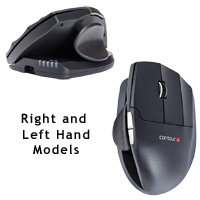
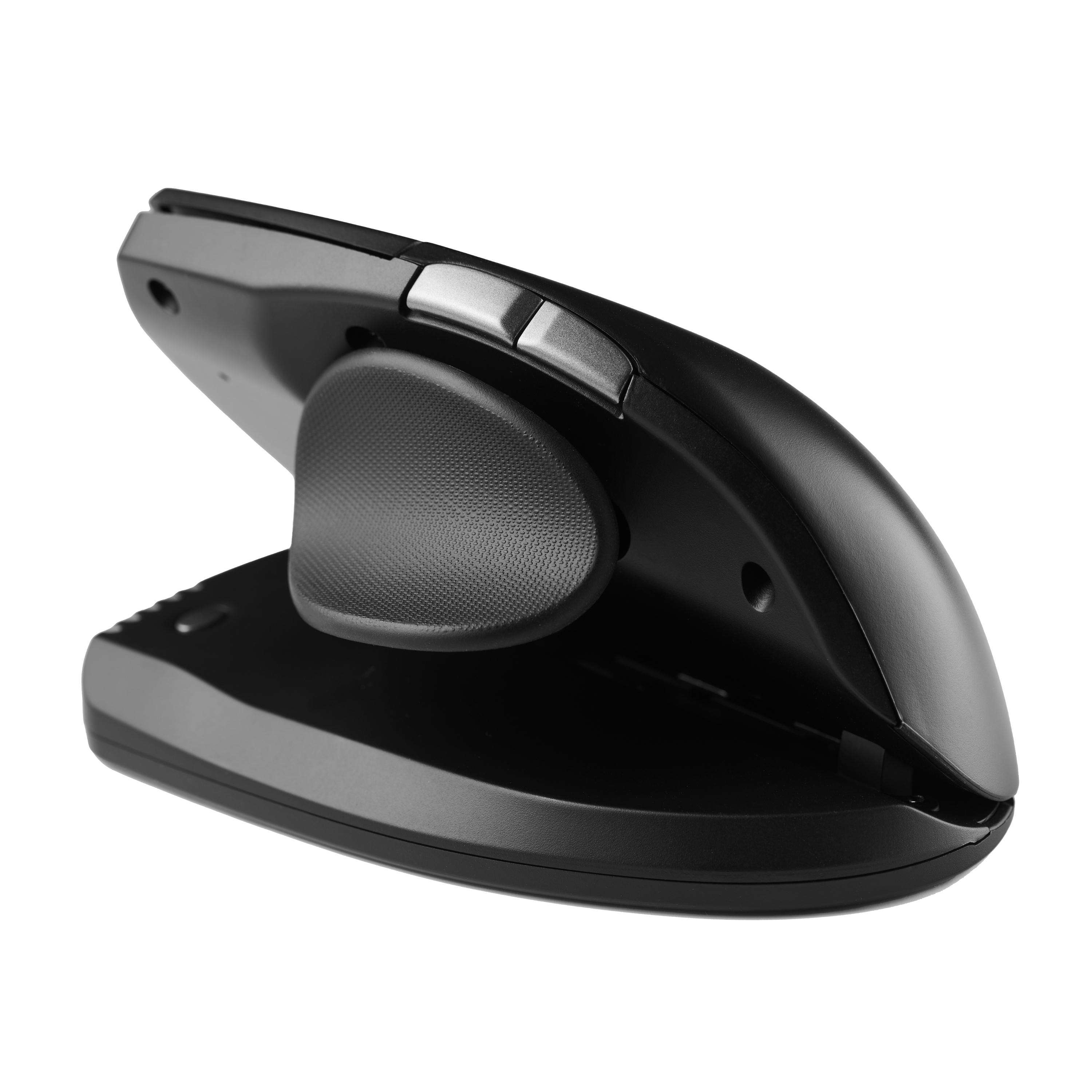
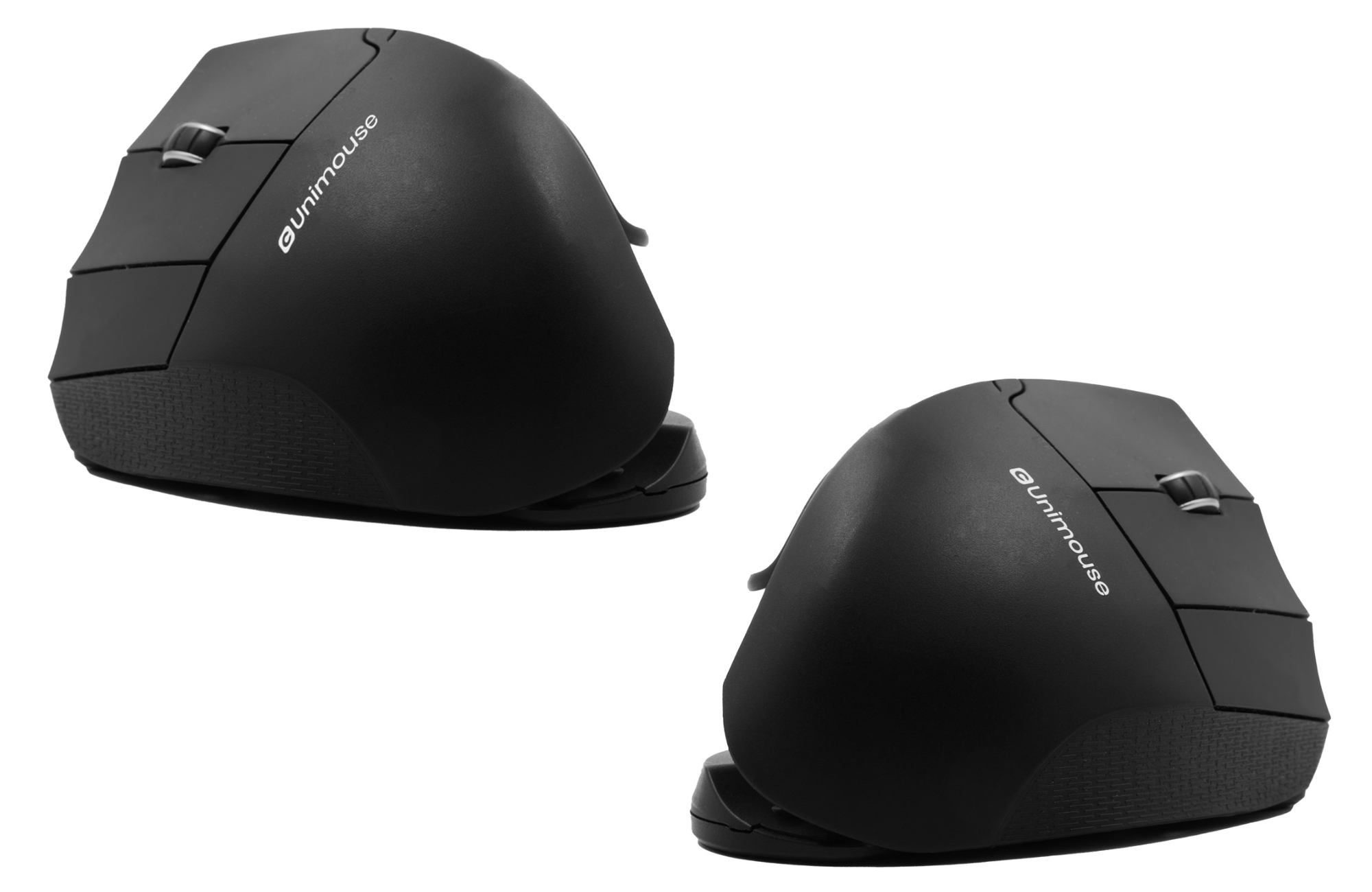
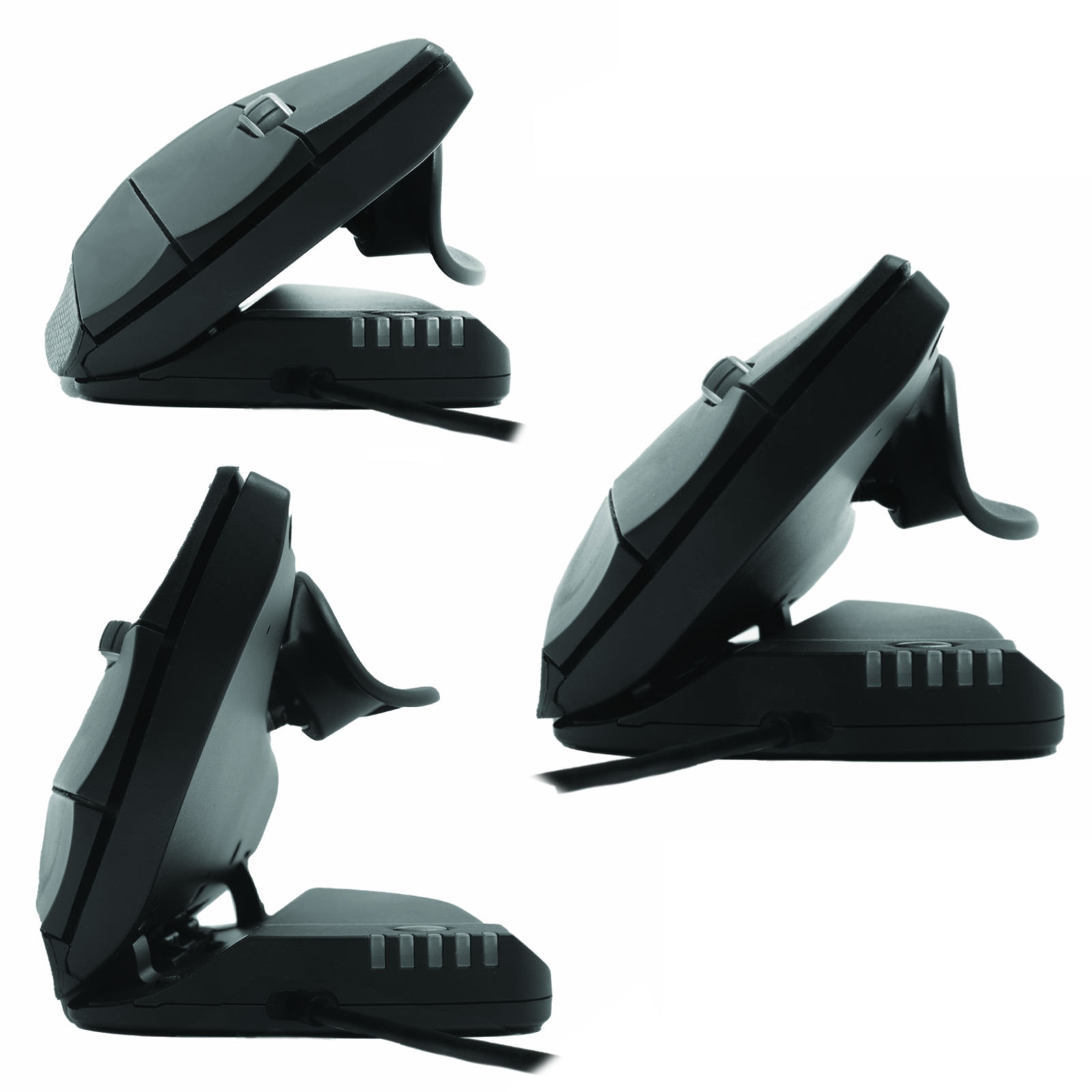
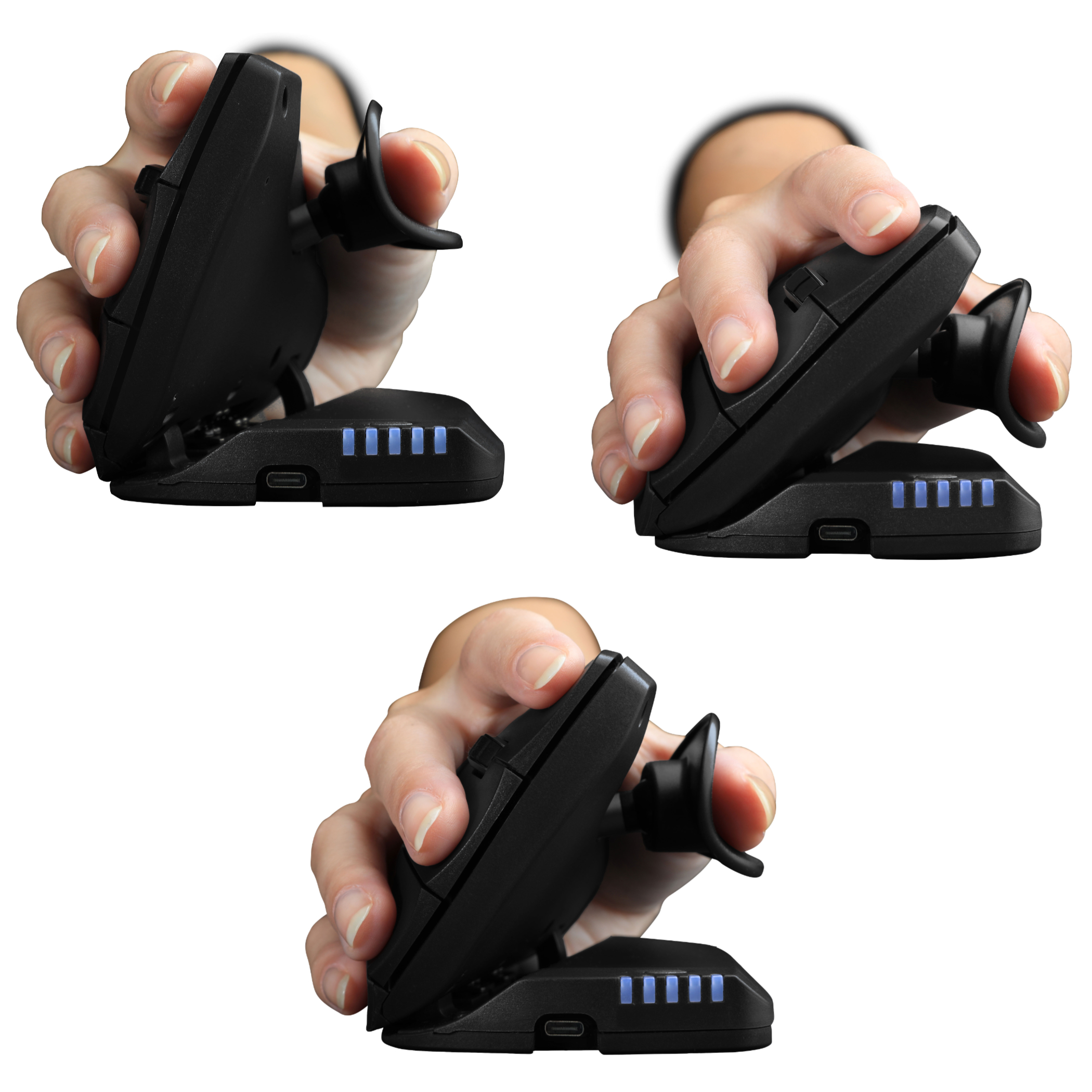
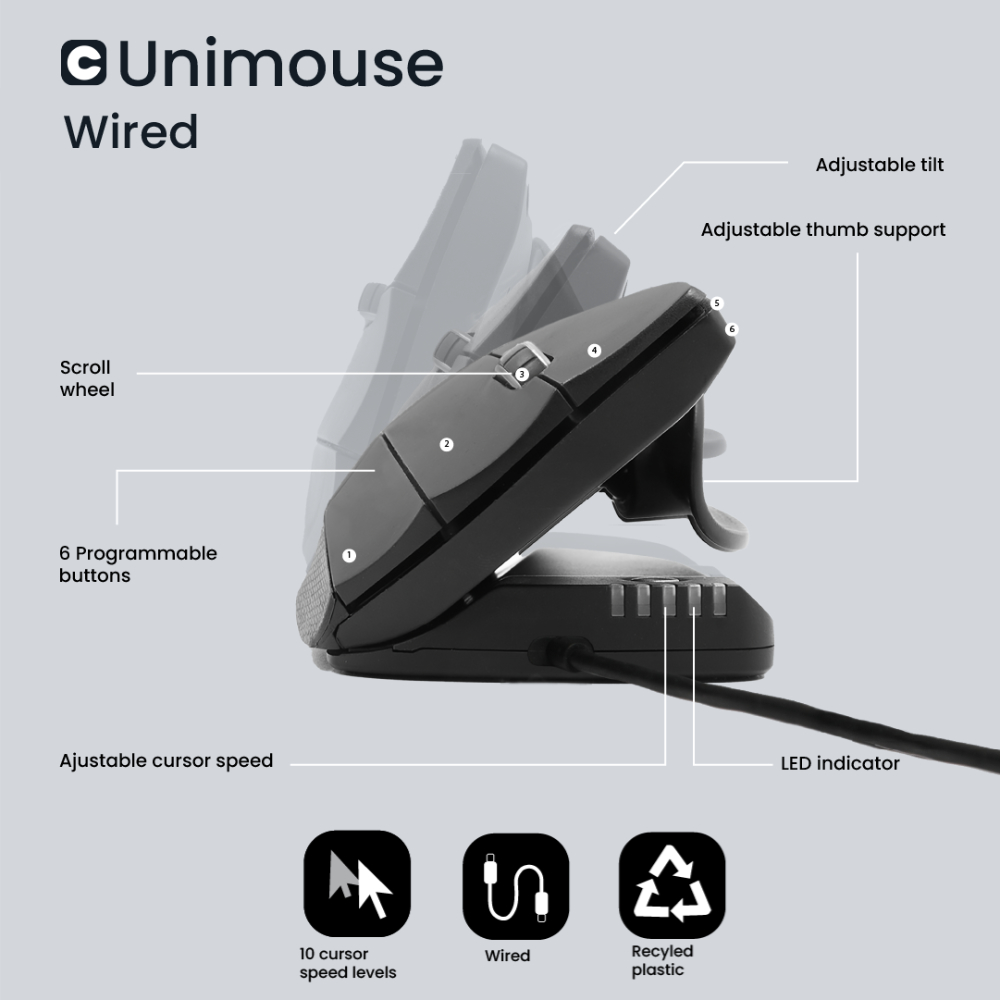
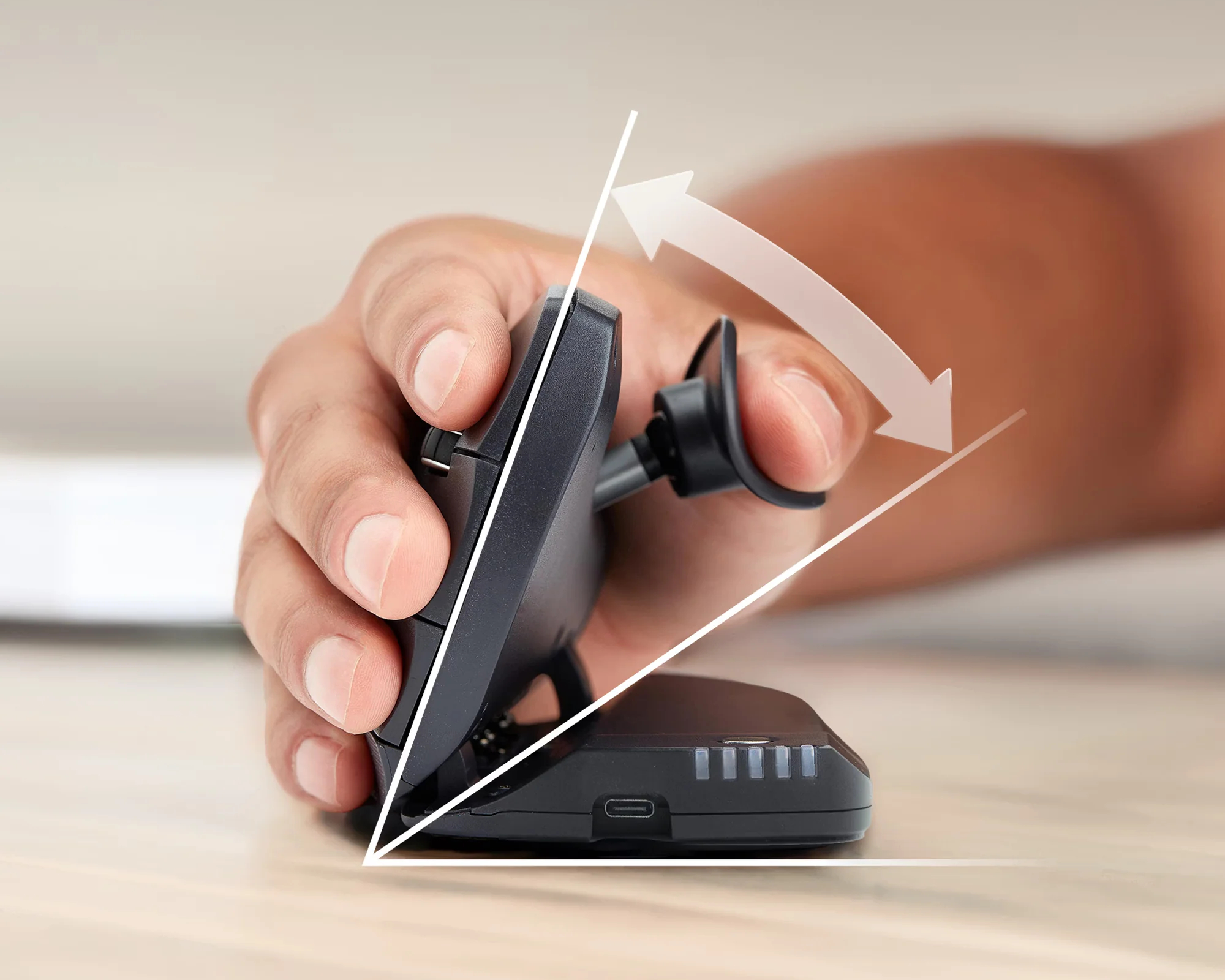
The Unimouse Wireless from Contour Design has a unique adjustable design which allows for a variety of hand positions for different tasks or to address any discomfort from static positioning. It incorporates a 35° - 70° friction-based tilt mechanism and a fully articulating thumb support. This combination of adjustments mean the Unimouse Wireless can be adapted to provide optimal fit for a broad range of hand proportions. The Unimouse Wireless is available in models for both the right and left hands.
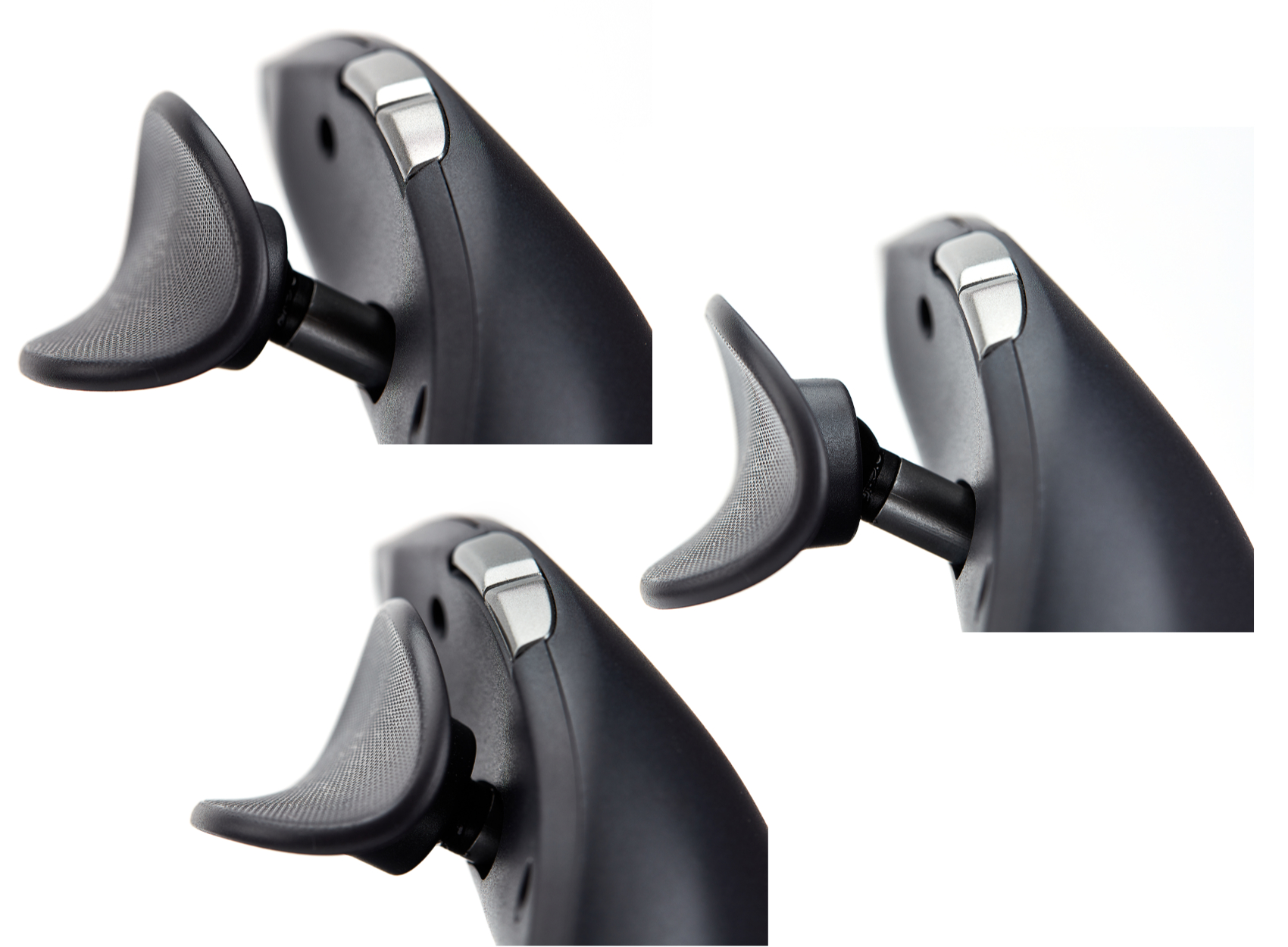
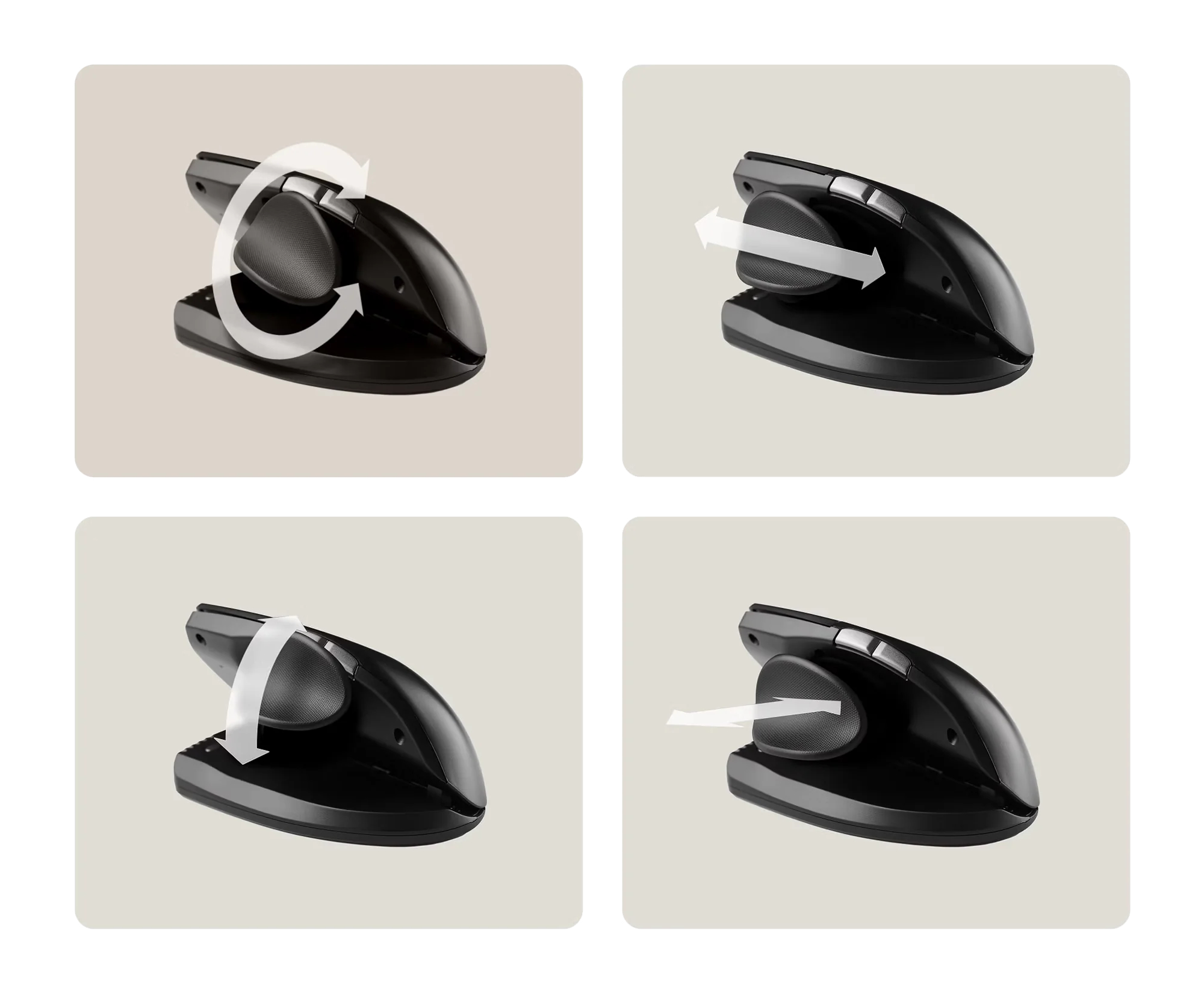
For most individuals the 35° - 70° range of adjustment provides a vertical orientation sufficient to provide an optimized, comfortable and relaxed hand position. The friction-based adjustment also provides for incremental adjustments of the angle throughout the day in response to the particular work being performed or when responding to negative feedback their body may be providing. The adjustable design of this mouse is complemented by the articulating thumb support that can be adjusted through a full 3-D range. By taking advantage of the pivot, slide, and pull-out options on the thumb support anyone can adapt the mouse for their own hand length and width, fine-tuning the dimensions to fit their exact needs. As with the tilt capability - if discomfort is detected, minor adjustments to find an optimal position are virtually effortless. Because none of the adjustments on the Unimouse Wireless are actually "locked in" those who wish to avoid static posture of the hand have the option of encouraging postural change by changing the Unimouse body angle and thumb support position at any time.
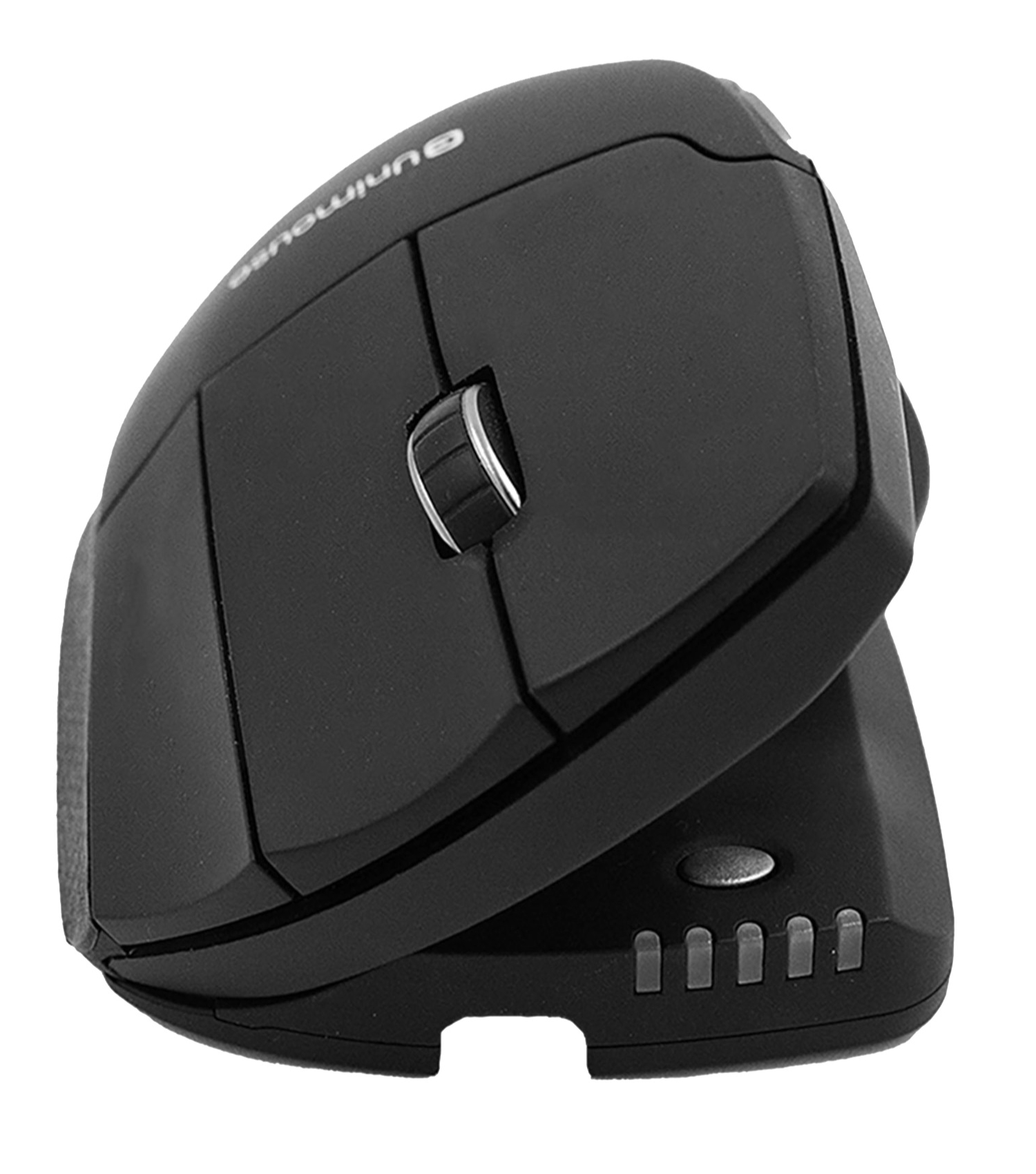
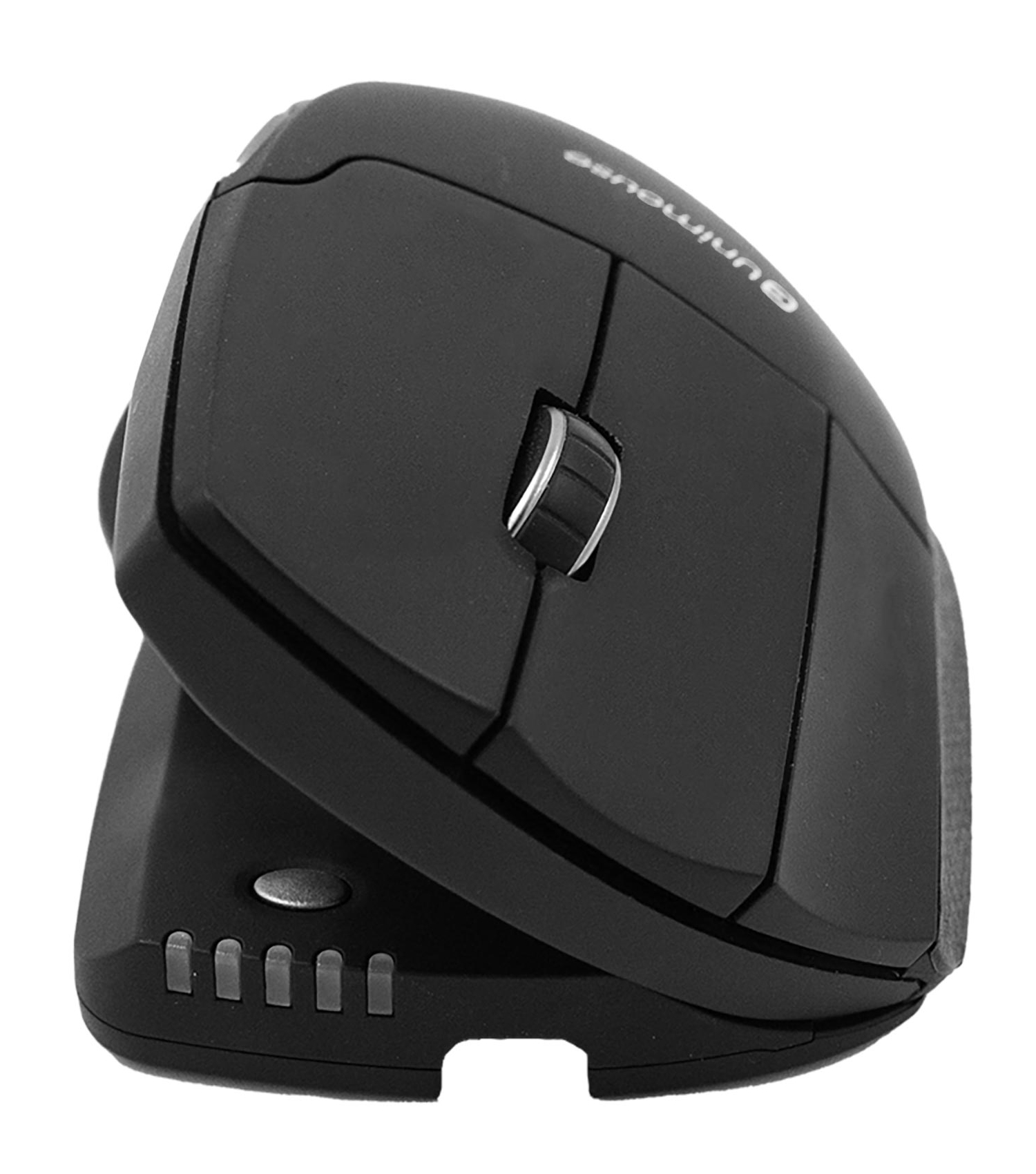
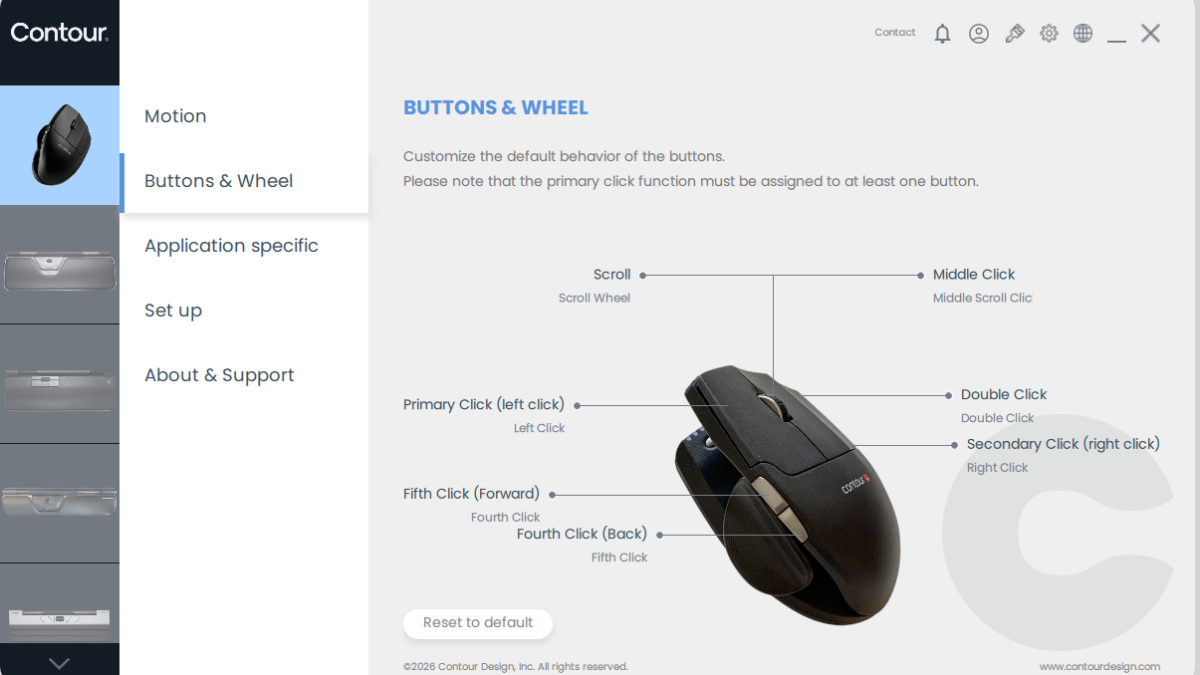
The Unimouse Wireless is equipped with a high resolution sensor offering ten pointer speed settings ranging from 800-4000 DPI. Adjustment is via a single button located on the top of the base, just behind the bi-coloured speed indicator LEDs. Individual performance preferences are easily accommodated as are the varying cursor control requirements that can arise when performing varying types of computer work. The three low-force buttons have a 20 million click rating and feature crisp activation with an audible click. These provide access to Left, Middle and Right Clicks. An on-board shortcut offers the option of switching the Middle Click button to perform a Double Click with Auto Scroll/Scroll Lock remaining accessible via the scroll wheel click. The scroll wheel is equipped with a rubber tire for grip and has distinct but soft detents.
Those who like to customize their mouse will appreciate the wide range of programmable options that are available. There are six programmable buttons, all of which can be reassigned to perform any standard mouse action The full 3-D Articulating Thumb Support on the Unimouse features a ball joint that lets the support be adjusted to offer the ideal placement. In addition to the ball joint, the thumb support also has a back/forward range of adjustment that can be employed to adjust the thumb support to fit longer and shorter hands and thumbs. The third movement is the in/out motion that can be employed to effectively adjust the width of the as well as a wide range of specialized actions. For those with a good memory the available PC and Mac compatible drivers also offer the option of setting "program specific" command layouts. In the program specific mode only 5 buttons remain accessible for programming.
The Unimouse Wireless can operate as both a cordless and corded mouse. Wireless use is supported through either Bluetooth or the included 2.4Ghz receiver, and when the charging/data cord is attached it operates as a standard wired device, with data being transferred only via the cord. It is also equipped for use with either USB-A or USB-C connections. The 470mAh Lithium-ion rechargeable battery charges in 2 hours and can provide up to 1 month of use on a single charge. Of course, individual usage may affect this. There is also a Wired Unimouse for those who prefer the reliability of wired connections.
Reduces Pronation - The Unimouse features a default minimum angle of 35° with a user-selectable range up to 70°. This minimizes the Pronation of the forearm and can reduce the risk of developing physical issues related to this position. Learn More About Pronation.
Adjusts to Hand - The Articulating Thumb Support (ATS) offers additional customization that most mice are unable to provide. With the ability to pivot, slide, and extend the thumb support individuals are able to adjust for both the length and width of their hand.
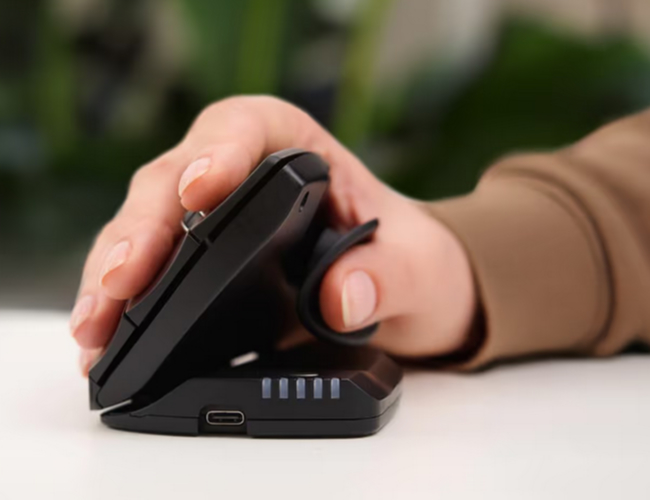
Encourages Postural Variance - The adjustable angle and articulating thumb support let each individual tweak and adapt the mouse to their comfort throughout the day. This way, if they begin to feel discomfort in a specific area, they can adjust the mouse to find a position that relieves this discomfort.
Eliminates Risk of Trigger Finger - Because the fingers can rest comfortably against the buttons without activating clicks, the fingers can relax. There is no need to curl them back in anticipation of a click, an action which can lead to the development of Trigger Finger. Learn More About Trigger Finger.
Reduces Pain and Force of Clicking - The Unimouse features light-activation buttons that require minimal force to activate.
Full Access to the Middle Mouse Button - Unlike some mice, the middle mouse button is fully accessible to provide macroscroll/autoscroll functionality.
Angle Adjustable from 35° - 70°: The Unimouse is designed to accommodate the specific needs of the widest range of users. The body of the mouse can tilt from 35° - 70° in order to accomplish this.
ATS (Articulating Thumb Support) Feature: The full 3-D Articulating Thumb Support on the Unimouse features a ball joint that lets the support be adjusted to offer the ideal placement. In addition to the ball joint, the thumb support also has a back/forward range of adjustment that can be employed to adjust the thumb support to fit longer and shorter hands and thumbs. The third movement is the in/out motion that can be employed to effectively adjust the width of the mouse to match the width of the hand.
Crisp Scrolling: The Unimouse scroll wheel is rubber coated for smooth movement and features crisp detents.
Textured Pinkie Zone: The pinkie finger resting band that runs along the side of the mouse has a textured grip to assist in control of the Unimouse.
Convex Contoured Buttons: The convex shape of the buttons guides the fingers to the center resting point of each button.
Back/Forward Thumb Buttons: Browsing Back and Forward is easily accomplished via the thumb activated buttons located just above the articulating thumb support.
Optional "Double Click" Function: If reducing the total number of clicks being performed is desired or if one has difficulty achieving the timing necessary for a double click to register, it is possible to quickly switch the middle button from activating the default Scroll Lock function to performing a Double Click. This is achieved via a simple on-board shortcut.
10 Sensor Level Settings: An indicator panel at the front of the base features bi-colour LEDs to aid in selecting the pointer speed best suited to the activity being performed. The Cursor Speed button is positioned just behind the bank of LED indicators. The settings range from 800 DPI all the way up to 4000 DPI ensuring that accuracy and speed are both available on the Unimouse.
Wireless Convenience (Bluetooth or 2.4Ghz Wireless Receiver) - with wired backup option: The Unimouse is able to connect for cordless use via either Bluetooth or through the included 2.4Ghz Advanced Wireless Technology receiver - with an operational range up to 25 feet.
If corded operation is desired, it can also connect as a wired device using the included charging/data cord. It also comes with adapters that facilitate use on both USB-A and USB-C connections.
Rechargeable: 470mAh Lithium-ion on-board rechargeable battery recharges in just 2 hours and can provide up to 1 month of power, depending on usage.
Multiple Platform Compatibility: The Unimouse is compatible with both Windows and Mac.
Fully Programmable: The Unimouse features 6 programmable buttons. Using the driver, commands can be reassigned and custom options set for all buttons. 5 buttons are supported in the Program Specific layouts. Both PC and Mac drivers are available via the manufacturer's support page.
Images (Click on any thumbnail to view larger image)
Take advantage of the adjustment options on the Unimouse. Experiment with different angles and thumb positions to find what feels "best" for your hand and forearm. If you detect tension or are having difficulty with cursor control you probably need to make adjustments.
Remember that what feels good to you at any given moment may not necessarily be the "perfect" position. In fact, there really is no "perfect" position. The intention of the adjustment options on the Unimouse is that those who are using it will change their hand position over time - avoiding maintaining exactly the same posture that could result in Repetitive Strain Injury.
Test different DPI settings to find out what setting offers you the best balance of accuracy and speed, then use that as your baseline setting. If you require greater accuracy you can temporarily lower the DPI setting before returning it to your baseline. Of course, if your use is mostly with larger movements that require less accuracy you can use a higher DPI setting.