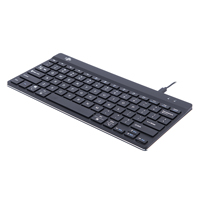
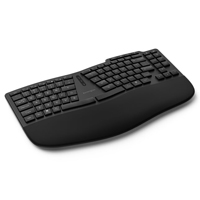
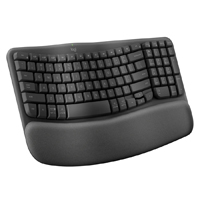
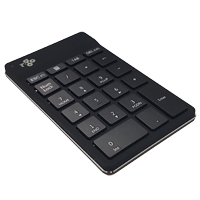
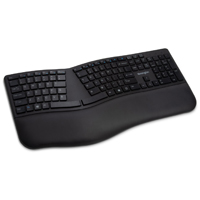
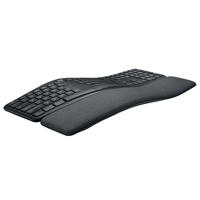
The Goldtouch Go!2 Mobile Keyboard strikes a balance between the opposing demands of ergonomics and portability. Like the Goldtouch desktop keyboards, (GTN-0099, GTU-0088, GTN99-FC), the Go!2 Mobile Keyboard can be splayed to reduce ulnar deviation; ...
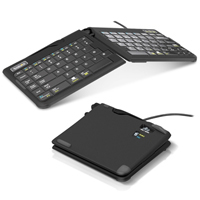
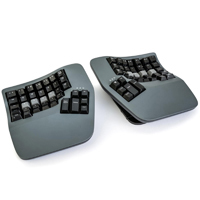
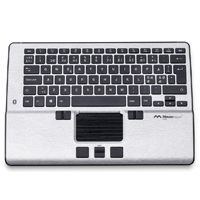
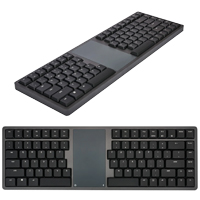
The Goldtouch Go!2 Mobile Keyboard strikes a balance between the opposing demands of ergonomics and portability. Like the Goldtouch desktop keyboards, (GTN-0099, GTU-0088, GTN99-FC), the Go!2 Mobile Keyboard can be splayed to reduce ulnar deviation; tented to reduce pronation; or both tented and splayed. Weighing only 1.1 lbs, and only 13.5" wide when in use, the keyboard is easily folded in half for compact storage and transport. Quiet, full-sized, low-travel scissor-switch membrane keys are legended for both PC and Mac operating systems. While the surface of the keyboard is flat, the housing of the Goldtouch Go!2 Mobile Keyboard has a slight positive incline when the keyboard is not tented.
The Goldtouch Go!2 Mobile Keyboard is available in both wired and Bluetooth models. The Wired model (GTP-0044) offers Secondary Function access to an embedded numeric keypad for those using a Windows OS and multimedia controls in both Windows and Mac OS. The Bluetooth model (GTP-0044W) does NOT have an embedded numeric keypad. Both models offer several other functions in Windows OS (see the User Manual.)
Warning: Do Not Plug your USB Goldtouch Keyboard into the Goldtouch Numeric Keypad. Your PC will not recognize the device. The keyboard should be plugged directly in the computer or a USB hub.
The mWave for PC Mechanical Keyboard from Kinesis Corporation will look very familiar to those familiar with the discontinued Microsoft Sculpt Ergonomic Keyboard. Visually it features the same familiar layout (but with the key addition of an FN key - ...
The mWave for PC Mechanical Keyboard from Kinesis Corporation will look very familiar to those familiar with the discontinued Microsoft Sculpt Ergonomic Keyboard. Visually it features the same familiar layout (but with the key addition of an FN key - a known weakness of the Microsoft Sculpt layout), very similar contours, and a slightly narrower footprint. Kinesis has added a number of subtle improvements that may not be readily apparent.
While visually very similar to the Microsoft Sculpt the mWave is equipped with more traditional crowned keycaps, with a secondary colour for home row keys as a visual cue for finger placement. In addition, the home row and arrow keys have a more distinct concave surface, providing a tactile indicator to enhance finger placement. The keyboard is also equipped with white backlighting when in the wired mode, with laser-etched shine-through keycaps for typing in low-light environments. The backlighting can be set to three levels of intensity, or turned off.
Below the keycaps are the most important feature, Gateron low profile mechanical switches, available in two styles. The Gateron Brown Tactile mechanical keyswitches offer a 55 gram activation and provide both tactile and a low-level audible feedback upon activation, with a full travel of 3 mm and 1.3 mm of post-activation movement. The mWave is also available with Gateron Red Quiet Linear switches, for those who prefer the consistent 45 gram force throughout the keystroke or who desire a quieter typing experience. Both of these switches offer a greatly enhanced and more responsive typing experience. Paired with all of the features above is the option of driverless advanced programming. Whether there is a desire to customize a single key function or to entirely re-program the entire layout, the Kinesis Clique web-based programming interface (requires Chrome or Edge browser) provides access to almost unlimited custom programming options. Once programmed the mWave is completely browser and driver free, perfect for deployment where additional software is not permitted.
The mWave has a soft integrated cushioned palm support with a washable surface and includes three legs that attach magnetically to elevate the front of the support to create a 5° negative tilt. This can aid in reducing the risk of wrist extension. However, because this elevates the keyboard typists need to ensure that they are able to adjust the keyboard position to an appropriate height or they may actually be moving to a "less" ergonomic position when attaching the riser. There is also an Up-Arrow indicator that flashes when the FN layer is active and glows solid when the embedded numpad is activated.
The mWave Mechanical Keyboard is able to function either as a fully wired keyboard by using the included data cable or as a wireless bluetooth device able to support simultaneous connections to two bluetooth devices. Switching between the three connections is done using the Profile Switch centrally located between the hands. When set to the wired mode the bluetooth radio connection is disabled for full data security.
Le mWave for PC Mechanical Keyboard de Kinesis Corporation semblera très familier à ceux qui connaissent l'ancien clavier discontinuer Microsoft Sculpt Ergonomic Keyboard. Visuellement, il présente la même disposition familière (mais avec l'ajout d'une touche FN - une faiblesse connue de la disposition de Microsoft Sculpt), des contours très similaires et un empreinte légèrement plus étroit. Kinesis a ajouté un certain nombre d'améliorations élaboré qui ne sont pas toujours évidentes.
Tandis qu'il soit visuellement très similaire au Microsoft Sculpt, le mWave est équipé de capuchons couronnées plus traditionnelles, avec une couleur secondaire pour le Home Row afin de donner un signal visuel pour le placement des doigts. En plus, le Home Row et les touches fléchées ont une surface concave plus distincte, offrant un indicateur tactile pour améliorer le positionnement des doigts. Le clavier est également équipé d'un rétroéclairage blanc en mode avec fil, avec les capuchons gravées au laser et transparentes pour la dactylo dans des environnements peu éclairés. Le rétroéclairage peut être ajuster sur trois niveaux d'intensité ou désactivé.
Sous les capuchons se trouve la caractéristique la plus importante, les touches mécaniques Gateron à profil bas, disponibles en deux styles. Les touches mécaniques Gateron Brown offrent une activation de 55 grammes et fournissent un retour tactile et audible bas lors de l'activation, avec une course complète de 3mm et un mouvement post-activation de 1.3mm. Le mWave est également disponible avec des touches Gateron Red Quiet Linear, pour ceux qui préfèrent une force constante de 45 grammes tout au long de la frappe ou qui souhaitent une expérience de dactylo plus silencieuse. Ces deux touches offrent une expérience de dactylo considérablement améliorée et plus réactive. En plus, l'option de programmation avancée sans pilote est aussi un option. Qu'il s'agisse de personnaliser une seule fonction de touche ou de reprogrammer entièrement la disposition, l'interface de programmation Web Kinesis Clique (nécessite un navigateur Chrome ou Edge) permet d'accéder à des options de programmation personnalisées presque sans limites. Une fois programmé, le mWave est totalement libre de navigateur et de pilote, ce qui est parfait pour les déploiements où l'utilisation de logiciels supplémentaires n'est pas autorisée.
Le mWave a un support de paume doux qui est intégré, avec une surface lavable, et comprend trois pieds qui se fixent magnétiquement pour élever l'avant du support afin de créer une inclinaison négative de 5°. Cela peut contribuer à réduire le risque d'extension du poignet. Toutefois, cela suréleve le clavier, donc les gens doivent s'assurer qu'ils peuvent ajuster la position du clavier à une hauteur appropriée, ou ils risquent d'adopter une position "moins" ergonomique lorsqu'ils fixent les trois pieds. Il y a aussi un indicateur de flèche vers le haut qui clignote lorsque la couche FN est active et reste allumé lorsque le pavé numérique intégré est activé.
Le mWave Mechanical Keyboard peut fonctionner soit comme un clavier entièrement avec fil en utilisant le câble inclus, ou comme un clavier sans fil bluetooth capable de supporter des connexions simultanées à deux dispositifs bluetooth. Le passage d'une connexion à l'autre s'effectue à l'aide du Profile Switch situé au centre, entre les mains. En mode avec fil, la connexion radio bluetooth est désactivée pour une sécurité totale des données.
Models
Model #
Description
Price
In Stock?
Buy Now
KB150P-TAC
Gateron Tactile Brown Switches, US English layout, Black, (Bluetooth / USB-A [via charging cable])
$190.00
Yes
KB150P-LIN
Gateron Quiet Linear Red Switches, US English layout, Black, (Bluetooth / USB-A [via charging cable])
The Freestyle2 Blue Keyboard combines the full range of ergonomic benefits offered by one of the most versatile keyboards currently available with the convenience of multi-channel Bluetooth functionality. The Freestyle2 Blue Keyboard is divided into ...
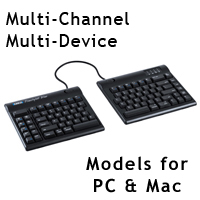
The Freestyle2 Blue Keyboard combines the full range of ergonomic benefits offered by one of the most versatile keyboards currently available with the convenience of multi-channel Bluetooth functionality. The Freestyle2 Blue Keyboard is divided into two separate modules connected by a 9" cable. This separation enables individuals to position the left and right sides of the keyboard shoulder width apart, allowing the shoulders, elbows, arms and wrists to relax in an anatomically neutral position (when fully separated the distance between the index fingers on the home row is approximately 11.5"). This greatly improves posture and circulation in the upper body, prevents undesirable rotation at the shoulders, and eliminates ulnar deviation at the wrist.
The compact symmetrical layout is achieved by removing the numeric keypad found on the right side of most keyboards. This reduces the reach for the mouse for right-handed individuals and optimizes the workspace for both left- and right-handed workers. Of course, access to numbers is retained via the top row. For those who require a standalone numeric keypad, Kinesis offers several options (see the accessories section below).
Note: Unlike the wired Freestyle2 for PC, the Freestyle2 Blue does not include an embedded numeric keypad.
The Freestyle2 Blue features low-force, full-travel (3.9 mm) tactile membrane keyswitches. At only 45 grams, this is less force than most traditional and even many other ergonomic keyboards. Rated at 10 million actuations, the keyswitches on the Freestyle2 will provide years of quiet, comfortable typing.
Note: The Freestyle2 Blue ships with a Pivot Tether that secures the two modules together atThe Freestyle2 Keyboard comes with a component that secures the two modules together at a pivot point. Although this Pivot Tether is intended primarily to secure the two modules during transport, it can be used, to create a splayed (i.e. joined at the centre top) keyboard. However, this configuration will significantly curtail the ergonomic benefits.
The ergonomic capabilities of the Freestyle2 Blue Multichannel Bluetooth Keyboard can be expanded with one or more of the optional Accessory Kits described below. (Note: Accessory Kits sold separately. See Detailed Specifications for more information on these.) With the addition of the appropriate Accessory Kit, this already highly configurable keyboard can be customized to provide even more ergonomic benefits.
Models
Model #
Description
Price
In Stock?
Buy Now
KB800PB-BT
Freestyle2 Blue Keyboard for PC, 9" Separation, (Bluetooth - 3 channels)
Reminiscent of Apple design concepts, the Wireless Aluminum Keyboard from Matias shifts the focus to enhanced product performance with a full-function numeric keypad, making this wireless keyboard suitable for all types of computing. The Bluetooth fu ...
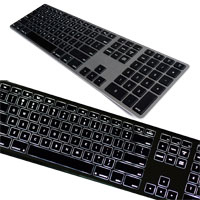
Reminiscent of Apple design concepts, the Wireless Aluminum Keyboard from Matias shifts the focus to enhanced product performance with a full-function numeric keypad, making this wireless keyboard suitable for all types of computing. The Bluetooth function can pair with and retain always-live connections to as many as 4 different Bluetooth devices, automatically adjusting its layout to be compatible with the active device (i.e. Android, Windows, iPad, etc.). Mac-friendly function keys provide access to screen brightness and media controls. The high power, long-lasting 1600 mAh battery is able to provide up to a year of use between charges, without needing to power down and disconnect during idle periods. This makes this wireless keyboard perform more like a wired keyboard in that it is always connected and ready without a "wake up" period.
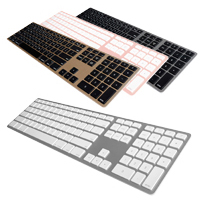
The Wireless Aluminum Keyboard is equipped with high quality Matias scissor switches to provide a satisfying typing experience despite the slim design, weighs just 1.18 lbs, and comes in four complimentary colors — Silver, Space Gray, Gold and Rose Gold.
If more frequent charging and a plastic housing are not an issue the budget-friendly Wireless Multi-Pairing Keyboard offers the same Bluetooth functionality with a shorter 3-month charge cycle.
Inspiré par la philosophie de conception de Apple, le clavier Wireless Aluminum Keyboard de Matias met l'accent sur l'amélioration des performances du produit avec un pavé numérique, ce qui rend ce clavier sans fil adapté à tous les types de travail. La fonction Bluetooth peut s'associer et maintenir des connexions permanentes avec jusqu'à 4 appareils Bluetooth différents, en ajustant automatiquement sa disposition pour être compatible quel que soit le système (c`est-à-dire Android, Windows, iPad, etc.). Des touches de fonction adaptées au Mac permettent d'accéder à la luminosité de l'écran et aux commandes multimédia. La batterie haute puissance a une très longue vie de 1600 mAh et est capable de fournir jusqu'à un an d'utilisation entre deux charges, sans avoir besoin de s'éteindre et de se déconnecter pendant les périodes d'inactivité. Cela fait ce clavier sans fil agir plus comme un clavier avec fil de sorte qu'il est connecté en tout temps et prêt à fonctionner sans avoir une période de “se réveiller”.
Le Wireless Aluminum Keyboard est équipé d'interuputeurs à ciseaux Matias de haute qualité pour offrir une expérience de dactylographie agréable malgré le concept mince. Avec un poids de seulement 1.18 livres, il est disponible en quatre différentes couleurs — Argenté (Silver), Gris (Space Gray), Or (Gold), et Or Rose (Rose Gold).
Si les recharges plus fréquentes et le boîtier en plastique ne sont pas un problème, le clavier Wireless Multi-Pairing Keyboard, plus économique, offre la même fonctionnalité Bluetooth avec un cycle de charge plus court de 3 mois.
The Advantage360 PRO Contoured Keyboard from Kinesis takes the proven fusion of performance and ergonomics of the 3-dimensional concave keywell design and adds in additional ergonomic capabilities. This design now incorporates established ergonomic c ...
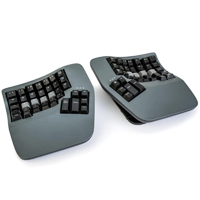
The Advantage360 PRO Contoured Keyboard from Kinesis takes the proven fusion of performance and ergonomics of the 3-dimensional concave keywell design and adds in additional ergonomic capabilities. This design now incorporates established ergonomic concepts of customizable tent, angle and separation that Kinesis has featured for many years in their well-known Freestyle line of keyboards. This version of the Kinesis Contoured Keyboard family can now deliver unparalleled levels of comfort and productivity for touch typists of all body types and builds while offering advanced ergonomic features and the added versatility of optional cordless Bluetooth connectivity. The Advantage360 serves as a neutral ergonomic data input interface for all touch typists. Anyone who considers their keyboard a core tool for their workstation should consider this keyboard. The contoured keyboard family is the only keyboard that addresses ergonomics down to the level of the fingertips. It does this by intelligently redistributing the repetitive activity associated with typing to minimize the potential of fatigue. Advantage Contoured keyboards are especially popular with those who perform keyboard intensive work, including programmers, transcriptionists, writers, and web content developers.
The Advantage360 Contoured Keyboard has several improvements over prior Advantage models. The new separated design affords the individual nearly infinite freedom to position the keyboard modules to create the optimal keyboard solution for the workspace. In addition, the new 3 position tent available in each module aids in further reducing pronation and the associated risk of repetitive strain that can occur with intensive and long-term keyboarding. In order to minimize the keyboard size and reduce unnecessary finger reach the function row has been eliminated with those functions now accessible via a FN layer in the primary keys. The 10-key numeric keypad embedded in the right-hand module continues to provide instant access for numeric entry, without moving the hand out of home position.
The Advantage360 Pro is equipped with Gateron Brown low-force tactile mechanical keyswitches that have an activation force of 45 grams and a maximum force of 55 grams. These responsive switches offer the tactile feedback that is necessary for intense and rapid data entry. In order to take full advantage of the global white backlighting on the PRO models they are equipped with shine-through ABS plastic keycaps. Those who are willing to sacrifice the shine-through feature for higher quality PBT keycaps can purchase optional QWERTY, DVORAK and Blank sets of opaque PBT keycaps.
Those who prefer a quiet or linear switch may wish to consider the Advantage360 Pro Linear Quiet model.
Learn more about <"https://www.ergopedia.ca/ergonomic_concepts/Tactility_on_Keyboards_How_to_Evaluate_Soft_or_Light_Touch.html">Different Switch Types and Tactility on Keyboards - How to Evaluate Soft or Light Touch (Keyboards).
The Advantage360 PRO version offers almost unlimited programmability through multiple interface options. The web-based KINESIS CLIQUE programming interface greatly enhances the primary keyboard functions, enabling anyone to customize the keyboard to minimize unnecessary key strokes, awkward reaches for shortcuts, etc. Supported in Edge and Chrome browsers, this convenient programming interface provides access to a wide range of custom programming that will be expanding as development of further features continues. Those considering using KINESIS CLIQUE may wish to consider how this interface can be used to enhance the performance of Advantage360 Pro by visiting KINESIS CLIQUE.
Another programming option is the open-source ZMK Programming Engine, available online through GitHub. This is an advanced programming interface designed for those with at least some degree of programming knowledge. It can accommodate an exceptional degree of customization for the Advantage360 PRO. Because of the programming knowledge required to perform customization on the Advantage360 PRO model it is recommended that prior to purchasing this model purchasers should acquaint themselves with the ZMK platform and determine its suitability for their knowledge level.
For individuals who may not be comfortable with either the ZMK or KINESIS CLIQUE advanced programming options for customizing the Advantage360 PRO, the corded Advantage360 comes preloaded with the highly-functional and much more intuitive SmartSet Programming Engine which facilitates the development and storage of up to nine custom keyboard layouts and as well as complex macros to reduce repetitive or awkward keystrokes and maximize productivity. The Advantage360 is PC and Mac compatible, and includes additional hard-wired features such as unlimited custom key remapping, macro playback speed, and keyboard status reports. The corded Advantage360 is equipped with high quality opaque PBT keycaps.
Le clavier Advantage360 PRO Contoured Keyboard de Kinesis prend la combinasion éprouvée des performances et de l'ergonomie de la forme en 3-dimensions des concave keywells et y ajoute des capacités ergonomiques supplémentaires. Cette forme intègre maintenant les concepts ergonomiques établis d'inclinaison, d'angle et de séparation personnalisables que Kinesis a établis depuis de nombreuses années dans sa gamme bien connu des claviers Freestyle. Cette version de la famille des claviers Kinesis Contoured Keyboard peut maintenant offrir des niveaux de confort et de productivité unique aux dactylographes de tous types de corps, tout en offrant des caractéristiques ergonomiques avancées et la polyvalence supplémentaire de la connectivité Bluetooth sans fil. L'Advantage360 sert d'interface de saisie de données ergonomique et neutre pour tous les gens qui font beaucoup de dactylo. Toute personne qui considère leur clavier d'être un outil essentiel au travail devrait considérer ce clavier. La famille des claviers contoured sont les seuls claviers qui prennent en compte l'ergonomie jusqu'au niveau du bout des doigts. Pour ce faire, il redistribue intelligemment l'action répétitive associée avec la dactylograph afin de minimiser le potentiel de fatigue. Les claviers Advantage Contoured Keyboards sont particulièrement populaire avec les personnes qui font la dactylographe intensifs incluants les programmateurs, transcripteurs, écrivains/auteurs, et dévelopeurs de contenu sur le web.
L'Advantage360 Contoured Keyboard présente plusieurs améliorations par rapport aux modèles Advantage précédents. La nouvelle conception séparée offre à l'individu une liberté presque infinie pour positionner les modules de clavier afin de créer la solution de clavier optimale pour l'espace de travail. De plus, la nouvelle inclinaison à 3 positions disponible dans chaque module permet de réduire davantage la pronation et le risque associé de tension répétitive qui peut se produire lors d'une utilisation intensive et prolongée du clavier. Afin de minimiser la taille du clavier et de réduire le risque d'étendre les doigts, la rangée de fonctions a été éliminée et les fonctions sont maintenant accessibles par une couche FN dans les touches primaires. Le pavé numérique à 10 touches intégré dans le module de droite continue de fournir un accès instantané à la saisie numérique, sans déplacer la main hors de sa position initiale.
L'Advantage360 Pro est disponible soit avec des touches mécaniques Tactile ou Linear. La touche mécanique Gateron Brown low-force Tactile a une force d'activation de 45 grammes et une force maximale de 55 grammes. Ces touches réactives offrent le retour tactile nécessaire pour la dactylo intense et rapide. La touche mécanique Kailh Box Pink low-force Linear Quiet a une force d'activation minimal de seulement 35 grammes. Ces touches offrent une activation légère mais aucun indicateur d'activation. Afin de prendre avantage du rétroéclairage blanc global sur les modèles PRO, les touches sont surmontées de capuchons en plastique ABS brillant (shine-through). Pour ceux qui sont prêts à sacrifier la caractéristique de brillance (shine-through) pour des touches PBT de meilleure qualité, les touches PBT opaques de QWERTY, DVORAK et Blank sont disponibles comme options.
*(Veuillez noter: Comme c'est le cas avec la plupart des interrupteurs Linéaires, l'absence de retour tactile peut causer par inadvertance une force beaucoup plus qui est nécessaire pour actionner la touche.) En savoir plus sur la tactilité des claviers, voir Tactility on Keyboards - How to Evaluate Soft or Light Touch .
La version Advantage360 PRO offre une programmabilité presque infini grâce à de multiples options d'interface. L'interface de programmation KINESIS CLIQUE basée sur le web améliore considérablement les fonctions du clavier principal, permettant à chacun de personnaliser le clavier afin de minimiser les frappes inutiles, les actions difficile pour accéder aux raccourcis, etc. Supporter par les navigateurs Edge et Chrome, cette interface de programmation pratique permet d'accéder à une grande gamme de programmes personnalisés qui grandis au fur et à mesure du développement de nouvelles fonctionnalités. Les personnes qui considère d'utiliser KINESIS CLIQUE peuvent considérer la manière dont cette interface peut être utilisée pour améliorer les performances d'Advantage360 Pro en visitant KINESIS CLIQUE . Une autre option de programmation est le ZMK Programming Engine open-source, disponible en ligne sur GitHub. Il s'agit d'une interface de programmation avancée conçue pour les personnes ayant au moins quelques connaissances en programmation. Elle permet un degré exceptionnel de personnalisation de l'Advantage360 PRO. En raison des connaissances en programmation nécessaire pour personnaliser le modèle Advantage360 PRO, il est recommandé aux acheteurs de se familiariser avec la plateforme ZMK avant d'acheter ce modèle et de déterminer si elle est adaptée à leur niveau de connaissances.
Pour les personnes qui ne sont pas à l'aise avec les exigences de soit le ZMK ou le KINESIS CLIQUE programmation avancées pour la personnalisation de l'Advantage360 PRO, l'Advantage360 avec fil est préchargé avec le hautement fonctionnel et beaucoup plus intuitif SmartSet Programming Engine, qui facilite le développement et d'avoir jusqu'à 9 dispositions de clavier personnalisées. L'Advantage360 est compatible avec PC et Mac et comprend des fonctions supplémentaires hard-wired telles que le remappage infini des touches personnalisées, la vitesse de lecture des macros et les rapports d'état du clavier. L'Advantage360 avec fil est également équipé de capuchons de touches PBT opaques de haute qualité.
The mWave for Mac Mechanical Keyboard from Kinesis Corporation will look very familiar to those familiar with the discontinued Microsoft Sculpt Ergonomic Keyboard. Visually it features the same familiar layout (but with the key addition of an FN key ...
The mWave for Mac Mechanical Keyboard from Kinesis Corporation will look very familiar to those familiar with the discontinued Microsoft Sculpt Ergonomic Keyboard. Visually it features the same familiar layout (but with the key addition of an FN key - a known weakness of the Microsoft Sculpt layout), very similar contours, and a slightly narrower footprint. Kinesis has added a number of subtle improvements that may not be readily apparent.
While visually very similar to the Microsoft Sculpt the mWave is equipped with more traditional crowned keycaps, with a secondary colour for home row keys as a visual cue for finger placement. In addition, the home row and arrow keys have a more distinct concave surface, providing a tactile indicator to enhance finger placement. The keyboard is also equipped with white backlighting when in the wired mode, with laser-etched shine-through keycaps for typing in low-light environments. The backlighting can be set to three levels of intensity, or turned off.
Below the keycaps are the most important feature, Gateron low profile mechanical switches, available in two styles. The Gateron Brown Tactile mechanical keyswitches offer a 55 gram activation and provide both tactile and a low-level audible feedback upon activation, with a full travel of 3 mm and 1.3 mm of post-activation movement. The mWave is also available with Gateron Red Quiet Linear switches, for those who prefer the consistent 45 gram force throughout the keystroke or who desire a quieter typing experience. Both of these switches offer a greatly enhanced and more responsive typing experience. Paired with all of the features above is the option of driverless advanced programming. Whether there is a desire to customize a single key function or to entirely re-program the entire layout, the Kinesis Clique web-based programming interface (requires Chrome or Edge browser) provides access to almost unlimited custom programming options. Once programmed the mWave is completely browser and driver free, perfect for deployment where additional software is not permitted.
The mWave has a soft integrated cushioned palm support with a washable surface and includes three legs that attach magnetically to elevate the front of the support to create a 5° negative tilt. This can aid in reducing the risk of wrist extension. However, because this elevates the keyboard typists need to ensure that they are able to adjust the keyboard position to an appropriate height or they may actually be moving to a "less" ergonomic position when attaching the riser. There is also an Up-Arrow indicator that flashes when the FN layer is active and glows solid when the embedded numpad is activated.
The mWave Mechanical Keyboard is able to function either as a fully wired keyboard by using the included data cable or as a wireless bluetooth device able to support simultaneous connections to two bluetooth devices. Switching between the three connections is done using the Profile Switch centrally located between the hands. When set to the wired mode the bluetooth radio connection is disabled for full data security.
Le mWave for Mac Mechanical Keyboard de Kinesis Corporation semblera très familier à ceux qui connaissent l'ancien clavier discontinuer Microsoft Sculpt Ergonomic Keyboard. Visuellement, il présente la même disposition familière (mais avec l'ajout d'une touche FN - une faiblesse connue de la disposition de Microsoft Sculpt), des contours très similaires et un empreinte légèrement plus étroit. Kinesis a ajouté un certain nombre d'améliorations élaboré qui ne sont pas toujours évidentes.
Tandis qu'il soit visuellement très similaire au Microsoft Sculpt, le mWave est équipé de capuchons couronnées plus traditionnelles, avec une couleur secondaire pour le Home Row afin de donner un signal visuel pour le placement des doigts. En plus, le Home Row et les touches fléchées ont une surface concave plus distincte, offrant un indicateur tactile pour améliorer le positionnement des doigts. Le clavier est également équipé d'un rétroéclairage blanc en mode avec fil, avec les capuchons gravées au laser et transparentes pour la dactylo dans des environnements peu éclairés. Le rétroéclairage peut être ajuster sur trois niveaux d'intensité ou désactivé.
Sous les capuchons se trouve la caractéristique la plus importante, les touches mécaniques Gateron à profil bas, disponibles en deux styles. Les touches mécaniques Gateron Brown offrent une activation de 55 grammes et fournissent un retour tactile et audible bas lors de l'activation, avec une course complète de 3mm et un mouvement post-activation de 1.3mm. Le mWave est également disponible avec des touches Gateron Red Quiet Linear, pour ceux qui préfèrent une force constante de 45 grammes tout au long de la frappe ou qui souhaitent une expérience de dactylo plus silencieuse. Ces deux touches offrent une expérience de dactylo considérablement améliorée et plus réactive. En plus, l'option de programmation avancée sans pilote est aussi un option. Qu'il s'agisse de personnaliser une seule fonction de touche ou de reprogrammer entièrement la disposition, l'interface de programmation Web Kinesis Clique (nécessite un navigateur Chrome ou Edge) permet d'accéder à des options de programmation personnalisées presque sans limites. Une fois programmé, le mWave est totalement libre de navigateur et de pilote, ce qui est parfait pour les déploiements où l'utilisation de logiciels supplémentaires n'est pas autorisée.
Le mWave a un support de paume doux qui est intégré, avec une surface lavable, et comprend trois pieds qui se fixent magnétiquement pour élever l'avant du support afin de créer une inclinaison négative de 5°. Cela peut contribuer à réduire le risque d'extension du poignet. Toutefois, cela suréleve le clavier, donc les gens doivent s'assurer qu'ils peuvent ajuster la position du clavier à une hauteur appropriée, ou ils risquent d'adopter une position "moins" ergonomique lorsqu'ils fixent les trois pieds. Il y a aussi un indicateur de flèche vers le haut qui clignote lorsque la couche FN est active et reste allumé lorsque le pavé numérique intégré est activé.
Le mWave Mechanical Keyboard peut fonctionner soit comme un clavier entièrement avec fil en utilisant le câble inclus, ou comme un clavier sans fil bluetooth capable de supporter des connexions simultanées à deux dispositifs bluetooth. Le passage d'une connexion à l'autre s'effectue à l'aide du Profile Switch situé au centre, entre les mains. En mode avec fil, la connexion radio bluetooth est désactivée pour une sécurité totale des données.
Models
Model #
Description
Price
In Stock?
Buy Now
KB150M-TAC
Gateron Tactile Brown Switches, US English layout, White, (Bluetooth / USB-A [via charging cable])
$190.00
Yes
KB150M-LIN
Gateron Quiet Linear Red Switches, US English layout, White, (Bluetooth / USB-A [via charging cable])
The Wireless Aluminum Keyboard with Backlight from Matias adds yet another feature to the Apple-inspired Wireless Aluminum Keyboard inspired by the iconic original from Apple — Backlighting — with its own dedicated rechargeable battery. B ...
The Wireless Aluminum Keyboard with Backlight from Matias adds yet another feature to the Apple-inspired Wireless Aluminum Keyboard inspired by the iconic original from Apple — Backlighting — with its own dedicated rechargeable battery. Backlight brightness can be instantly adjusted in 10% increments using on-board shortcuts. With normal usage during the evenings and night, estimated time between charges is about 1 to 2 weeks.
The rest of the keyboard is identical to the standard Wireless Aluminum Keyboard, with a full-function numeric keypad, the ability to pair with up to 4 different Bluetooth devices and adjust its layout to be compatible with the active device (i.e. Android, Windows, iPad, etc.), and a surprisingly long-lasting 1600 mAh battery that can last up to an entire year without recharging. The extra capacity afforded by the battery allows this long life without the need to power down and disconnect during idle periods. This makes this wireless keyboard perform more like a wired keyboard in that it is always connected and ready without a "wake up" period.
The Wireless Aluminum Keyboard with Backlighting is equipped with high quality Matias scissor switches to provide a satisfying typing experience despite the slim design, weighs just 1.18 lbs, and comes in two different colors — Silver and Space Gray.
Those working on a PC may also be interested in the Backlit Wireless Multi-Pairing Keyboard which has the same functionality but in a basic plastic housing.
Le Wireless Aluminum Keyboard with Backlight de Matias ajoute encore une autre caractéristique au clavier Wireless Aluminum Keyboard inspiré par l'original iconique d'Apple - rétroéclairage - avec sa propre pile qui est rechargeable. La luminosité du rétroéclairage peut être ajuster instantanément par incréments de 10% à l'aide des touches du clavier. Avec une utilisation normale le soir et la nuit, le temps estimé entre les charges est d'environ 1 à 2 semaines.
Le reste du clavier est identique au clavier standard Wireless Aluminum Keyboard, avec un pavé numérique. Ce clavier peut fonctionner avec jusqu`à 4 autre dispositifs Bluetooth et peut aussi s`ajuster la disposition pour qu`il soit compatible quel que soit le système (c`est-à-dire Android, Windows, iPad, etc.). La pile 1600 mAh a une très longue vie qui permet ce clavier de fonctionner pour une année entier sans avoir besoin d`être recharger. Cette capaciter de la pile offre une longue vie sans avoir besoin d`éteindre et de débrancher durant les temps de repos. Cela fait ce clavier sans fil agir plus comme un clavier avec fil de sorte qu`il est connecté en tout temps et prêt à fonctionner sans avoir une période de “se réveiller”.
Le Wireless Aluminum Keyboard with Backlighting est équipé d'interuputeurs à ciseaux Matias de haute qualité pour offrir une expérience de dactylographie agréable malgré le concept mince. Avec un poids de seulement 1.18 livres, il est disponible en deux différentes couleurs — Argenté (Silver), et Gris (Space Gray).
Les gens qui travaillent sur un ordinateur PC peuvent être intéressés par le Backlit Wireless Multi-Pairing Keyboard qui offre les mêmes fonctions mais dans un boîtier général en plastique.
The Mechanical Keypad LP for Mac & PC from Kinesis was designed as a partner accessory to the mWave Mechanical Keyboard but will also work just as well with any compact or tenkeyless keyboard. It features a low profile of just 0.85" and an integrated ...
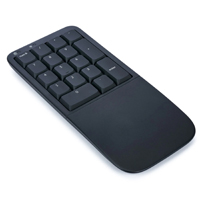
The Mechanical Keypad LP for Mac & PC from Kinesis was designed as a partner accessory to the mWave Mechanical Keyboard but will also work just as well with any compact or tenkeyless keyboard. It features a low profile of just 0.85" and an integrated palm support to reduce the risk of wrist extension during extended numeric entry. It can be powered either by two AAA batteries for full wireless freedom (can connect to 2 bluetooth devices) or through the included USB-A cord. It can also be switched to function in full wired USB-only mode. Adjustable white backlighting is available whenever connected via the cord, with shine-through keycaps for enhanced viewing.
The Mechanical Keypad LP for Mac & PC is equipped with low profile quiet linear mechanical switches requiring just 45 grams of force to activate and a life rating of 60 million actuations. The low travel responsive switches are ideal for those who do more intensive numeric entry. While designed as an accessory to the mWave Mechanical Keyboard, this keypad can also serve as an excellent modular addition to any workstation where a standalone keypad is required or preferred. It can be placed on the right or left side of the keyboard, or between the two halves of a split keyboard and can easily be moved out of the way when not in use, freeing up space in the comfort zone for other devices.
This keypad also features onboard memory that can store up to 8 layers of custom commands, shortcuts, macros, or completely different layouts. Programming is done through an intuitive browser interface and does not require a driver or installation of any software. In addition, once programmed the keypad can be redeployed to any computer without losing access to any of the programming.
Those who may not need the wide range of programming but still want to have a responsive low-force numeric keypad may wish to consider the Freestyle2 Keypad for PC and Mac. It offers full numeric keypad function as well as access to the following functions "Tab, Back Space, =, Cut, Copy and Paste."
Le Mechanical Keypad LP for Mac & PC de Kinesis a été conçu comme un accessoire complémentaire au mWave Mechanical Keyboard, mais il fonctionne également très bien avec n'importe clavier compact ou clavier sans pavé numérique. Il présente un profil bas de seulement 0.85po et un repose-poignet intégré pour réduire le risque d'extension du poignet lors des calculs prolongée ou autre données numériques intensif. Il peut fonctionner soit avec deux piles AAA pour une liberté sans fil totale (peut se connecter à 2 appareils Bluetooth), ou soit par le câble USB-A inclus. Il peut également fonctionner en mode uniquement avec fil USB. Un rétroéclairage blanc qui est ajustable est disponible quand il est connecté avec fil, avec des touches transparentes pour une meilleure visibilité. Le Mechanical Keypad LP for Mac & PC est équipé des touches mécaniques linéaires silencieux à profil bas qui ne nécessitent que 45 grammes de force pour s'activer et ont une durée de vie de 60 millions d'activations. Les commutateurs réactifs à course bas sont idéaux pour ceux qui effectuent des calculs ou autre données numériques intensif. Bien que conçu comme un accessoire du mWave Mechanical Keyboard, ce pavé numérique peut également servir d'excellent complément modulaire à tout poste de travail où un pavé numérique autonome est nécessaire ou préféré. Il peut être placé à droite ou à gauche du clavier, ou entre les deux moitiés d'un clavier divisé, et peut être facilement déplacé lorsqu'il n'est pas utilisé, libérant ainsi de l'espace dans la zone de confort pour d'autres appareils.
Ce pavé numérique dispose également d'une mémoire intégrée pouvant avoir jusqu'à 8 niveaux de commandes personnalisées, de raccourcis, de macros ou de configurations totalement différentes. La programmation est fait via une interface de navigateur intuitive et ne nécessite aucun pilote ni installation de logiciel. De plus, une fois programmé, le pavé numérique peut être réutilisé sur n'importe quel ordinateur sans perdre l'accès à la programmation.
Ceux qui n'ont pas besoin d'une programmation étendue, mais qui souhaitent tout de même disposer d'un pavé numérique réactif et nécessitant peu de force, peuvent considerer le Freestyle2 Keypad for PC and Mac . Il offre toutes les fonctions d'un pavé numérique ainsi que l'accès aux fonctions suivantes: Tab, Retour arrière, =, Couper, Copier et Coller.
The Split Break Ergonomic Keyboard from R-Go Tools is designed to accommodate a range of usage options. The keyboard is equipped with a permanent 10" cable that accommodates the needs of most typists. This cable make it possible to fully separate the ...
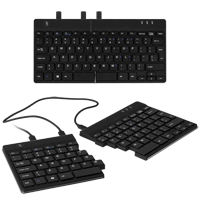
The Split Break Ergonomic Keyboard from R-Go Tools is designed to accommodate a range of usage options. The keyboard is equipped with a permanent 10" cable that accommodates the needs of most typists. This cable make it possible to fully separate the left and right keyboard modules, allowing the shoulders, elbows, arms and wrists to relax in an anatomically neutral position. This greatly improves posture and circulation in the upper body, prevents undesirable inward rotation at the shoulders, and can eliminate ulnar deviation at the wrist. The exceptionally thin (9 mm) profile of the Split Break Ergonomic Keyboard also greatly reduces the potential of developing RSI related to wrist extension. For those less comfortable with the concept of a separated keyboard the innovative magnetic interlocking design also permits the two keyboard modules to be combined into a more traditional one-piece compact keyboard just 11.4" in width.
Unlike most other separated keyboards, the Split Break Ergonomic Keyboard is asymmetrical, due to the absence of any extra keys on the left module. However, the compact layout greatly reduces the reach to the mouse for right-handed individuals and retains the standard minimal reach for left-handed mousing.
Those who are doing more intense numeric entry may wish to consider the R-Go Numpad Break, a matching discrete numeric keypad that is available in both Wired and Bluetooth models.
The Split Break Ergonomic Keyboard features low-travel scissor switch membrane key switches with chiclet-style keycaps. Those looking for an easily portable keyboard that offers advanced ergonomic benefits may want to consider this keyboard. The ultra-compact design and under 300 gram weight of the Split Ergonomic Keyboard make it highly suited for travel applications. An integrated "break" reminder can be activated to serve as a reminder to take regular relief breaks when working.
Le Split Ergonomic Keyboard de R-Go Tools est conçu pour satisfaire diverses options d'utilisation. En utilisant l’un des deux câbles(12po et 19po), les utilisateurs peuvent positionner les modules de clavier gauche et droit à la largeur des épaules, permettant ainsi aux épaules, aux coudes, aux bras et aux poignets de se détendre dans une position anatomiquement neutre. Cela améliore considérablement la posture et la circulation sanguine dans le haut du corps, empêche la rotation indésirable des épaules et élimine les déviations ulnaires au poignet. Le profil exceptionnellement fin (9 mm) du Split Ergonomic Keyboard réduit également considérablement le potentiel de développement de RSI lié à l'extension du poignet.
Pour les personnes moins à l'aise avec le concept d`un clavier séparé, la conception innovante magnétique permet également de combiner les deux modules de clavier dans un clavier compact plus traditionnel d'une seule morceau mésurant 11,4 pouces en largeur.
Contrairement à la plupart des claviers séparés, le Split Ergonomic Keyboard est asymétrique, en raison de l'absence de touches supplémentaires sur le module de gauche. Cependant, la structure compacte réduit considérablement de s`étirer pour chercher la souris pour les utilisateurs droitiers et conserve la distance minimal pour s`étirer pour la souris avec la main gauche.
Un pavé numérique est incorporée dans le module du droite pour les utilisateurs qui doivent parfois effectuer de plus grandes entrer numériques et est facilement accessible à l'aide de la touche Verr Num (NumLock). Les ports micro-USB gauche et droit sont disponibles pour la connexion de pavés numériques externes.
Le Split Ergonomic Keyboard comprend des touche à membrane avec interrupteurs à ciseaux (distance court) et des touches capuchons à chiclet. Les utilisateurs qui veulent un clavier facilement portable offrant des avantages ergonomiques avancés peuvent considérer ce clavier. Le concept ultra-compact et le poids moins de 300 grammes du Split Ergonomic Keyboard le rendent parfaitement adapté aux applications de mobile/portable.
Veuillez noter: Le R-Go Numpad Break NE PEUT PAS être brancher dans le R-Go Split Ergonomic Keyboard, et va avoir besoin de soit un port USB-C ou USB-A.
The Backlit Wireless Multi-Pairing Keyboard for PC from Matias features styling reminiscent of the Apple Wired Keyboard. It features level-adjustable backlighting powered by a dedicated rechargeable battery that can offer one to two weeks per charge ...
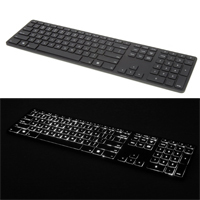
The Backlit Wireless Multi-Pairing Keyboard for PC from Matias features styling reminiscent of the Apple Wired Keyboard. It features level-adjustable backlighting powered by a dedicated rechargeable battery that can offer one to two weeks per charge depending on usage. The Bluetooth wireless is able to simultaneously pair with up to 4 Bluetooth devices, making it easier to switch between devices with the simple press of a button. The wireless function is powered independently of the backlighting, with a battery that can last up to 3 months between charges without the need to power down and disconnect during idle periods. As such the keyboard performs more like a wired model in that it is always connected and ready without a "wake up" period. Even if the backlighting battery is fully drained the keyboard will still be able to function. The Backlit Wireless Multi-Pairing Keyboard for PC is also equipped with a full-function numeric keypad, making it suitable for all computing purposes.
The multi-pairing feature also enables the keyboard to automatically adjust its layout to be compatible with the active device (i.e. Android, Windows, iPad, etc.). This keyboard features a lightweight plastic housing and is equipped with high quality Matias scissor switches to provide a satisfying typing experience despite the slim design.
Note: The Matias Backlit Wireless Multi-Pairing Keyboard for PC is compatible with Windows and is available in Black only.
Le Matias Backlit Wireless Multi-Pairing Keyboard for PC a le caractéristique d'esthétique semblable au clavier Apple Wired Keyboard. Il est doté d'un rétroéclairage à niveau réglable alimenté par une batterie rechargeable dédiée qui peut offrir une à deux semaines par charge selon l'utilisation. La fonction sans fil Bluetooth peut s'associer simultanément à 4 appareils Bluetooth, ce qui facilite le passage d'un appareil à l'autre par une simple pression sur un bouton. La fonction sans fil est alimentée indépendamment du rétroéclairage, avec une batterie qui peut durer jusqu'à 3 mois entre les charges sans qu'il soit nécessaire de l'éteindre et de la déconnecter pendant les périodes d'inactivité. En tant que tel, le clavier se comporte davantage comme un modèle avec fil dans la mesure où il est toujours connecté et prêt à fonctionner sans période de " réveil ". Même si la batterie de rétroéclairage est complètement déchargée, le clavier est toujours en mesure de fonctionner. Le Backlit Wireless Multi-Pairing Keyboard for PC est également équipé d'un pavé numérique, ce qui le rend adapté à tous les usages informatiques.
La fonction multi-pairing permet également au clavier d'ajuster automatiquement sa disposition pour être compatible quel que soit le système (c'est-à-dire Android, Windows, iPad, etc.). Ce clavier est doté d'un boîtier en plastique léger et est équipé d'interuputeurs à ciseaux Matias de haute qualité pour offrir une expérience de dactylographie agréable malgré le concept mince.
Veuillez noter: Le Matias Backlit Wireless Multi-Pairing Keyboard for PC est compatible avec Windows et est disponible en noir seulement.
Les gens qui souhaitent un boîtier plus robuste, ou une compatibilité avec Mac, peuvent considèrer le Wireless Aluminum Keyboard with Backlight qui est disponible en modèles pour Mac et PC.
Models
Model #
Description
Price
In Stock?
Buy Now
FK416PCBTL
Matias Backlit Wireless Multi-Pairing Keyboard for PC, Black Plastic Housing with Black Keycaps, (Bluetooth)
The Advantage360 PRO Linear Quiet Contoured Keyboard from Kinesis features low-force Kailh Box Pink switches with just 35 grams of activation force. As with all Advantage 360 Contoured Keyboards, it takes the proven fusion of performance and ergonomi ...
The Advantage360 PRO Linear Quiet Contoured Keyboard from Kinesis features low-force Kailh Box Pink switches with just 35 grams of activation force. As with all Advantage 360 Contoured Keyboards, it takes the proven fusion of performance and ergonomics of the 3-dimensional concave keywell design and adds in additional ergonomic capabilities. This design now incorporates established ergonomic concepts of customizable tent, angle and separation that Kinesis has featured for many years in their well-known Freestyle line of keyboards. This version of the Kinesis Contoured Keyboard family can now deliver unparalleled levels of comfort and productivity for touch typists of all body types and builds while offering advanced ergonomic features and the added versatility of cordless Bluetooth connectivity. The Advantage360 serves as a neutral ergonomic data input interface for all touch typists. Anyone who considers their keyboard a core tool for their workstation should consider this keyboard. The contoured keyboard family is the only keyboard that addresses ergonomics down to the level of the fingertips. It does this by intelligently redistributing the repetitive activity associated with typing to minimize the potential of fatigue. Advantage Contoured keyboards are especially popular with those who perform keyboard intensive work, including programmers, transcriptionists, writers, and web content developers.
The Advantage360 Contoured Keyboard has several improvements over prior Advantage models. The new separated design affords the individual nearly infinite freedom to position the keyboard modules to create the optimal keyboard solution for the workspace. In addition, the new 3 position tent available in each module aids in further reducing pronation and the associated risk of repetitive strain that can occur with intensive and long-term keyboarding. In order to minimize the keyboard size and reduce unnecessary finger reach the function row has been eliminated with those functions now accessible via a FN layer in the primary keys. The 10-key numeric keypad embedded in the right-hand module continues to provide instant access for numeric entry, without moving the hand out of home position.
The Advantage360 Pro Linear Quiet Contoured Keyboard employs low-force Kailh Box Pink switches with just 35 grams of activation force. In order to take advantage of the global white backlighting on the PRO model the switches are topped with shine-through ABS plastic keycaps. For those who are willing to sacrifice the shine-through feature for higher quality PBT keycaps there are optional QWERTY, DVORAK and Blank sets of opaque PBT keycaps available.
The Advantage360 PRO version offers almost unlimited programmability through multiple interface options. The web-based KINESIS CLIQUE programming interface greatly enhances the primary keyboard functions, enabling anyone to customize the keyboard to minimize unnecessary key strokes, awkward reaches for shortcuts, etc. Supported in Edge and Chrome browsers, this convenient programming interface provides access to a wide range of custom programming that will be expanding as development of further features continues. Those considering using KINESIS CLIQUE may wish to consider how this interface can be used to enhance the performance of Advantage360 Pro by visiting KINESIS CLIQUE.
Another programming option is the open-source ZMK Programming Engine, available online through GitHub. This is an advanced programming interface designed for those with at least some degree of programming knowledge. It can accommodate an exceptional degree of customization for the Advantage360 PRO. Because of the programming knowledge required to perform customization on the Advantage360 PRO model it is recommended that prior to purchasing this model purchasers should acquaint themselves with the ZMK platform and determine its suitability for their knowledge level.
For individuals who may not be comfortable with either the ZMK or KINESIS CLIQUE advanced programming options for customizing the Advantage360 PRO,
the corded Advantage360 comes preloaded with the highly-functional and much more intuitive SmartSet Programming Engine which facilitates the development and storage of up to nine custom keyboard layouts and as well as complex macros to reduce repetitive or awkward keystrokes and maximize productivity. The Advantage360 is PC and Mac compatible, and includes additional hard-wired features such as unlimited custom key remapping, macro playback speed, and keyboard status reports. The corded Advantage360 is also equipped with high quality opaque PBT keycaps.
Note: If a tactile switch is preferred the Advantage 360 Pro Contoured Keyboard offers all of the same features but is equipped with Gateron Brown low-force tactile mechanical keyswitches with an activation force of 45 grams and a maximum force of 55 grams.
For individuals who may not be comfortable with either the ZMK or KINESIS CLIQUE advanced programming options for customizing the Advantage360 PRO, the corded Advantage360 comes preloaded with the highly-functional and much more intuitive SmartSet Programming Engine which facilitates the development and storage of up to nine custom keyboard layouts and as well as complex macros to reduce repetitive or awkward keystrokes and maximize productivity. The Advantage360 is PC and Mac compatible, and includes additional hard-wired features such as unlimited custom key remapping, macro playback speed, and keyboard status reports. The corded Advantage360 is equipped with high quality opaque PBT keycaps.
Models
Model #
Description
Price
In Stock?
Buy Now
KB360-PRO-KLQ
Advantage360 PRO Linear Quiet Contoured Keyboard, QWERTY legends, Kailh Pink Box Linear Quiet mechanical keyswitches, Shine-through ABS Keycaps
$690.00
Yes
KB365-PRO-KLQ-W-QWBL
Advantage360 PRO Linear Quiet Contoured Keyboard Signature Series, QWERTY legends, Kailh Pink Box Linear Quiet mechanical keyswitches, Opaque PBT Plastic Black Keycaps, White Housing
$825.00
Yes
Accessories
Model #
Description
Price
In Stock?
Buy Now
AC360-PP
Kinesis Advantage360 Premium Palm Pads Accessory Kit NO 30 DAY CSG.
$37.00
Yes
KC360-QW
QWERTY Legended PBT Keycaps for Kinesis Advantage360 Contoured Keyboards (92 keycaps, Black (Not Shine-Through)
$110.00
Yes
KC360-DV
DVORAK Legended PBT Keycaps for Kinesis Advantage360 Contoured Keyboards (92 keycaps, Black (Not Shine-Through)
$110.00
Yes
KC360-BK
Blank Unlegended PBT Keycaps for Kinesis Advantage360 Contoured Keyboards (92 keycaps, Black (Not Shine-Through)
The Wireless Multi-Pairing Keyboard from Matias is for individuals who miss the Apple Wired Keyboard but want the cordless freedom of Bluetooth connection. This keyboard can pair with, and retain, always-live connections to as many as 4 different Blu ...
The Wireless Multi-Pairing Keyboard from Matias is for individuals who miss the Apple Wired Keyboard but want the cordless freedom of Bluetooth connection. This keyboard can pair with, and retain, always-live connections to as many as 4 different Bluetooth devices, switching between them with the touch of a key and automatically adjusting its layout to be compatible with the active device (i.e. Android, Windows, iPad, etc.). The rechargeable battery is able to provide up to three months of use between charges, without needing to power down and disconnect during idle periods. This makes this wireless keyboard perform more like a wired keyboard in that it is always connected and ready without a "wake up" period. The Mac model also offers screen brightness and media control via the FN keys. Matias scissor switches provide a satisfying typing experience on this slim, low-profile keyboard.
The Matias Wireless Multi-Pairing Keyboard is available for both Mac and PC, Model FK416BT is compatible with Mac OS X all the way back to Version 10.6.8 (Snow Leopard) and is available in Silver. The PC model (FK416PCBT) is legended for Windows OS and is available in Black.
For heavy use the Wireless Aluminum Keyboard offers the same functionality but has four times the battery life and a rigid aluminum housing.
Le Wireless Multi-Pairing Keyboard de Matias est pour les personnes qui manquent le clavier Apple Wired Keyboard mais qui veulent la connection Bluetooth. Ce clavier peut s'associer et conserver des connexions permanentes avec jusqu'à 4 périphériques Bluetooth différents, passant de l'un à l'autre par simple pression d'une touche et ajustant automatiquement sa disposition pour être compatible quel que soit le système (Android, Windows, iPad, etc.). La batterie rechargeable est capable de fournir jusqu'à trois mois d'utilisation entre deux charges, sans avoir besoin de s'éteindre et de se déconnecter pendant les périodes d'inactivité. Ainsi, ce clavier sans fil se comporte d'avantage comme un clavier avec fil, dans la mesure où il est toujours connecté et prêt à fonctionner, sans période de " réveil ". Le modèle Mac offre également un contrôle de la luminosité de l'écran et des médias via les touches FN. L'interuputeurs à ciseaux Matias de haute qualité offrent une expérience de dactylographie agréable malgré le concept mince.
Le Matias Wireless Multi-Pairing Keyboard est disponible pour Mac et PC. Le modèle FK416BT est compatible avec Mac OS X jusqu'à la version 10.6.8 (Snow Leopard) et est disponible en couleur argent (Silver). Le modèle PC (FK416PCBT) est compatible pour Windows OS et est disponible en noir.
Pour une utilisation intensive, le clavier Wireless Aluminum Keyboard offre les mêmes fonctionnalités, mais dispose d'une vie de pile quatre fois supérieure et d'un boîtier en aluminium rigide.
Models
Model #
Description
Price
In Stock?
Buy Now
FK416BT
Matias Wireless Multi-Pairing Keyboard for Mac, Silver Plastic Housing with Black Keycaps, (Bluetooth)
$89.00
Yes
FK416PCBT
Matias Wireless Multi-Pairing Keyboard for PC, Black Plastic Housing with Black Keycaps, (Bluetooth)
The Mousetrapper Alpha combines the advanced mousing functions of the Mousetrapper Control Pad with a compact scissor switch keyboard for the ultimate combination of cursor control and portable convenience. At just 12.3" wide and only 8.7" deep this ...
The Mousetrapper Alpha combines the advanced mousing functions of the Mousetrapper Control Pad with a compact scissor switch keyboard for the ultimate combination of cursor control and portable convenience. At just 12.3" wide and only 8.7" deep this compact combination is superbly portable and can be placed virtually anywhere a standard keyboard would fit. The Alpha is rechargeable and can operate either as a Bluetooth or Corded device. It is also compatible with both PC and Mac platforms. In Bluetooth mode it can be connected to two devices and remember up to a total of four devices. When operating as a corded device the battery is automatically charged.
The most impressive feature of this device is the Mousetrapper "Control Pad" that is centrally located directly below the keyboard. This two-dimensional device offers intuitive fingertip-driven cursor control. Eight light-touch buttons adjacent to the pad combine to offer full standard mouse functions as well as additional shortcuts (Double Click/Copy/Paste/Zoom In/Zoom Out/Scroll Up/Scroll Down). In addition, all of these buttons can be reassigned or custom programmed to a wide variety of commands via the MT Keys software. The Control Pad is designed to be used by either hand, with the fingertips "steering" the moveable pad to provide near effortless onscreen navigation and cursor control. Unlike touchpads, the fingers can rest on the Control Pad between mouse activation tasks, with clicking accomplished by lightly pressing down against the pad. The palm rest zones to each side of the Control Pad are also slightly elevated above the keyboard to aid in maintaining a neutral wrist alignment when using the keyboard.
The incorporated chiclet-style compact keyboard has low travel scissor switches that offer a degree of tactile feedback. The full-size keycaps and standard layout mean that there is minimal learning curve when moving from a standard full-width keyboard. It is also possible to custom program up to 11 keys (F1-F11) for further customization. Three levels of optional backlighting are available, easily adjusted via a keyboard shortcut function. For protection during transport, the Mousetrapper Alpha includes a neoprene travel sleeve.
The FORM Split Touchpad Keyboard from Kinesis Corporation is a compact all-in-one input device that offers both ergonomic benefits and performance features. The primary ergonomic benefit arises from the "split" keyboard layout which reduces wrist dev ...
The FORM Split Touchpad Keyboard from Kinesis Corporation is a compact all-in-one input device that offers both ergonomic benefits and performance features. The primary ergonomic benefit arises from the "split" keyboard layout which reduces wrist deviation and inward shoulder rotation by moving the hands out towards shoulder width. With a large Windows Precision Touchpad positioned in the space between the hands this keyboard becomes an ambidextrous portable (or desktop) data input device that is just 16" wide, 5.25" deep, and 0.75" high. The touchpad being centrally located means either hand can be used for cursor control, while requiring minimal movement from either home row position. And with the central location there is no outward reaching for a mouse and no reach forward as is common with most other all-in-one keyboards. Despite having compact dimensions the FORM still offers standard key spacing of 0.75" and an integrated touchpad for mouse input. This makes the FORM well-suited for travel use with laptops, especially when the laptop keyboard has a compact keyboard with reduced keypitch/spacing or where a laptop stand is being utilized to improve viewing ergonomics. The central position of the integrated touchpad also addresses the issue of unintended touchpad activation during typing that can occur when using laptop keyboards where the touchpad is positioned directly below the keyboard spacebar.
The FORM Split Touchpad Keyboard also has performance features that make it suitable for service ranging from everyday computer data entry to serving as a home entertainment controller. The machined aluminum case ensures rigidity and durability on desk or lap to support the key action of the low profile Gateron KS-33 Red Linear keyswitches. These low profile mechanical switches have a 1.3 mm post-activation travel to reduce potential fingertip impact that is especially common with common membrane and scissorswitch key switches. The low profile switches let the FORM Split Touchpad Keyboard offer the superior performance of mechanical switches while still presenting a height profile of just 0.75 inches. While being mechanical these switches have a low noise level that will not interfere with entertainment enjoyment.
The FORM Split Touchpad Keyboard is also capable of being programmed using KINESIS CLIQUE, a web-based interface currently supported in Edge and Chrome browsers. This convenient interface makes it possible to rearrange key actions, assign macros from a basic library of pre-configured actions for Windows and Mac, create Key Combo macros with up to 8 modifiers, additional layers, and program and perform numerous other functions, with more on the way as development continues. To learn more about the expanding range of capabilities and how this interface can be used to enhance the performance of the FORM please visit KINESIS CLIQUE.
The layout on the FORM Split Touchpad Keyboard is a standard Windows laptop layout but features Full-size function keys (F1-F12), Full-size Arrow keys (ideal for gaming), and Full-size Navigation Keys (Home/End, Page Up/Page Down). It also offers Media Actions (Volume Control, Track Selection, Screen Brightness) and SmartTV Actions (Launch TV, Launch Browser, Launch Menu). The large centrally-positioned Windows Precision Touchpad supports multi-finger gestures in Windows 10 and 11 and will provide basic touchpad functions in other OS. Connection to devices can be either Wired (via the included six-foot USB-A cord), or Bluetooth (Dual channel switchable to support 2 Bluetooth-enabled devices up to 30 feet away). Convenient 4-level white backlighting further enhances the potential for use as a home entertainment controller, with the rechargeable Lithium Ion battery able to provide 1-2 weeks of service with the backlighting active, or 2-3 months with backlighting disabled.
Note: For visual compatibility in the Mac environment the FORM includes 6 Mac Keycaps and a Keycap puller.
Le FORM Split Touchpad Keyboard de Kinesis Corporation est un clavier compact tout-en-un qui offre à la fois des avantages ergonomiques et des caractéristiques de performance. Le principal avantage ergonomique se présente dans la disposition "split" du clavier qui réduit la déviation du poignet et la rotation de l'épaule vers l'intérieur en déplaçant les mains vers la largeur des épaules. Avec un grand Windows Precision Touchpad positionné dans l'espace entre les mains, ce clavier devient un produit portable (ou de bureau) qui est ambidextre et qui ne mesure que 16po de large, 5.25po de profondeur et 0.75po de haut. La position centrale du touchpad permet d'utiliser l'une ou l'autre main pour contrôler le curseur, tout en ne nécessitant qu'un mouvement minimal à partir de l'une ou l'autre position de home row. De plus, grâce à son placement central, il n'est pas nécessaire de tendre la main vers l'extérieur pour bouger la souris, ni vers l'avant comme c'est le cas pour la plupart des autres claviers tout-en-un. Peu importe ses dimensions compactes, le FORM offre un espacement standard de 0.75po entre les clés, aussi qu'un touchpad intégré. Le FORM est donc parfaitement adapté pour transport avec des ordinateurs portables, en particulier lorsque le clavier de l'ordinateur portable est compact et que l'espacement des touches est réduit, ou lorsqu'un support d'ordinateur portable est utilisé pour améliorer l'ergonomie du moniteur. La position centrale du touchpad intégré résout également le problème de l'activation involontaire du touchpad pendant la dactylo, qui peut se produire lors de l'utilisation de claviers d'ordinateurs portables où le touchpad est positionné directement sous la barre d'espacement du clavier.
Le FORM Split Touchpad Keyboard présente également des caractéristiques de performance qui le rendent adapté pour le travail quotidien d'ordinateur aussi que pour le domicile. Le boîtier en aluminium usiné assure la rigidité et la durabilité sur le bureau ou sur les genoux pour supporter l'action des touches Linéaires Gateron KS-33 Red à profil bas. Ces touches mécaniques à profil bas ont une course de 1.3 mm après l'activation afin de réduire l'impact potentiel sur le bout des doigts, ce qui est particulièrement fréquent avec les touches à membrane et les touches à ciseaux. Les touches à profil bas permettent au FORM Split Touchpad Keyboard d'offrir les performances supérieures des touches mécaniques tout en présentant un profil de hauteur de seulement 0.75po. Bien qu'ils soient mécaniques, ces touches ont un niveau minimal de bruit.
La disposition du FORM Split Touchpad Keyboard est celle d'un ordinateur portable Windows standard, mais il comporte des touches de fonction de taille normale (F1-F12), des touches fléchées de taille normale (idéales pour les jeux) et des touches de navigation de taille normale (Accueil/Fin, Page précédente/Page suivante). Il propose également des actions sur les médias (contrôle du volume, sélection des pistes, luminosité de l'écran) et des actions SmartTV (ouvrire la télévision, ouvrire la navigateur, ouvrire le menu). Le grand touchpad Windows Precision Touchpad en position centrale prend en charge les gestes à plusieurs doigts dans Windows 10 et 11 et fournira des fonctions de touchpad de base dans d'autres systèmes OS. La connexion aux appareils peut être soit avec fil (par le câble USB-A de 6 pieds long qui est inclus), soit par Bluetooth (Dual channel switchable pour supporter deux appareils Bluetooth jusqu'à une distance de 30 pieds). Le rétroéclairage blanc pratique à 4 niveaux améliore encore l'utilisation, avec la batterie rechargeable au Lithium Ion qui peut fournir 1 à 2 semaines de service avec le rétroéclairage actif, ou 2 à 3 mois avec le rétroéclairage désactivé.
Veuillez noter: Pour une compatibilité visuelle dans l'environnement Mac, le FORM inclut 6 Keycaps Mac et un Keycap puller.
Models
Model #
Description
Price
In Stock?
Buy Now
KB100-W
FORM Split Touchpad Keyboard for PC, (Bluetooth [2 channels] / USB-A [via charging cable]) DISCONTINUED. CALL.
The R-Go Compact Break Keyboard (available in Wired or Bluetooth models) eliminates the need to reach out and over a numeric keypad and navigation keys when reaching for a mouse on the right, addressing a common source of discomfort and pain. At just ...
The R-Go Compact Break Keyboard (available in Wired or Bluetooth models) eliminates the need to reach out and over a numeric keypad and navigation keys when reaching for a mouse on the right, addressing a common source of discomfort and pain. At just 11.2" in width this keyboard has a minimal footprint that will work on any desk or keyboard tray. The compact design is suitable for both left- and right-handed typists who wish to keep their mouse close at hand. The exceptionally thin (9 mm) profile of the Compact Break Keyboard also greatly reduces the potential of developing RSI related to wrist extension. The usage-monitoring Break software offers a colour-changing logo to remind typists to take breaks to move, stretch, and ease their eyes.
The R-Go Compact Break Keyboard features low-travel scissor switch membrane key switches with chiclet-style keycaps. Key spacing is standard and all primary keys are full-size, reducing adaptation time to a minimum. Typists who are looking for an easily portable keyboard may want to consider this keyboard. The ultra-compact design and just 310 gram weight of the R-Go Compact Break Keyboard make it highly suited for travel applications. The Wired model is equipped with a USB-C connection but ships with an adapter for use with USB-A ports, while the Bluetooth model offers a wireless connection to Bluetooth-enabled devices.
The R-Go Compact Break Keyboard does not include an embedded numeric keypad. Numeric entry must be completed either using the standard keyboard upper rank numeric keys or a stand-alone numeric keypad can be purchased. The R-Go Numpad Break is an ideal matching accessory keypad, with both Wired and Bluetooth models available. The wired model can be plugged directly into either the left or right side of the R-Go Compact Break Keyboard or into any standard USB port, and, of course, the Bluetooth model connects to Bluetooth-enabled devices.
For those who like the low profile of the R-GO Compact Break but may be looking to address the ergonomics of their workstation to an even greater degree, the R-Go Split Ergonomic Keyboard, available in both Wired and Bluetooth models offers the options of either a one-piece keyboard or of spreading the keyboard halves apart to gain additional ergonomic benefits.
Le R-Go Compact Break Keyboard (disponible en version Avec Fil ou Bluetooth) évite d’avoir à tendre le bras par-dessus le pavé numérique et les touches de navigation pour atteindre la souris située à droite, éliminant ainsi une source commun d’inconfort et de douleur. Avec une largeur de seulement 11.2po, ce clavier occupe un espace minimal et s’adapte à n’importe quel bureau ou support de clavier. Sa conception compacte convient aussi bien aux utilisateurs gauchers que droitiers qui souhaitent garder leur souris à portée de main. Le profil exceptionnellement mince (9 mm) du Compact Break Keyboard réduit également considérablement le risque de développer des troubles RSI liés à l'extension du poignet. Le logiciel Break, qui surveille l'utilisation, affiche un logo dont la couleur change pour rappeler aux utilisateurs de faire des pauses afin de bouger, de s'étirer et de reposer leurs yeux.
Le R-Go Compact Break Keyboard est équipé de touches à membrane à commutateurs ciseaux à course bas, avec des capuchons de type chiclet. L'espacement des touches est standard et toutes les touches principales sont de taille normale, ce qui réduit au minimum le temps d'adaptation. Les gens à la recherche d'un clavier facilement transportable pourraient être intéressés par ce modèle. Grâce à son design ultra-compact et à son poids de seulement 310 grammes, le R-Go Compact Break Keyboard est parfaitement adapté aux déplacements. Le modèle avec fil est équipé d'un port USB-C mais est livré avec un adaptateur permettant de l'utiliser sur des ports USB-A, tandis que le modèle Bluetooth offre une connexion sans fil aux appareils compatibles Bluetooth.
Le R-Go Compact Break Keyboard n'a pas un pavé numérique intégrer. La saisie numérique doit être fait soit à l'aide des touches numériques standard en haut du clavier, soit à l'aide d'un pavé numérique autonome disponible à l'achat. Le pavé numérique
R-Go Numpad Break est un accessoire idéal, disponible en version avec fil et Bluetooth. Le modèle avec fil peut être branché directement sur le côté gauche ou droit du R-Go Compact Break Keyboard ou sur n'importe quel port USB standard, tandis que le modèle Bluetooth se connecte, bien sûr, aux appareils compatibles Bluetooth.
Pour ceux qui apprécient le profil compact du R-GO Compact Break mais qui souhaitent peut-être améliorer encore davantage l'ergonomie de leur poste de travail, le clavier R-Go Split Ergonomic Keyboard , disponible en versions Avec Fil et Bluetooth, offre le choix entre un clavier en un morceau ou la possibilité d'écarter les deux moitiés du clavier pour bénéficier d'avantages ergonomiques supplémentaires.
The Kensington Pro Fit Ergo KB675 EQ TKL Rechargeable Keyboard is a tenkeyless layout that features the same winglike design as the full-size Pro Fit models. The alphanumeric keys are oriented at approximately 11° with the navigation and arrow ke ...
The Kensington Pro Fit Ergo KB675 EQ TKL Rechargeable Keyboard is a tenkeyless layout that features the same winglike design as the full-size Pro Fit models. The alphanumeric keys are oriented at approximately 11° with the navigation and arrow keys being at 0°. This sloping of the keys reduces pronation of the hands and forearm while typing. The left and right key groups are also splayed outwards at 33° to encourage a more neutral alignment and reduce ulnar deviation at the wrists. The integrated palm support on the Pro Fit Ergo KB675 is just over 3" in depth at the middle, and offers cushioning for the palms. It is covered in a leatherette material that is easily cleaned.
The angle and height of the Pro Fit Ergo KB675 tenkeyless keyboard is such that the wrists are supported in a fairly neutral alignment when the elbows are about 1" below the desk surface. For those who would rather sit at a more ergonomic height (i.e. elbows at or just above desk height) and benefit from a slight improvement in wrist alignment there are legs built into the underside of the palm support. When deployed these legs elevate the front to create a nominal 4° negative slope. When the keyboard is flat the highest point on the keys is 1.4" and with the negative elevation legs deployed the highest point is 1.9".
Note: While this keyboard does bear great similarity in appearance to the Sculpt Ergonomic Desktop Keyboard from Microsoft it should be noted that the concave layout of the Microsoft keyboard positioned the hands at a lower point than does the Ergo KB675 which has a convex curve to the key layout. As well, the addition of video conferencing keys at the top moves the hand about 0.75" lower on the keyboard which may cause the right hand to want to slip down and off the palm support.
The island-style keys are topped with flat keycaps that have very distinct edges. The key action is fairly quiet but it should be noted that they have a moderately high peak operation force of 55 grams, which over time can cause fatigue and strain on the fingers. As well, the inner columns of keys are wider to create a more appealing look but this can lead to inadvertently striking the keys off-centre. When struck to the edge there is a tendency for these keys to partially bind, thus requiring more force to complete the key activation. This could lead to dropped keystrokes and an overcompensation response of exerting a higher degree of force to ensure activation. With a limited travel distance of just 2.5 mm this will likely lead to the fingers impacting at the end of each keystroke.
This keyboard includes a bank of 4 dedicated video conferencing keys (End Call, Camera On/Off, Share/Stop Sharing, and Mute On/Off). There are also dedicated keys for Calculator, Search, Show Desktop, and Screen Shot, while the F Keys support Media Control alternate functions. In the middle of the keyboard are RGB Battery Status, Caps Lock, and BT Connection LED indicators. There are 20 programmable keys that can be accessed using the Kensington Konnect software - (PC and Mac options available) - that facilitates Key Mapping, Macro Programming, etc.
The Pro Fit Ergo KB675 EQ TKL Rechargeable Keyboard is Windows and Mac compatible and is able to connect via either Bluetooth 4.0LE or the included 2.4GHz wireless receiver (replaceable if lost) which employs 128-bit AES government-grade encryption for security. The connection is switchable via the dedicated "Connection" key.
Le Kensington Pro Fit Ergo KB675 EQ TKL Rechargeable Keyboard est un clavier avec disposition tenkeyless qui présente le même design en forme d'aile (winglike) que les modèles full-size Pro Fit. Les touches alphanumériques sont orientées à environ 11°, tandis que les touches de navigation et les touches fléchées sont à 0°. Cette inclinaison des touches réduit la pronation des mains et des avant-bras pendant la dactylo. Les groupes de touches gauche et droite sont également ébrasés vers l'extérieur à 33° pour favoriser un alignement plus neutre et réduire la déviation ulnaire au niveau des poignets. Le support de paume intégré sur le Pro Fit Ergo KB675 a une profondeur d'un peu plus de 3 pouces au milieu et offre un rembourrage pour les paumes. Il est recouvert d'un matériau en similicuir facile à nettoyer.
L'angle et la hauteur du Pro Fit Ergo KB675 tenkeyless keyboard sont tels que les poignets sont soutenus dans un alignement relativement neutre lorsque les coudes se trouvent à environ 1po sous la surface du bureau. Pour ceux qui préfèrent s'asseoir à une hauteur plus ergonomique (c'est-à-dire les coudes à la hauteur du bureau ou juste au-dessus) et bénéficier d'une légère amélioration de l'alignement des poignets, il y a des pieds qui sont intégrés sous le support de paume. Lorsqu'ils sont déployés, ils élèvent l'avant pour créer une pente négative nominale de 4°. Lorsque le clavier est à plat, le point le plus haut sur les touches est de 1.4po et lorsque les pieds d'élévation négative sont déployés, le point le plus haut est de 1.9po.
Veuillez noter: Bien que ce clavier ressemble beaucoup au Sculpt Ergonomic Desktop Keyboard de Microsoft, il doit être noter que la disposition concave du clavier Microsoft positionne les mains à un point plus bas que l'Ergo KB675, dont la disposition des touches présente une courbe convexe. Également, l'addition des touches video conferencing en haut du clavier déplace la main environ 0.75po plus bas sur le clavier, ce qui peut amener la main droite à vouloir glisser vers le bas et n'est plus sur le support de paume.
Les touches de style "island" ont des capuchons plats qui ont des bordures très distincts. Les touches sont assez silencieuses, mais il devrait être noter qu'elles ont une force de frappe significativement élevée de 55 grammes, ce qui, après un bout de temps, peut causer de la fatigue et des tensions sur les doigts. Également, les colonnes intérieures des touches sont plus larges pour créer un apparance plus intéressant, mais cela peut causer de frapper les touches sur le côté par accident au lieu du centre des touches. Lorsque les touches sont frappées sur le côté, elles ont tendance à se coller partiellement, ce qui nécessite une plus grande force pour compléter l'activation de la touche. Cela peut causer les caractères d'être perdus et une réponse excessive qui nécessite plus de force pour assurer l'activation de la touche. Avec une distance de déplacement limitée à 2.5mm, les doigts risquent d'avoir la vibration/choc de l'impact à la fin de chaque frappe.
Ce clavier comprend une banque de 4 touches spécifique au video conferencing (Fin d'appel, Caméra On/Off, Partage/Arrêt du Partage, et Coupure du son On/Off). Il existe également des touches spécifique aux Calculator, Search, Show Desktop, et Screen Shot, tandis que les touches F Keys support les fonctions alternatives des Media Control. Au milieu du clavier se trouvent le RGB Battery Status, Caps Lock, et BT Connection LED indicators. Vingt touches programmables sont accessibles à l'aide du logiciel Kensington Konnect (options PC et Mac disponibles), qui facilite le mappage des touches, la programmation de macros, etc.
Le clavier rechargeable Pro Fit Ergo KB675 EQ TKL est compatible avec Windows et Mac et peut se connecter soit par Bluetooth 4.0LE ou par sans fil 2.4GHz avec la clé inclus (remplaçable si perdu) qui utilise la technologie Advanced Encryption Standard (AES-128) pour la sécurité. La connexion est switchable par la touche spécifique "Connection".
Models
Model #
Description
Price
In Stock?
Buy Now
K75491US
Kensington Pro Fit Ergo KB675 EQ TKL Rechargeable Keyboard, (Bluetooth / 2.4 GHz RF Wireless Dongle [USB-A ]) NO 30 DAY CSG.
The Wave Keys Keyboard from Logitech features a wave-style layout that inclines slightly upward at the middle. The keys also sweep upward to the left and right to encourage a very limited reduction in ulnar deviation at the wrists. Unlike other keybo ...
The Wave Keys Keyboard from Logitech features a wave-style layout that inclines slightly upward at the middle. The keys also sweep upward to the left and right to encourage a very limited reduction in ulnar deviation at the wrists. Unlike other keyboards of this style which offer a distinct separation of the keys along the center of the keyboard, there is no separation, which requires that the hands be brought to a central position that will require lateral deviation for most typists. As well, unlike other wave-style keyboards that fan the keys in a downward curve that mirrors the descending lengths of the ring and pinkie fingers, the Wave Keys sweep upwards across the entire alpha/numeric keys. This can lead to awkward stretching or repositioning of the entire hand for the ring and pinkie fingers to access the outer keys. Those with smaller hands will most likely find this reach even more significant. The rather rapid transition from the upward sweep of the alpha numeric keys to the level keys of the numeric keypad may also lead to regular ulnar deviation when transitioning back and forth from home row position to the numeric keypad or mouse.
The Wave Keys Keyboard features low-travel membrane switches which require a significant degree of force for activation. The keycaps are crowned and concave to assist in targeting but have a reduced horizontal and vertical pitch of 18.5mm (19.0mm is standard) which may leave some, especially those with larger hands and fingers, feeling crowded, especially with the upward sweep curving the keys inward towards each other. Included is an integrated 3.25" deep cushioned palm support with a cleanable surface. The righthand numeric keypad and repositioned navigation keys classify this keyboard as a compact financial keyboard despite a fairly significant 8.4" reach from home row to the right edge of the keyboard, something that should be taken into consideration when determining suitability.
The Wave Keys Keyboard is powered by two AAA batteries and is able to connect via either the included Wireless Logi Bolt receiver or via bluetooth.
Models
Model #
Description
Price
In Stock?
Buy Now
920-011898
Logitech Wave Keys Keyboard, US English, Graphite, (Bluetooth / USB-A 2.4 GHz Wireless Dongle) NO 30 DAY CSG.
The R-Go Numpad Break from R-Go Tools is an ideal matching companion for the R-Go Compact Break and Split Break Ergonomic Keyboards. With both wired and Bluetooth models available you can choose wireless freedom or use the cords included with the wir ...
The R-Go Numpad Break from R-Go Tools is an ideal matching companion for the R-Go Compact Break and Split Break Ergonomic Keyboards. With both wired and Bluetooth models available you can choose wireless freedom or use the cords included with the wired model to plug directly into the keyboard's supplementary USB-C port (Micro-USB on earlier models) using the convenient 12" cords. Of course, it can also be used as a stand-alone numeric keypad with any keyboard, by using the included USB-C to USB-A adapter and either the 12" or 59" cords.
The R-Go Numpad Break is equipped with low-travel scissor switch membrane key switches, resulting in an exceptionally thin (9 mm) profile that greatly reduces the potential of developing RSI related to wrist extension. The chiclet-style keycaps offer clear separation between keys to help ensure accurate data entry. The low profile and the light weight of just 96 grams also make this keypad an ideal laptop add-on. As a bonus feature the integrated calculator key can switch from data entry to the Windows calculator with a single keystroke.
Models
Model #
Description
Price
In Stock?
Buy Now
RGOCONMWDBL
R-Go Numpad Break, Wired, (USB-C / USB-A)
$60.00
Yes
RGOCONMWLBL
R-Go Numpad Break, charges on both USB-C / USB-A, (Bluetooth)
The Kensington Pro Fit Ergo Wireless Keyboard features a winglike design that orients the alphanumeric keys at approximately 11° with the navigation and keypad keys being at 0°. This sloping of the keys reduces pronation of the hands and fore ...
The Kensington Pro Fit Ergo Wireless Keyboard features a winglike design that orients the alphanumeric keys at approximately 11° with the navigation and keypad keys being at 0°. This sloping of the keys reduces pronation of the hands and forearm while typing. The left and right key groups are also splayed outwards at 33° to encourage a more neutral alignment and reduce ulnar deviation at the wrists. The integrated palm support on the Pro Fit Wireless Keyboard is just over 3" in depth, and offers cushioning for the palms. It is covered in a leatherette material that is easily cleaned.
The angle and height of the Pro Fit Ergo Wireless Keyboard is such that the wrists are supported in a fairly neutral alignment when the elbows are about 1" below the desk surface. For those who would rather sit at a more ergonomic height (i.e. elbows at or just above desk height) and benefit from a slight improvement in wrist alignment there are legs built into the underside of the palm support. When deployed these elevate the front to create a nominal 4° negative slope. When the keyboard is flat the highest point on the keys is 1.4" and with the negative elevation legs deployed the highest point is 1.9".
The island-style keys are fairly quiet but it should be noted that they have a moderately high peak operation force of 55 grams, which over time can cause fatigue and strain on the fingers. As well, the inner columns of keys are wider to create a more appealing look but this can lead to inadvertently striking the keys off-centre. When struck to the edge there is a tendency for these keys to partially bind, thus requiring more force to complete the key activation. This could lead to dropped keystrokes and an overcompensation response of exerting a higher degree of force to ensure activation. With a limited travel distance of just 2.5mm this will likely lead to the fingers impacting at the end of each keystroke.
The Pro Fit Ergo Wireless Keyboard is able to connect either via Bluetooth 4.0LE or the included 2.4GHz wireless receiver (replaceable if lost) which employs 128-bit AES government-grade encryption for security. The connection is switchable via a switch on the underside that also serves as a power switch.
Le Kensington Pro Fit Ergo Wireless Keyboard est en forme d'aile (winglike design) qui oriente les touches alphanumériques à environ 11°, les touches de navigation et du pavé numérique étant à 0°. Cette inclinaison des touches réduit la pronation des mains et des avant-bras pendant la dactylo. Les groupes de touches gauche et droite sont également ébrasés vers l'extérieur à 33° pour favoriser un alignement plus neutre et réduire la déviation ulnaire au niveau des poignets. Le support de paume intégré sur le Pro Fit Wireless Keyboard mesure un peu plus de 3po de profondeur et offre un rembourrage pour les paumes. Il est recouvert d'un matériau en similicuir facile à nettoyer.
L'angle et la hauteur du Pro Fit Wireless Keyboard sont tels que les poignets sont soutenus dans un alignement relativement neutre lorsque les coudes se trouvent à environ 1po sous la surface du bureau. Pour ceux qui préfèrent s'asseoir à une hauteur plus ergonomique (c'est-à-dire les coudes à la hauteur du bureau ou juste au-dessus) et bénéficier d'une légère amélioration de l'alignement des poignets, il y a des pieds qui sont intégrés sous le support de paume. Lorsqu'ils sont déployés, ils élèvent l'avant pour créer une pente négative nominale de 4°. Lorsque le clavier est à plat, le point le plus haut des touches est à 1.4po et lorsque les pieds d'élévation négative sont déployés, le point le plus haut est à 1.9po.
Les touches de style "island" sont assez silencieuses, mais il devrait être noter qu'elles ont une force de frappe significativement élevée de 55 grammes, ce qui, après un bout de temps, peut causer de la fatigue et des tensions sur les doigts. Également, les colonnes intérieures des touches sont plus larges pour créer un apparance plus intéressant, mais cela peut causer de frapper les touches sur le côté par accident au lieu du centre des touches. Lorsque les touches sont frappées sur le côté, elles ont tendance à se coller partiellement, ce qui nécessite une plus grande force pour compléter l'activation de la touche. Cela peut causer les caractères d'être perdus et une réponse excessive qui nécessite plus de force pour assurer l'activation de la touche. Avec une distance de déplacement limitée à 2.5mm, les doigts risquent d'avoir la vibration/choc de l'impact à la fin de chaque frappe.
Le Pro Fit Ergo Wireless Keyboard peut se connecter soit par Bluetooth 4.0LE ou par un clé USB 2,4 GHz inclus (remplaçable si perdu) qui utilise un cryptage AES 128 bits de niveau gouvernemental pour la sécurité. La connexion peut être facilement changer grâce à un bouton situé sous le clavier, qui sert également au bouton Connect/Off.
Models
Model #
Description
Price
In Stock?
Buy Now
K75401US
Kensington Pro Fit Ergo Wireless Keyboard, (2.4 GHz Wireless Dongle [USB-A]) NO 30 DAY CSG.
The Ergo K860 Keyboard from Logitech features a flowing design that orients keys at varying angles across the keyboard. The K860 alpha/numeric keys transition through a concave arc from almost level at the centre to about 5° at the right and left ...
The Ergo K860 Keyboard from Logitech features a flowing design that orients keys at varying angles across the keyboard. The K860 alpha/numeric keys transition through a concave arc from almost level at the centre to about 5° at the right and left edges. The navigation cluster on the right then completes the transition to a fully flat numeric keypad. The left and right key groups are also angled or "splayed" outward to encourage adoption of a more neutral alignment of the wrists. The Ergo K860 also has an attached 3.5" deep cushioned palm support which rises up to match the keyboard elevation. This needs to be taken into consideration when deploying the K860 into a workstation.
While the K860 has a slender low profile the angled design results in the middle keys being elevated to 1.5". This elevation may require individuals to either raise their seats to accommodate the height of the keyboard or to use a keyboard tray to lower the keyboard into their lap. The keyboard is also equipped with front legs that can be used to raise the front to create either 4° or 7° negative slope intended to encourage better wrist alignment. Use of these legs may require further adjustments of seat or keyboard tray height because it adds another inch of elevation to the middle of the palm support and increases the risk of pressure points being created on the underside of the wrists.
The K860 features low-travel scissor switches with chiclet-style keycaps. Key activation is crisp and comparatively high force compared to other scissor switch devices and does require a significant degree of activation force. The low profile keycaps have a satin texture with a slight concave surface to aid in finger positioning.
L'Ergo K860 Keyboard de Logitech présente une forme fluide (flowing design) qui oriente les touches à différents angles sur le clavier. Les touches alphanumériques du K860 passent par un arc concave allant d'une position presque horizontale au centre à un angle d'environ 5° sur les bords droit et gauche. Le groupe de touches navigation situé à droite complète la transition vers un pavé numérique entièrement plat. Les groupes de touches gauche et droite sont également inclinés ou « ébrasser » vers l'extérieur pour encourager l'adoption d'un alignement plus neutre des poignets. L'Ergo K860 est également équipé d'un support de paume rembourré de 3.5po de profondeur qui se relève pour s'adapter à l'élévation du clavier. Cela devrait être tenu en compte lors de l'installation du K860 dans un poste de travail.
Tandis que le K860 ait un profil fin et bas, sa conception angulaire fait que les touches centrales sont surélevées de 1.5po. Cette surélévation peut obliger les personnes à surélever leur siège pour s'adapter à la hauteur du clavier ou à utiliser une tablette de clavier pour abaisser le clavier sur leurs genoux/cuisses. Le clavier est également équipé de pieds en avant qui peuvent être utilisés pour élever l'avant du clavier afin de créer une pente négative de 4° ou 7° prévu pour encourager un meilleur alignement du poignet. L'utilisation de ces pieds peut nécessiter d'autres ajustements de la hauteur du siège ou du tablette de clavier, car elle ajoute un pouce d'élévation supplémentaire au milieu du support de la paume et augmente le risque de créé des points de pression sur le dessous des poignets.
Le K860 a des interrupteurs à ciseaux avec distance court et des touches capuchons à chiclet. L'activation des touches sont significativement plus grande par rapport à d'autres dispositifs d'interrupteurs à ciseaux et nécessite une force d'activation significante. Les touches à profil bas ont une texture satinée avec une surface légèrement concave pour faciliter le positionnement des doigts.
Models
Model #
Description
Price
In Stock?
Buy Now
920-009166
Logitech Ergo K860 Keyboard, (Bluetooth / 2.4 GHz Wireless) NO 30 DAY CSG.