 The
Perfit Mouse by Contour Design - Detailed Specification SheetThe
Perfit Mouse by Contour Design - Detailed Specification Sheet
The
Perfit Mouse by Contour Design - Detailed Specification SheetThe
Perfit Mouse by Contour Design - Detailed Specification Sheet
|
THIS WEB PAGE IS OBSOLETE.
It has been superceded by a more recent version.
Please click on the link below to view the most current information on this product.
CURRENT PERFIT MOUSE OPTICAL MORE INFORMATION PAGE
|
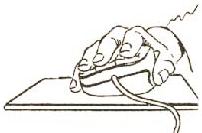
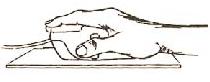
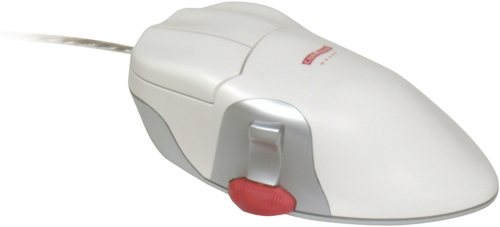
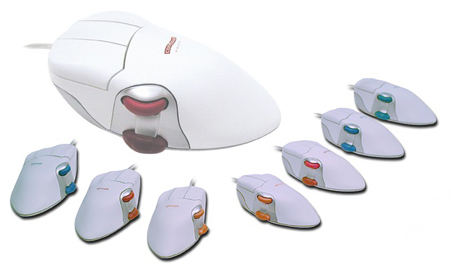
The Contour Perfit Mouse is the only mouse that gives you a Perfect Fit, no matter if your mousing hand is large or small, right or left! The performance and ergonomic benefits delivered by this multi-sized solution simply can't be achieved by any other "one size fits all" mouse.
 Research
Studies
Research
StudiesStudy evaluating of 10 different input devices by a major semi-conductor manufacturer (PDF)
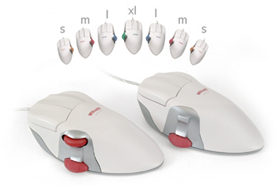
NOTE: This mouse has been redesigned and is
now called the Perfit Mouse Optical (PMO) Mouse, an optical USB device with
a built in scroll wheel in the thumb rest and a two-way programmable rocker
switch. For those who prefer the 'classic' design, the 'Classic' Perfit Mouse
Optical (PMO5 - the unit on the right side of the picture) is also available,
which does not feature a vertical scroll wheel.
|
PMO5
(click on picture to enlarge) |
|
|||||||||||||||||||||||||||||||||||||
|
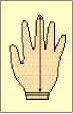
Find the Perfect Fit The table below is an aid to help you determine what Perfit Mouse Optical size you will need. You should measure your hand size using a ruler and compare the result to determine the recommended size.
Note: If your hand measurement is between two sizes and you have a relatively thin hand, select the larger size. If you have a thick palm you should choose the smaller of the two.
| |||||||||||||||||
|
PC
|
USB
|
PS2
|
| WIN XP |
F
|
F
|
| WIN 2000 |
F
|
F
|
| WIN Me |
F
|
F
|
| WIN NT |
-
|
F
|
| WIN 98 |
F
|
F
|
| WIN 95 |
-
|
F
|
|
MAC |
USB
|
| OS X |
F
|
| OS 9.x and earlier |
O*
|
* Additional functionality can be added to device by downloading 3rd Party Shareware driver - USB Overdrive
System Requirements
Find your computer connection
|
Legend:
|
|||||||||
Linux OS
PC based machines: Supported by OS level driver
Macintosh based machines: Supported by OS level driver
SPECS:
Small: 5.25" (L) x 2.75" (W) x 1.25" (H)
Medium: 5.75" (L) x 3.0" (W) x 1.5" (H)
Large: 6.0" (L) x 3.25" (W) x 1.5" (H)
Extra-Large: 6.5" (L) x 3.5" (W) x 1.5" (H)
Warranty: 1 year

Ergonomics Portal: ErgoCanada.com
P.O. Box 9022 Saskatoon, SK, Canada S7K 7E7
Phone: (306) 382-5995 Fax: (306) 382-4995
Toll-Free: (866) 335-3746 (ERGO)
Email: sales@ergocanada.com
Check out our other portals:
ExtremeGamingDevices.com
- Specialty gaming products for extreme gamers
ErgoLaptop.com - Ergonomic products
for laptop users.
BirdXCanada.com - Bird control products
All materials copyright © 2008 Micwil Group of Companies Ltd.