| Additional Resources Usage Tips Accessories | | Product Summary |
|---|
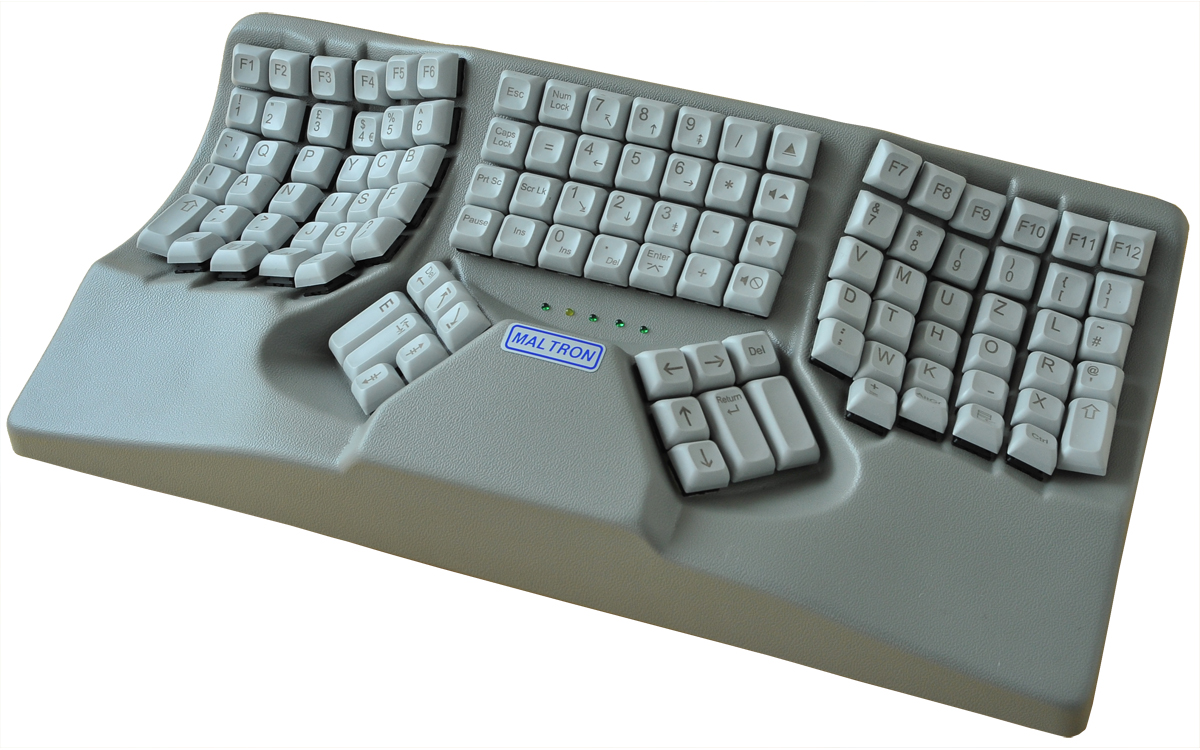
The Dual Handed L90 Ergonomic 3D Keyboard by Maltron was designed to place all keys within easy reach of the fingers, and to keep the hands and arms a comfortable shoulder-width apart. Following familiar touch-typing conventions, the five groups of keys are arranged in a matrix of rows and columns, with the numeric keypad in the centre, and the most frequently accessed keys directly beneath the thumb. The keyswitches are high-quality Cherry MX switches.
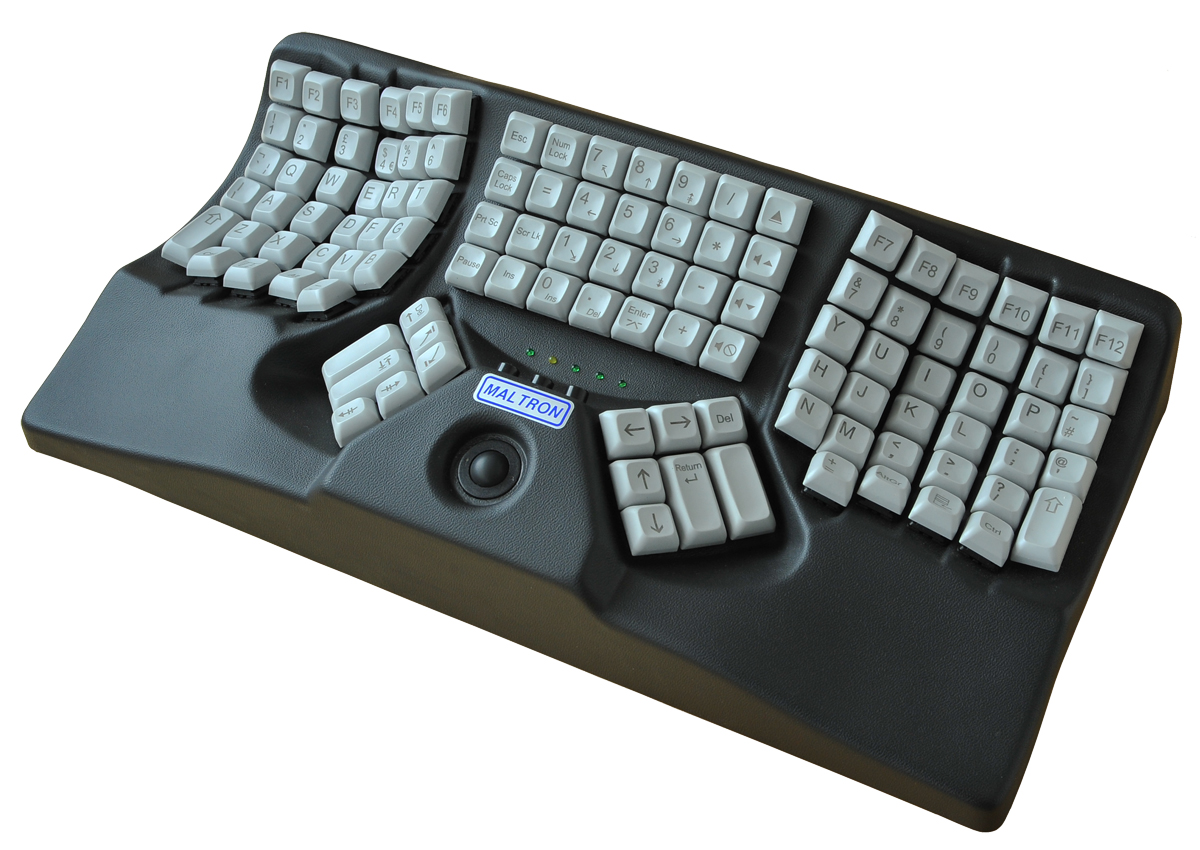
Two models are available; one with an integrated trackball, and one without. The keyboard is also available with the traditional QWERTY layout, or laid out in Maltron's own design. (For an illustration of Maltron's layout, see the first image on the Detailed Specifications page.) The keyboard is USB-compatible with Windows and Mac operating systems. | | Ergonomic Benefits |
|---|
Designed for Ergonomic Fit - The concave orthogonal key layouts are designed to better match varying finger lengths and reach. This can reduce movements and accompanying strain that are required by traditional flat keyboards.
Reduces Pronation - The slightly angled palms support and keywells turn the hand away from the more common fully pronated position required on traditional flat keyboards. This can reduce tension in the forearm, all the way up to the elbow.
Reduces Burden on the Little Finger - Key functions (Return, Delete, Backspace, and Cursor Movement) are transferred away from the weakest finger on the hand. Rather, the thumb is utilized for these functions in addition to the obvious “Space Bar” action that traditional keyboard are limited to.
Wrist Extension is Eliminated - The integrated raised palm supports keep the heel of the hand from dropping down into a position of wrist extension. At the same time the fingers can be fully at rest while still in position for immediate typing. Learn More About Wrist Extension.
Integrated Trackball Option Eliminates Overreaching - Integrated Trackball Option Eliminates Overreaching | The central trackball on specific models provides access to full cursor control, with 3 buttons above offering left and right click functions. Learn More About Overreaching.
| | Features |
|---|
- Dedicated Media Control Key and Numeric Keypad: The 28-key central bank offers dedicated media control keys, a full numeric keypad, as well as all standard document navigation keys.
- Integrated Cursor Control: Specific models are equipped with a central trackball for cursor control and buttons for Left and Right clicks, integrating full 2-button mousing directly into the keyboard.
| | Images (Click on any thumbnail to view larger image) |
|---|

Maltron Dual-Handed 3-D Keyboard
| 
Maltron Dual-Handed 3-D Keyboard with Integrated Trackball
| 
Profile of Maltron Dual-Handed 3-D Keyboard
| 
Deployed Maltron Dual-Handed Keyboard
| |
| | Technical Specifications |
|---|
| | Models |
|---|
 | | Model # | Description |
|---|
| DTUQ901B-US | The Dual Handed Ergonomic 3D Keyboard with built-in trackball, Black, (USB-A) | | DSUQ901B-US | The Dual Handed Ergonomic 3D Keyboard without built-in trackball, Black. | | DGILQ | The Dual Handed Ergonomic 3D Keyboard without built-in trackball, Grey. | | DGINQ | The Dual Handed Ergonomic 3D Keyboard with built-in trackball, Grey. |
|
|