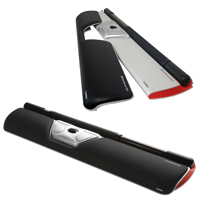
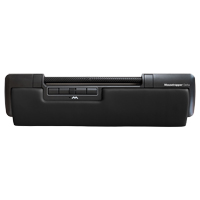
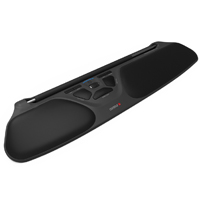
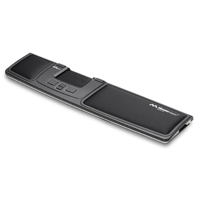
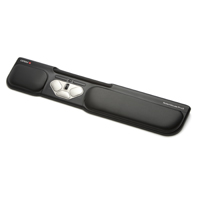
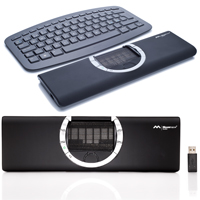
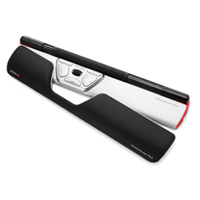
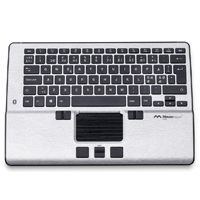
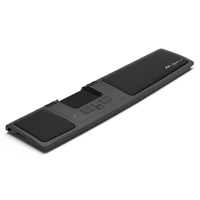
The RollerMouse Red by Contour Design is a central pointing device that is positioned in prime real estate immediately between the operator and keyboard space bar. This keeps all mousing activity "inline", i.e., in the area immediately in front of th ...
The RollerMouse Red by Contour Design is a central pointing device that is positioned in prime real estate immediately between the operator and keyboard space bar. This keeps all mousing activity "inline", i.e., in the area immediately in front of the keyboard, eliminating the need to reach for a mouse. This also makes it suitable for use where there may be insufficient room for a mouse to be placed immediately beside the keyboard. Like all RollerMice, cursor movement is achieved by manipulating the tube-like cylindrical "rollerbar" with the fingertips. Rotating the rollerbar moves the cursor up and down, and sliding the bar from side to side accomplishes horizontal movement. Once the desired location is achieved, a left click can be generated by pressing down on the bar (the force required for this is adjustable from an ultra-light touch to highly tactile). Eight buttons and a scroll wheel are located below the bar to generate left/middle/right clicks, copy, paste, back, forward and vertical scrolling. There is also a cursor speed button between the copy and paste buttons for accessing ten different speed settings from 600 to 2800 dpi. The Red also comes with adjustable keyboard "risers" to lift up standard and compact single piece keyboards. Controls can also be customized using the downloadable driver.
The RollerMouse Red is equipped with a larger diameter rollerbar than the FREE3 or PRO3. This 0.8" diameter bar is 7.1" wide and offers a finer degree of control, especially for vertical movement. The entire surface of the bar is textured with raised bumps that offer tactile feedback to further improve all aspects of cursor control. The robust aluminum housing is solid and sturdy, and the padded palm support can be removed if desired to reduce the overall depth for greater comfort or if space is constrained. Innovative tracking technology on the RollerMouse Red further enhances cursor control, especially valuable on multi-monitor workstations. All these design elements make cursor control more precise and effortless without compromising durability and robustness. To further improve the ergonomics even the traditional mechanical "click" has been replaced with a newer "virtual" clicking mechanism that generates a "percussion-free" but audible "click" that can be adjusted in volume or fully disabled if so desired.
The RollerMouse Red is available with two different depths of palm support. The standard model is suitable for most individuals whereas the PLUS model has a noticeably deeper palm support that extends the overall depth of the PLUS by an additional 2.3 inches. Because this extra depth moves the Rollerbar and the keyboard further away from the body the PLUS is really only suitable for those with significantly larger or longer hands. Both models of the RollerMouse Red can also be purchased bundled with the low profile Balance Keyboard from Contour Design.
The RollerMouse Red is a wired device but if the freedom of a wireless device is desired the RollerMouse Red Wireless offers all of the same features combined with the convenience of wireless connection.
View the entire range of RollerMouse products here.
La RollerMouse Red par Contour Design est un dispositif de pointage central qui va immédiatement entre l`utilisateur et le clavier sous la barre d'espace. Toute l'activité de la souris reste ainsi "en ligne", c'est-à-dire dans la zone située immédiatement devant le clavier, ce qui évite de s`étirer pour chercher la souris. Cela permet également de l'utiliser dans les endroits où l'espace est insuffisant pour placer une souris juste à côté du clavier. Comme tous les RollerMice, l'utilisateur déplace le curseur en faisant glisser une barre de contrôle cylindrique avec le bout des doigts pour déplacer le curseur "haut" et "bas" et en faisant glisser cette barre d'un côté à l'autre pour un mouvement horizontal. Une fois l'emplacement souhaité atteint, l'utilisateur peut générer un clic gauche en appuyant sur la barre (la force nécessaire pour cela est réglable de ultra-légère à très tactile). Huit boutons et une roulette de défilement sont situés sous la barre pour générer des clics gauche / milieu / droit, copier, coller, reculer, avancer et défiler verticalement. Il y a également un bouton de vitesse du curseur entre les boutons copier et coller pour cinq réglages de vitesse différents de 600 à 2800 dpi. Le Red est également livré avec des "risers" ajustablent pour soulever les claviers conventionnels (d`un morceau et non pas pour les claviers séparer ou ajustable). Les commandes peuvent également être personnalisées à l'aide du pilote téléchargeable.
La RollerMouse Red est équipée d'une barre de roulement de plus grand diamètre que la FREE3 ou la PRO3. Cette barre de 0.8po de diamètre est de 7.1po large et offre un degré de contrôle plus fin, en particulier pour les mouvements verticaux. La surface entière de la barre est texturée avec des bosses élever qui offrent un retour tactile pour améliorer encore tous les aspects du contrôle du curseur. Le boîtier en aluminium robuste est solide et résistant, et le support de paume rembourré peut être enlever si vous le souhaitez pour réduire la profondeur totale pour un meilleur confort ou si l'espace est restreint. La technologie de suivi innovante de la RollerMouse Red améliore encore le contrôle du curseur, ce qui est particulièrement utile sur les postes de travail multi-moniteurs. Tous ces éléments de conception rendent le contrôle du curseur plus précis et sans effort sans compromettre la durabilité et la robustesse. Pour améliorer encore l'ergonomie, même le "clic" mécanique traditionnel a été remplacé par un mécanisme de clic "virtuel" plus récent qui génère un "clic" sans percussion mais audible, dont le volume peut être ajusté ou entièrement désactivé si on le souhaite.
La RollerMouse Red est disponible avec deux profondeurs différentes de support de la paume. Le modèle standard convient à la plupart des personnes, tandis que le modèle PLUS possède un support de paume significativement plus profond qui augmente la profondeur totale du PLUS de 2.3 pouces supplémentaires. Comme cette profondeur supplémentaire éloigne la Rollerbar et le clavier du corps, le modèle PLUS ne convient vraiment qu'aux personnes ayant des mains beaucoup plus grandes ou plus longues. Les deux modèles de la RollerMouse Red peuvent également être achetés avec le Balance Keyboard à profile bas de Contour Design.
La RollerMouse Red est une souris avec fil, mais si vous souhaitez bénéficier de la liberté d'une souris sans fil, la RollerMouse Red Wireless offre toutes les mêmes fonctions combinée tout en être sans fil.
Pour voir tout la gamme des produits RollerMouse, voir ici .
Models
Model #
Description
Price
In Stock?
Buy Now
RM-RED
RollerMouse Red
$395.00
Yes
RM-RED-PLUS
RollerMouse Red with extra deep Palm Supports
$395.00
Yes
BUNDLE-RED
Ultimate RollerMouse Red Bundle - RM-RED + BALANCE-US-WIRED - SAVE $5.00
$530.00
Yes
BUNDLE-RED-PLUS
Ultimate RollerMouse Red Plus Bundle - RM-RED-PLUS + BALANCE-US-WIRED - SAVE $5.00
The Mousetrapper Delta returns to its 1994 family roots - the original rollerbar-driven inline pointing device mouse alternative. Now employing a new ultra-lightweight carbon-fibre rollerbar, the Delta offers virtually effortless ambidextrous cursor ...
The Mousetrapper Delta returns to its 1994 family roots - the original rollerbar-driven inline pointing device mouse alternative. Now employing a new ultra-lightweight carbon-fibre rollerbar, the Delta offers virtually effortless ambidextrous cursor control. The 10" wide control bar is a generous 0.8" in diameter and features a lightly textured and slip-resistant surface that provides subtle tactile feedback for superior cursor control while still responding to the lightest of touches. The bar requires nominal pressure for clicking, reducing the potential for unintended cursor movement that can occur with rollerbar-style devices. In addition, the rollerbar click is easily disabled for those who would prefer to use a standard button. Unlike some roller-style devices where the rollerbar projects above the device, the bar on the Mousetrapper Delta is slightly recessed, reducing the risk of unintentional contact by the palms when transitioning from typing to mousing.
With 4.9" of lateral movement, the Mousetrapper Delta offers a greater range of bar movement than most other roller-style pointing devices. The Delta also monitors the range of cursor movement that is being utilized, and adapts the bar movement to optimize the range of cursor control. Six adjustable cursor speeds (up to 4000 dpi) can be selected according to personal preference and for occasions when very fine control is required there is the option of programming one of the buttons to "enhance cursor precision".
In addition to the clickable rollerbar, the Mousetrapper Delta is equipped with 6 fully programmable buttons. The default functions are Left & Right Click, Copy and Paste, and Zoom In & Zoom Out. All of these can be reassigned an extensive range of functions via the browser-based MT Keys Programming Interface for Chrome or Edge browsers. There is also a clickable scroll wheel that can be assigned one of several mouse click functions. Custom programming is neither software nor driver dependent as it is written to and stored on the Moustrapper Delta.
The Mousetrapper Delta is designed, developed and manufactured in Sweden using recycled plastics and is designed to be easily recycled again at the end of its life. The padded faux leather palm support is easily detached for cleaning when required. Included keyboard risers can be installed to offer two levels of elevation to better accommodate a range of keyboard profiles and a dual USB port supports charging or connection of two additional devices. Mousetrapper also offers firmware updates via their MT Keys web interface, making it incredibly easy to ensure that the Mousetrapper Delta is operating at peak efficiency. Note: The Delta is a new addition to the Mousetrapper family so those who prefer the 2-dimensional Control Pad can still access the more mature Mousetrapper family members.
a Mousetrapper Delta revient à ses racines familiales de 1994 - la souris original à barre de roulement comme dispositif de pointage central alternative. En utilisant un nouveau rollerbar ultra-léger en fibre de carbone, la Delta offre un contrôle ambidextre du curseur pratiquement sans effort. La barre de contrôle de 10po de large a un diamètre généreux de 0.8po et présente une surface légèrement texturée et antidérapante qui fournit un retour tactile subtil pour un contrôle supérieur du curseur tout en répondant aux touches les plus légères. La barre nécessite une pression nominale pour cliquer, ce qui réduit le risque de mouvement involontaire du curseur qui peut se produire avec les dispositifs de type rollerbar. De plus, le clic du rollerbar est facilement désactivable pour ceux qui préfèrent utiliser un bouton standard. Contrairement à certains dispositifs de style rollerbar où la barre de roulette dépasse de l'appareil, la rollerbar du Mousetrapper Delta est légèrement renfoncé, ce qui réduit le risque de contact involontaire avec la paume de la main lors de la transition entre la dactylo et la souris.
Avec un mouvement latéral de 4.9po, le Mousetrapper Delta offre une plus grande gamme de mouvement de la barre que la plupart des autres dispositifs de pointage de style rollerbar. Le Delta surveille également la gamme du mouvement du curseur utilisé et adapte le mouvement de la barre pour optimiser la gamme de contrôle du curseur. Six vitesses de curseur ajustable (jusqu'à 4000 dpi) peuvent être sélectionnées selon les préférences personnelles et, pour les occasions où un contrôle très fin est nécessaire, il est possible de programmer l'un des boutons pour "améliorer la précision du curseur".
En plus du rollerbar cliquable, le Mousetrapper Delta est équipé de 6 boutons entièrement programmables. Les fonctions par défaut sont le clic gauche et le clic droit, le copier-coller et le zoom avant et arrière. Toutes ces fonctions peuvent être réaffectées avec l'interface MT Programming Interface pour les navigateurs Chrome ou Edge. Il existe également une roulette de défilement cliquable à laquelle il est possible d'attribuer l'une des nombreuses fonctions de clic de souris. La programmation personnalisée ne dépend ni du logiciel ni du pilote, car elle est écrite et mémorisée sur le Moustrapper Delta.
Le Mousetrapper Delta est conçu, développé et fabriqué en Suède à partir de plastiques recyclés et est conçu pour être facilement recyclé à la fin de sa vie. Le support de paume rembourré en similicuir se détache facilement pour être nettoyé si nécessaire. Inclus sont des "risers" pour le clavier qui peuvent être installés pour offrir deux niveaux d'élévation afin de mieux s'adapter à une gamme de profils de clavier et un double port USB permet de charger ou de connecter deux appareils supplémentaires. Mousetrapper offre également des mises à jour de firmware avec son interface MT Keys web, ce qui permet de s'assurer très facilement que le Mousetrapper Delta fonctionne de manière optimale.
Veuillez noter: Le Delta est un nouvel addition à la famille Mousetrapper, de sorte que ceux qui préfèrent le Control Pad en 2-dimensions peuvent toujours accéder aux autres membres de la famille Mousetrapper.
The RollerMouse Free3 from Contour Design is part of the RollerMouse family, central pointing devices that are positioned between the operator and keyboard space bar. This keeps all mousing activity "inline" in the area immediately in front of the ke ...
The RollerMouse Free3 from Contour Design is part of the RollerMouse family, central pointing devices that are positioned between the operator and keyboard space bar. This keeps all mousing activity "inline" in the area immediately in front of the keyboard, eliminating the need to reach for a mouse. This also makes it suitable for use where there may be insufficient room for a mouse to be placed to the side. Like all RollerMouse products, cursor movement is achieved by manipulating the tube-like cylindrical "rollerbar" with the fingertips. Rotating the rollerbar moves the cursor "up" and "down", and sliding the bar from side to side accomplishes horizontal movement. Rotation and sliding motions can be performed simultaneously for complete and seamless cursor control. Once the desired location is achieved, a left click can be generated by pressing down on the bar, with the force required to do so also being adjustable. The 10" wide rollerbar on the Free3 is the longest of any Rollermouse, and it also has the longest travel path - 14". This allows for a greater range of horizontal cursor movement, less likelihood of reaching the end of the range, and less need to increase pointer speed acceleration. The rollerbar on the Free3 is smaller in diameter than that on the RollerMouse Red and has an even surface, with no raised bumps such as those found on the Red.
A convenient cursor speed button offers ten settings ranging from 600 to 2800 dpi and the Free3 offers on-board configuration for either PC or Mac use, using a simple button combination. Advanced sensor technology ensures precise cursor movements while also providing rapid horizontal movement when multiple screens are in use. Eight pre-programmed buttons (re-programmable via a downloadable driver) and a scroll wheel are located below the bar to generate left/middle/right clicks, copy, paste, back, forward and vertical scrolling.
The Free3 sits just 0.9" high, allowing it to work seamlessly with most standard rectangular-style keyboards without getting in the way while typing. The included keyboard lifters can be installed to optimize use with even the lowest profile keyboards. The RollerMouse Free3 has a comfortable integrated padded palm support for comfort and a weighted aluminum base ensures strength and stability.
The Free3 is available in a standard wired model as well as a wireless* rechargeable version, so that those who want to reduce extra wires or complicated cable management have the option of going wireless. The wireless version has an on/off switch to facilitate additional power savings when the RollerMouse will be unused for extended periods and a convenient storage slot provides secure storage for the USB micro receiver (USB) to ensure it does not get misplaced when not in use.
For those familiar with the earlier Rollermouse Free2, it is important to note that the wrist support on the Free3 cannot be removed.
Need a keyboard? Get the Ultimate Workstation Bundle (BUNDLE-FREE3, BUNDLE-FREE3W)! Purchase any model of the RollerMouse Free3 with a Balance Keyboard and save!
View the entire range of RollerMouse products here. * Data being entered using wireless products from Contour Design is secured using AES 128 bit encryption.
La RollerMouse Free3 par Contour Design fait partie de la famille RollerMouse, des dispositifs de pointage central qui vont immédiatement entre l'utilisateur et le clavier sous la barre d'espace. Toute l'activité de la souris reste ainsi "en ligne", c'est-à-dire dans la zone située immédiatement devant le clavier, ce qui évite de s`étirer pour chercher la souris. Cela permet également de l'utiliser dans les endroits où l'espace est insuffisant pour placer une souris juste à côté du clavier. Comme tous les RollerMice, l'utilisateur déplace le curseur en faisant glisser une barre de contrôle cylindrique avec le bout des doigts pour déplacer le curseur "haut" et "bas" et en faisant glisser cette barre d'un côté à l'autre pour un mouvement horizontal. Les mouvements de rotation et de glissement peuvent être effectués simultanément pour un contrôle complet et doux du curseur. Une fois l'emplacement souhaité atteint, l'utilisateur peut générer un clic gauche en appuyant sur la barre, avec la force nécessaire pour cela est aussi réglable. La barre de roulement de 10po de large du Free3 est la plus longue de toutes les Rollermouse, et elle possède également le plus long chemin de déplacement - 14po. Cela permet une plus grande gamme de déplacement horizontal du curseur, moin de chance à atteindre la fin de la gamme et moin nécessaire d'augmenter l'accélération de la vitesse du pointeur. Le diamètre de la barre sur la Free3 est plus petit à celui de la RollerMouse Red et sa surface est régulière, sans bosses tactile comme sur la Red.
Un bouton pratique de vitesse du curseur offre dix réglages allant de 600 à 2800 dpi et la Free3 offre une configuration intégrée pour une utilisation sur PC ou Mac, à l'aide d'une simple combinaison de boutons. La technologie avancée des capteurs garantit des mouvements précis du curseur tout en assurant un déplacement horizontal rapide lorsque plusieurs écrans sont utilisés. Huit boutons préprogrammés (reprogrammables via un pilote téléchargeable) et une molette de défilement sont situés sous la barre pour générer des clics gauche/milieu/droite, copier, coller, reculer, avance et défilement vertical.
Le Free3 n'a qu'une hauteur de 0.9po, ce qui lui permet de s'adapter parfaitement à la plupart des claviers standard de style rectangulaire sans nuire au travail dactylo. Les "risers" qui sont inclus peuvent être installé pour soulever les claviers minces. La RollerMouse Free3 est dotée d'un support de paume intégré qui est rembourré pour le confort et d'une base en aluminium alourdi pour plus de solidité et de stabilité.
La Free3 est disponible dans un modèle standard avec fil ainsi que dans une version rechargeable sans fil*, de sorte que ceux qui veulent réduire les fils supplémentaires ou la gestion compliquée des câbles ont la possibilité de passer au sans fil. La version sans fil a un bouton (switch) on/off qui permet d'économiser de l'énergie lorsque la RollerMouse n'est pas utilisée pendant de longues périodes. Il y a un compartiment pratique pour ranger en toute sécurité la clé micro USB (dongle) afin qu'il ne soit pas perdu lorsqu'il n'est pas utilisé.
Veuillez noter: Pour ceux et celles qui connaissent la souris Rollermouse Free2, il est important à noter que le repose-poignet est non-détachable sur la souris Free3.
Veuillez noter: Avez vous besoin d`un clavier? Voir le Ultimate RollerMouse Bundle (BUNDLE-FREE3, BUNDLE-FREE3W)! Commandez n`importe modèle de RollerMouse Free3 avec un Balance Keyboard et économiser!
Pour voir tout la gamme des produits RollerMouse, voir ici .
* Les données saisies à l'aide des produits sans fil de Contour Design sont sécurisées par un cryptage AES 128 bits.
The Mousetrapper Advance 2.0 is an inline / central pointing device that is based around the innovative "steering control pad" that incorporates features and concepts of both a touchpad and a treadmill. The silicone-coated, slip-free steering pad req ...
The Mousetrapper Advance 2.0 is an inline / central pointing device that is based around the innovative "steering control pad" that incorporates features and concepts of both a touchpad and a treadmill. The silicone-coated, slip-free steering pad requires only finger-tip pressure to achieve precise cursor movement (up to 2000 DPI), left click activation and vertical scrolling. Unlike traditional touch pads where the finger is moved across a static surface, the fingertips are used to dynamically move the steering pad, sliding it left or right and "running" it up and down in treadmill-like fashion. The fingers can rest on the steering pad between mouse activation tasks, with a left click being activated anywhere on the steering pad by simply pressing down against the pad. Because the fingers are physically moving the steering pad there is a much greater degree of tactile feedback than is provided by traditional touchpads, which in turn facilitates a greater degree of accuracy and control. As well, because the steering pad is not touch-sensitive there is no fear of movement disruption if additional fingers contact the steering pad - in fact, most people will naturally use multiple fingers to move the pad, making it a more natural movement than traditional touchpad control. The two-dimensional steering pad also offers an intuitive interface that for some may be easier to adjust to than rollerbars, touchpads or trackballs.
Six buttons adjacent to the steering pad provide quick access to double click, right click, left click, cruise (scroll)-up, and cruise (scroll)-down functions. All click functions can be re-programmed or customized using the optional MT Keys software which offers a wide range of keyboard short cut or macro options as well as cursor DPI adjustment. An integrated "keyboard support" pad can also be folded out to elevate low profile keyboards or stored below the Mousetrapper when using more traditional keyboards.
The body of the Mousetrapper Advance also serves as a palm support to help minimize the risk of wrist extension with replaceable Lycra-covered pads offering cushioning to reduce pressure points against the palms and wrists. Like most central pointing devices, the Mousetrapper Advance requires no overextension of the shoulder joint, and can significantly reduce the risk of repetitive strain injuries to the muscles of the shoulder and upper back.
The Advance 2.0 differs from the Advance (SMT417) cosmetically by being available in two models with stylish accent colours: white (MT112) or turquoise (MT113). Functional differences include six programmable buttons instead of five — the central button on the Advance has been replaced in the 2.0 with two scroll buttons for up and down. In addition, the palm supports on the Advance 2.0 are replaceable (unlike those on the Advance), which makes cleaning the palm supports much easier.
The Mousetrapper Advance 2.0 est un dispositif de pointage central qui utilise un mécanism de tapis roulant (un hybride entre un touchpad et treadmill) pour le mouvement du curseur aussi que les actions du clic gauche. Le pad pilotage est fabriqué avec une surface enduit de silicone, onduté, qui offre le control façile des doigts, et exige le dextérité minimal pour bouger le curseur. La surface du pad est effectivement un matiériel adhérence sur les doigts, qui façilite le mouvement du pad pilotage. Le control exige l'effort minimale car le pad bouge sans effort. Ce niveau de fonctionnalité peut être opposer des touchpads lorsqu`on glisse le doigt sur une surface static qui ne bouge pas.
Le pad pilotage sur l`Advance 2.0 offre le défilement à deux dimensions aussi que défilement vertical. Le clic gauche peut ce faire n'importe endroit sur le pad de pilotage. Les boutons autour du pad pilotage offre l`acces au double clic, clic gauche, clic droite, et les fonctions du clic de millieu.
Le Mousetrapper Advance 2.0 a des supports de paume en lycra qui sont remplacable. Il y a aussi un tapis flexible en couleur gris qui est attacher pour mêtre un clavier dessus. Comme la plus part des dispositif de pointage centrals, le Mousetrapper Advance 2.0 empêche de s'étirer trop dans la jointure de l`épaule, et peut considérablement réduire les blessures dans les muscles du cou et le haut du dos.
L`Advance 2.0 est différent que l`Advance (SMT417) cosmétiquement en étant disponible en deux modèles avec des couleurs vives: blanc (MT112) ou turquoise (MT113). Les différences fonctionnelles incluent six boutons programmables au lieu de cinq — le bouton central de l’Advance a été remplacé dans la version 2.0 par deux boutons de défilement pour le haut et le bas. De plus, les supports de paume de l`Advance 2.0 sont remplaçables (contrairement à ceux de l`Advance), ce qui facilite grandement le nettoyage des supports de paume.
Models
Model #
Description
Price
In Stock?
Buy Now
MT112
Mousetrapper Advance 2.0, USB, Lycra covered Palm Supports, Black with White Accents
$285.00
Yes
MT113
Mousetrapper Advance 2.0, USB, Lycra covered Palm Supports, Black with Turquoise Accents
The RollerMouse Pro3 by Contour Design is a central pointing device that positions immediately between the operator and keyboard space bar.This keeps all mousing activity "inline", i.e., in the area immediately in front of the keyboard, eliminating t ...
The RollerMouse Pro3 by Contour Design is a central pointing device that positions immediately between the operator and keyboard space bar.This keeps all mousing activity "inline", i.e., in the area immediately in front of the keyboard, eliminating the need to reach for a mouse. This also makes it suitable for use where there may be insufficient room for a mouse to be placed immediately beside the keyboard. Like all RollerMouse products, cursor movement is achieved by manipulating the tube-like cylindrical "rollerbar" with the fingertips. Rotating the rollerbar moves the cursor up and down, and sliding the bar from side to side accomplishes horizontal movement. Once the desired location is achieved, a left click can be generated by pressing down on the bar (the force required for this is adjustable from an ultra-light touch to highly tactile). The rollerbar mechanism is undergirded by a sturdy aluminum base that provides overall rigidity and keeps the RollerMouse from shifting position.
The cursor speed button located between the copy and paste buttons facilitates rapid selection between the ten cursor speed settings that range from 600 to 2400 dpi, ideal when work requires both fine control as well as rapid movement across multiple screens. Five buttons and a scroll wheel are located below the bar to generate left/middle/right clicks, copy, paste and vertical scrolling. All button functions can also be customized using the downloadable driver. The Pro3 comes equipped with optional adjustable keyboard "risers" that can be installed to elevate low profile conventional and compact single piece keyboards. The body of the RollerMouse Pro3 serves as an integrated palm support, with padded leatherette cushions that can be detached for cleaning if necessary. If a larger and more cushioned palm support is desired the RollerWave3 Accessory can be purchased separately.
The RollerMouse Pro3 offers less access to the rollerbar, just 6.6", than either the RollerMouse Free3 or the RollerMouse Red. It also has a slightly shorter travel distance than either of those models. As a result, when working with multiple screens it will usually be necessary to employ a higher cursor speed setting. Doing this will help avoid activating the end detection that automatically moves the cursor to the far side of the screen. If regularly working across dual or triple monitors either the RollerMouse Free3 or RollerMouse Red models would be more suitable options as they both offer a greater range of cursor movement before the end detection function is activated.
View the entire range of RollerMouse products here.
La RollerMouse Pro3 par Contour Design est un dispositif de pointage central qui va immédiatement entre l`utilisateur et le clavier sous la barre d'espace. Toute l'activité de la souris reste ainsi "en ligne", c'est-à-dire dans la zone située immédiatement devant le clavier, ce qui évite de s`étirer pour chercher la souris. Cela permet également de l'utiliser dans les endroits où l'espace est insuffisant pour placer une souris juste à côté du clavier. Comme tous les RollerMice, l'utilisateur déplace le curseur en faisant glisser une barre de contrôle cylindrique avec le bout des doigts pour déplacer le curseur "haut" et "bas" et en faisant glisser cette barre d'un côté à l'autre pour un mouvement horizontal. Une fois l'emplacement souhaité atteint, l'utilisateur peut générer un clic gauche en appuyant sur la barre (la force nécessaire pour cela est réglable de ultra-légère à très tactile). Le mécanisme de la barre de roulement est soutenu par une base en aluminium robuste qui offre la rigidité générale et empêche la RollerMouse de se déplacer.
Le bouton de vitesse du curseur, situé entre les boutons copier et coller, facilite la sélection rapide entre les dix réglages de vitesse du curseur, qui vont de 600 à 2400 dpi, ce qui est idéal lorsque le travail exige à la fois un contrôle fin et un déplacement rapide sur plusieurs écrans. Cinq boutons et une molette de défilement sont situés sous la barre pour générer des clics gauche/milieu/droit, copier, coller et défilement vertical. Toutes les fonctions des boutons peuvent également être personnalisées à l'aide du pilote téléchargeable. La Pro3 est également livré avec des "risers" ajustablent pour soulever les claviers conventionnels et mince (d`un morceau et non pas pour les claviers séparer ou ajustable). Le boîtier de la RollerMouse Pro3 sert d'un support intégré pour les paumes, avec des coussins en similicuir rembourrés qui peuvent être détachés pour être nettoyés si nécessaire. Si désiré, un support pour les paumes qui est plus grand et mieux rembourré, l'accessoire RollerWave3 Accessory peut être acheté séparément.
La RollerMouse Pro3 offre moins d'accès à la barre cylindrique, seulement 6.6po, que la RollerMouse Free3 ou la RollerMouse Red. Sa distance de déplacement est également légèrement inférieure à celle de ces deux modèles. Par conséquent, en travaillant avec plusieurs écrans, il sera généralement nécessaire d'utiliser une vitesse du curseur plus élevé. Cela aidera à éviterer ainsi d'activer la détection de fin de course (end detection) qui déplace automatiquement le curseur vers l'autre côté de l'écran. Si l'utilisateur travaille régulièrement sur deux ou trois écrans, les modèles RollerMouse Free3 ou RollerMouse Red sont des options plus appropriées car ils offrent tous deux une plus grande gamme de mouvement du curseur avant que la fonction de détection de fin de course (end detection) ne soit activée.
Pour voir tout la gamme des produits RollerMouse, voir ici .
The Mousetrapper Flexible is a compact portable inline / central pointing device that offers the convenience and flexibility of both wired and wireless operation. As with all other members of the MouseTrapper family of devices, the Flexible facilitat ...
The Mousetrapper Flexible is a compact portable inline / central pointing device that offers the convenience and flexibility of both wired and wireless operation. As with all other members of the MouseTrapper family of devices, the Flexible facilitates cursor control through the innovative "steering pad". Incorporating features and concepts of both a touchpad and a treadmill, the steering pad offers fingertip control for precise cursor movement, left click activation and vertical scrolling. A ring of 9 buttons surrounding the steering pad provide the standard mouse button functions, browse forward and back, and access to common keyboard shortcuts as well as additional functions. All buttons and cursor speeds are also fully reprogrammable if desired.
The Mousetrapper Flexible sits directly below the keyboard with the steering pad centered below the alpha-numeric keys, able to be controlled by either hand. It features a slip-free silicone traction surface for the finger tips, offering near-effortless onscreen navigation and cursor control. The fingers can rest on the steering pad between mouse activation tasks, with clicking accomplished simply by pressing down against the pad. Because the fingers are physically moving the steering pad there is a much greater degree of tactile feedback than is provided by traditional touchpads, which in turn facilitates a greater degree of accuracy and control. As well, because the steering pad is not touch-sensitive there is no fear of movement disruption if additional fingers contact the steering pad - in fact, most people will naturally use multiple fingers to move the pad, making it a more natural movement than traditional touchpad control. The two-dimensional steering pad also offers an intuitive interface that for some may be easier to adjust to than rollerbars, touchpads or trackballs.
Note: Plugging the device in keeps the battery fully charged for mobile use. For portability, the Mousetrapper Flexible can be packed into the included neoprene travel bag (SMT507 model only). The included wireless receiver stores in a compartment on the underside.
Le Mousetrapper Flexible est un dispositif de pointage en ligne/central compact et portable qui offre la flexibilité d'un fonctionnement avec ou sans fil. Comme tous les autres membres de la famille des dispositifs MouseTrapper, le Flexible facilite le contrôle du curseur grâce à l'innovant pad pilotage (steering pad). Incorporant les caractéristiques et les concepts d'un pavé tactile (touchpad) et d'un tapis roulant (treadmill), le pad pilotage (steering pad) offre un contrôle avec les doigts pour un mouvement précis du curseur, l'activation du clic gauche et le défilement vertical. Un anneau de 9 boutons entourant le pad pilotage et fournit les fonctions standard des boutons de la souris, la navigation avant et arrière, et l'accès aux raccourcis clavier courants ainsi qu'à des fonctions supplémentaires. Tous les boutons et les vitesses du curseur sont également entièrement reprogrammables si désiré.
Le Mousetrapper Flexible se place directement dessous le clavier, avec le pad pilotage centré sous les touches alphanumériques et pouvant être contrôlé par les deux mains. Une surface de traction en silicone antidérapante pour le bout des doigts permet une navigation à l'écran et un contrôle du curseur presque sans effort. Les doigts peuvent se reposer sur le pad pilotage entre les tâches d'activation de la souris, le clic s'effectuant simplement en appuyant sur le pad. Étant donné que les doigts déplacent physiquement le pad pilotage, la sensation tactile est beaucoup plus élevé que celui fourni par les touchpads traditionnels, ce qui facilite un plus grand degré de précision et de contrôle. De plus, comme le pad pilotage n'est pas sensible au touche, il n'y a aucune inquiétude de déranger le mouvement si d'autres doigts entrent en contact avec le pad pilotage. En fait, la plupart des gens utiliseront naturellement plusieurs doigts pour déplacer le pad, ce qui en fait un mouvement plus naturel que le contrôle par un touchpad traditionnel. Le pad pilotage en deux dimensions offre également une interface intuitive à laquelle il est plus facile de s'adapter que les barres à roulettes, les touchpads ou les trackballs.
Veuillez noter: Le fait de brancher l'appareil permet de garder la batterie complètement chargée pour une utilisation mobile. Pour la portabilité, le Mousetrapper Flexible peut être rangé dans le sac de voyage en néoprène inclus (modèle SMT507 seulement). La clé USB inclus se range dans un compartiment situé sur le dessous.
Models
Model #
Description
Price
In Stock?
Buy Now
MT106
Mousetrapper Flexible, Wireless, USB interface, Black
$325.00
Yes
MT107
Mousetrapper Flexible, Wireless, USB interface, White
$325.00
Yes
SMT507
Mousetrapper Flexible, Wireless, USB interface (includes carry case). Original Price $325. Is now $75 off - $250 / unit !!! DISCONTINUED.
The RollerMouse Red by Contour Design is a central pointing device that is positioned in prime real estate immediately between the operator and keyboard space bar. This keeps all mousing activity "inline", i.e., in the area immediately in front of th ...
The RollerMouse Red by Contour Design is a central pointing device that is positioned in prime real estate immediately between the operator and keyboard space bar. This keeps all mousing activity "inline", i.e., in the area immediately in front of the keyboard, eliminating the need to reach for a mouse. This also makes it suitable for use where there may be insufficient room for a mouse to be placed immediately beside the keyboard. Like all RollerMice, cursor movement is achieved by manipulating the tube-like cylindrical "rollerbar" with the fingertips. Rotating the rollerbar moves the cursor up and down, and sliding the bar from side to side accomplishes horizontal movement. Once the desired location is achieved, a left click can be generated by pressing down on the bar (the force required for this is adjustable from an ultra-light touch to highly tactile). Eight buttons and a scroll wheel are located below the bar to generate left/middle/right clicks, copy, paste, back, forward and vertical scrolling. There is also a cursor speed button between the copy and paste buttons for accessing ten different speed settings ranging from 600 to 2800 dpi. The Red also comes with adjustable keyboard "risers" to lift up standard and compact single piece keyboards. Controls can also be customized using the downloadable driver.
The RollerMouse Red is equipped with a larger diameter rollerbar than the FREE3 or PRO3. This 0.8" diameter bar is 7.1" wide and offers a finer degree of control, especially for vertical movement. The entire surface of the bar is textured with raised bumps that offer tactile feedback to further improve all aspects of cursor control. The robust aluminum housing is solid and sturdy, and the padded palm support can be removed if desired to reduce the overall depth for greater comfort or if space is constrained. Innovative tracking technology on the RollerMouse Red further enhances cursor control, especially valuable on multi-monitor workstations. All these design elements make cursor control more precise and effortless without compromising durability and robustness. To further improve the ergonomics even the traditional mechanical "click" has been replaced with a newer "virtual" clicking mechanism that generates a "percussion-free" but audible "click" that can be adjusted in volume or fully disabled if so desired.
The RollerMouse Red Wireless is available with two different depths of palm support. The standard model is suited for most individuals whereas the PLUS model has a noticeably deeper palm support that extends the overall depth of the PLUS by an additional 2.3 inches. Because this extra depth moves the Rollerbar and the keyboard further away from the body the PLUS is really only suitable for those with significantly larger or longer hands. Both models of the RollerMouse Red Wireless can also be purchased bundled with the low profile Balance Keyboard from Contour Design.
The RollerMouse Red is also available as a wired device. The RollerMouse Red offers all of the same features along with a direct, wired connection.
View the entire range of RollerMouse products here.
Note: Data being entered using wireless products from Contour Design is secured using AES 128 bit encryption.
La RollerMouse Red Wireless par Contour Design est un dispositif de pointage central qui va immédiatement entre l`utilisateur et le clavier sous la barre d'espace. Toute l'activité de la souris reste ainsi "en ligne", c'est-à-dire dans la zone située immédiatement devant le clavier, ce qui évite de s`étirer pour chercher la souris. Cela permet également de l'utiliser dans les endroits où l'espace est insuffisant pour placer une souris juste à côté du clavier. Comme tous les RollerMice, l'utilisateur déplace le curseur en faisant glisser une barre de contrôle cylindrique avec le bout des doigts pour déplacer le curseur "haut" et "bas" et en faisant glisser cette barre d'un côté à l'autre pour un mouvement horizontal. Une fois l'emplacement souhaité atteint, l'utilisateur peut générer un clic gauche en appuyant sur la barre (la force nécessaire pour cela est réglable de ultra-légère à très tactile). Huit boutons et une roulette de défilement sont situés sous la barre pour générer des clics gauche / milieu / droit, copier, coller, reculer, avancer et défiler verticalement. Il y a également un bouton de vitesse du curseur entre les boutons copier et coller pour cinq réglages de vitesse différents de 800 à 2400 dpi. Le Red est également livré avec des "risers" ajustablent pour soulever les claviers conventionnels (d`un morceau et non pas pour les claviers séparer ou ajustable). Les commandes peuvent également être personnalisées à l'aide du pilote téléchargeable.
La RollerMouse Red Wireless est équipée d'une barre de roulement de plus grand diamètre que la FREE3 ou la PRO3. Cette barre de 0.8po de diamètre est de 7.1po large et offre un degré de contrôle plus fin, en particulier pour les mouvements verticaux. La surface entière de la barre est texturée avec des bosses élever qui offrent un retour tactile pour améliorer encore tous les aspects du contrôle du curseur. Le boîtier en aluminium robuste est solide et résistant, et le support de paume rembourré peut être enlever si vous le souhaitez pour réduire la profondeur totale pour un meilleur confort ou si l'espace est restreint. La technologie de suivi innovante de la RollerMouse Red améliore encore le contrôle du curseur, ce qui est particulièrement utile sur les postes de travail multi-moniteurs. Tous ces éléments de conception rendent le contrôle du curseur plus précis et sans effort sans compromettre la durabilité et la robustesse. Pour améliorer encore l'ergonomie, même le "clic" mécanique traditionnel a été remplacé par un mécanisme de clic "virtuel" plus récent qui génère un "clic" sans percussion mais audible, dont le volume peut être ajusté ou entièrement désactivé si on le souhaite.
La RollerMouse Red Wireless est disponible avec deux profondeurs différentes de support de la paume. Le modèle standard convient à la plupart des personnes, tandis que le modèle PLUS possède un support de paume significativement plus profond qui augmente la profondeur totale du PLUS de 2.3 pouces supplémentaires. Comme cette profondeur supplémentaire éloigne la Rollerbar et le clavier du corps, le modèle PLUS ne convient vraiment qu'aux personnes ayant des mains beaucoup plus grandes ou plus longues. Les deux modèles de la RollerMouse Red Wireless peuvent également être achetés avec le Balance Keyboard à profile bas de Contour Design.
La RollerMouse Red est aussi disponible avec fil. La RollerMouse Red offre toutes les mêmes fonctions tout en avoir la connection direct avec fil.
Pour voir tout la gamme des produits RollerMouse, voir ici .
Veuillez noter: Les données saisies à l'aide des produits sans fil de Contour Design sont sécurisées par un cryptage AES 128 bits.
Models
Model #
Description
Price
In Stock?
Buy Now
RM-RED-WL
RollerMouse Red Wireless
$405.00
Yes
RM-RED-PLUS-WL
RollerMouse Red Wireless with extra deep Palm Supports
$405.00
Yes
BUNDLE-RED-WL
Ultimate RollerMouse Red Wireless Bundle - RM-RED-WL + BALANCE-US - SAVE $5.00
$550.00
Yes
BUNDLE-RED-PLUS-WL
Ultimate RollerMouse Red Plus Wireless Bundle - RM-RED-PLUS-WL + BALANCE-US - SAVE $5.00
The Mousetrapper Alpha combines the advanced mousing functions of the Mousetrapper Control Pad with a compact scissor switch keyboard for the ultimate combination of cursor control and portable convenience. At just 12.3" wide and only 8.7" deep this ...
The Mousetrapper Alpha combines the advanced mousing functions of the Mousetrapper Control Pad with a compact scissor switch keyboard for the ultimate combination of cursor control and portable convenience. At just 12.3" wide and only 8.7" deep this compact combination is superbly portable and can be placed virtually anywhere a standard keyboard would fit. The Alpha is rechargeable and can operate either as a Bluetooth or Corded device. It is also compatible with both PC and Mac platforms. In Bluetooth mode it can be connected to two devices and remember up to a total of four devices. When operating as a corded device the battery is automatically charged.
The most impressive feature of this device is the Mousetrapper "Control Pad" that is centrally located directly below the keyboard. This two-dimensional device offers intuitive fingertip-driven cursor control. Eight light-touch buttons adjacent to the pad combine to offer full standard mouse functions as well as additional shortcuts (Double Click/Copy/Paste/Zoom In/Zoom Out/Scroll Up/Scroll Down). In addition, all of these buttons can be reassigned or custom programmed to a wide variety of commands via the MT Keys software. The Control Pad is designed to be used by either hand, with the fingertips "steering" the moveable pad to provide near effortless onscreen navigation and cursor control. Unlike touchpads, the fingers can rest on the Control Pad between mouse activation tasks, with clicking accomplished by lightly pressing down against the pad. The palm rest zones to each side of the Control Pad are also slightly elevated above the keyboard to aid in maintaining a neutral wrist alignment when using the keyboard.
The incorporated chiclet-style compact keyboard has low travel scissor switches that offer a degree of tactile feedback. The full-size keycaps and standard layout mean that there is minimal learning curve when moving from a standard full-width keyboard. It is also possible to custom program up to 11 keys (F1-F11) for further customization. Three levels of optional backlighting are available, easily adjusted via a keyboard shortcut function. For protection during transport, the Mousetrapper Alpha includes a neoprene travel sleeve.
The Mousetrapper Prime from Mousetrapper is an inline / central pointing device that offers the convenience and flexibility of both wired and wireless operation. As with all other members of the Mousetrapper family of devices, the Mousetrapper Prime ...
The Mousetrapper Prime from Mousetrapper is an inline / central pointing device that offers the convenience and flexibility of both wired and wireless operation. As with all other members of the Mousetrapper family of devices, the Mousetrapper Prime facilitates cursor control through the innovative "steering pad". Incorporating features and concepts of both a touchpad and a treadmill, the steering pad offers fingertip control for precise cursor movement, left click activation and vertical scrolling. Eight programmable buttons, plus the steering pad, provide quick access to double click, left click, right click, zoom out, zoom in, cruise (or scroll) down, cruise (or scroll) up, copy, and paste functions. All buttons and cursor speeds are also fully reprogrammable if desired.
The Mousetrapper Prime sits directly below the keyboard with the steering pad centered below the alpha-numeric keys on a standard full-size keyboard and able to be controlled by either hand. The steering pad features a slip-free silicone traction surface for the finger tips, offering near-effortless onscreen navigation and cursor control. The fingers can rest on the steering pad between mouse activation tasks, with clicking accomplished simply by pressing down against the pad. Because the fingers are physically moving the steering pad there is a much greater degree of tactile feedback than is provided by traditional touchpads, which in turn facilitates a greater degree of accuracy and control. As well, because the steering pad is not touch-sensitive there is no fear of movement disruption if additional fingers contact the steering pad - in fact, most people will naturally use multiple fingers to move the pad, making it a more natural movement than traditional touchpad control. The two-dimensional steering pad also offers an intuitive interface that for some may be easier to adjust to than rollerbars, touchpads or trackballs.
The Mousetrapper Prime features replaceable and wipeable palm supports and has an attached "keyboard support" that can be folded out to elevate low profile keyboards or folded below the Mousetrapper when using more traditional keyboards. Like most central pointing devices, the Mousetrapper Prime requires no overextension of the shoulder joint, and can significantly reduce the risk of repetitive strain injuries to the muscles of the shoulder and upper back.
In addition to the above features, the functionality of the Prime is greatly enhanced by the downloadable MT Keys software, which includes the ability to paste text up to 254 characters long using a single button and to add user profiles. MT Keys can also be used to adjust the Mousetraapper Prime cursor speed (up to 2000 dpi). The wireless mode functions via USB with the included receiver, while the rechargeable battery has six months of battery life between charges.
The NiceTouch T2 from Penclic is both a touchpad and palm support, nicely complementing any straight-edged keyboard that does not have built-in palm supports. This unit sits in front of the keyboard, giving quick access to the touchpad when needed, w ...
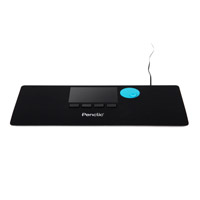
The NiceTouch T2 from Penclic is both a touchpad and palm support, nicely complementing any straight-edged keyboard that does not have built-in palm supports. This unit sits in front of the keyboard, giving quick access to the touchpad when needed, while providing extra support for the palms when typing or resting. This positioning eliminates the need to overreach for the mouse either to the left or right of the keyboard.
The NiceTouch T2 is plug-and-play. Using it is easy and intuitive. An integrated scroll wheel is provided in addition to buttons for Left Click, Right Click, Backward Click, and turning the touchpad On or Off. A small green light indicates the unit is powered. Available in black or white.
Le NiceTouch T2 de Penclic est les deux à la fois un touchpad et un support de paume, qui compliment bien tout clavier rectangle qui n`a pas de support de paume intégré. Cette souris se place devant le clavier, permettant un accès rapide au touchpad en cas de besoin, tout en offrant un support supplémentaire pour les paumes durant la dactylo ou du repos. Ce positionnement évite de s`étendre à la souris, que ce soit à gauche ou à droite du clavier.
Le NiceTouch T2 est plug-and-play. Son utilisation est facile et intuitive. Une molette de défilement intégrée est fournie en plus des boutons pour le clic gauche, le clic droit, le clic arrière et l'activation ou la désactivation du touchpad. Une petite lumière vert indique que l`appareil est fonctionnel. Disponible en noir ou en gris/blanc.